
eRacks Systems Tech Blog
Open Source Experts Since 1999
An AI Just Proved Fermat’s Last Theorem. Here Is What That Means for the Server You Buy Next
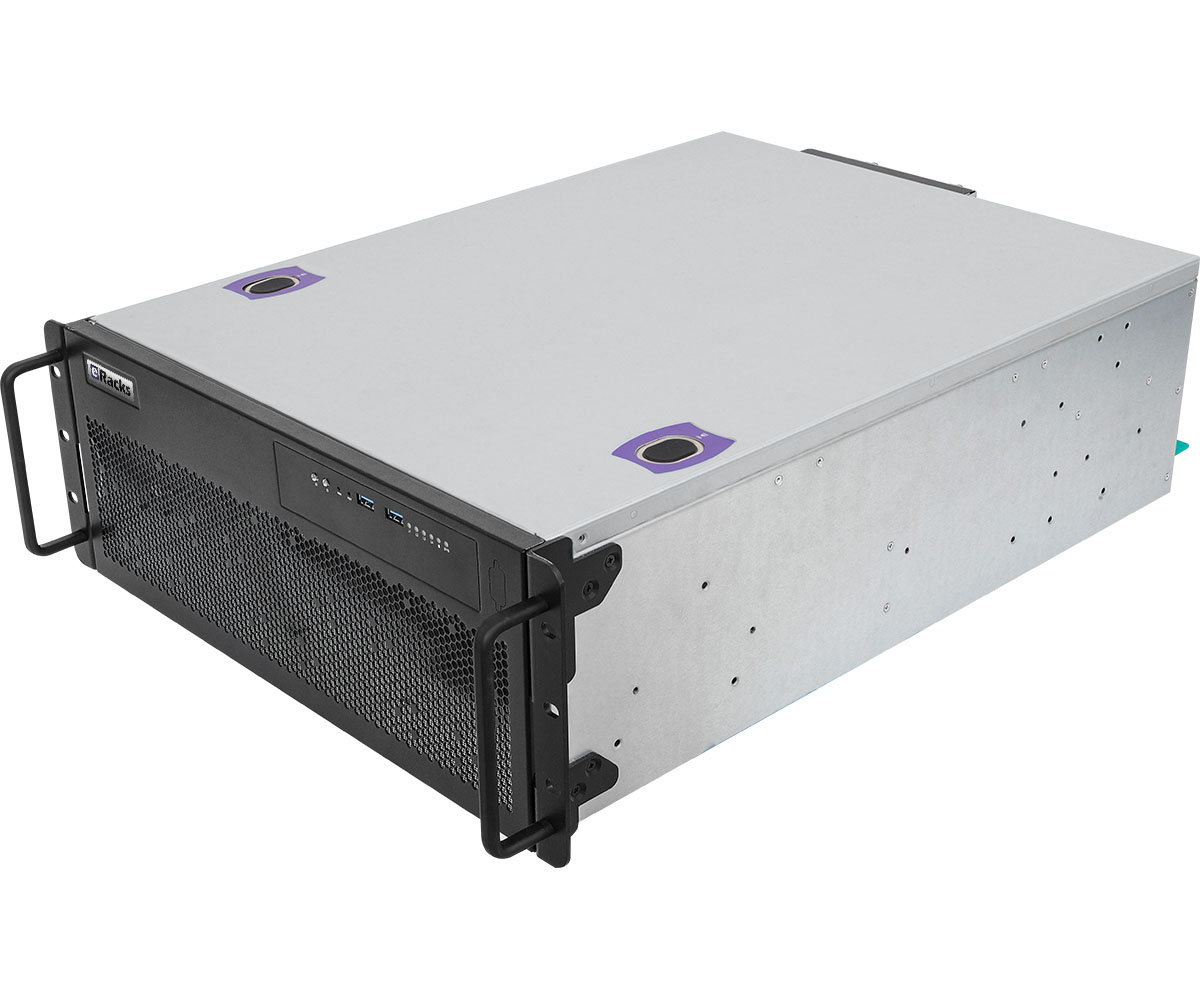
On September 4, Anthropic published the first complete, computer-checked proof of Fermat’s Last Theorem. Claude wrote it in Lean, a programming language built so a computer can verify every step of a mathematical argument instead of a human reviewer. Eleven days, largely on its own, 13 million lines, about 29,500 intermediate theorems along the way, and nothing assumed beyond Lean’s three standard axioms. Andrew Wiles’s 1995 proof ran 129 pages and took months of expert review to check.
I read that as a hardware story.
Eleven days of work, not a chat reply
The interesting part is not that a model knew number theory. It is that a machine did eleven days of sustained, structured work, and another machine checked every line of it. That is the shape of job we spec servers for now: long-running agents that read, write, test and retry against your own documents and code, not a question-and-answer box.
The frontier models live in their makers’ datacenters. What you can own is the open-weight class right behind them (Qwen, Llama, DeepSeek, Gemma), running on hardware you control, on your own documents, with no per-token bill and nothing leaving the building.
What that class of model does on a server you can buy
On our bench, a dual Intel Arc Pro B70 server runs Qwen3-14B at 54 tokens per second and Qwen3.6-27B at 26 (a token is about three quarters of a word), with the models resident in 64GB of GPU memory. The measurements, the software stack and the three power-management fixes it took to get there are in our benchmark write-up.
The money
Run the arithmetic our public rent-versus-own calculator uses (24 hours a day, 15 cents per kWh, $1,200 a year of overhead, a three-year payback) and an eRacks/AINSLEY at $21,395 pencils out against an AI bill of about $800 a month. A team of ten on $100 seats is $1,000 a month, forever. The calculator takes your own numbers, and every field is editable.
Every eRacks server is built to order, burned in, and benchmarked before it ships, with the numbers in the box. If you are sizing a machine for this kind of work, the AINSLEY configurator is the place to start, and a quote request gets a reply within one business day.
Joseph Wolff, Founder and CTO, eRacks Open Source Systems
joe September 9th, 2026
Posted In: AI Servers, News
Tags: AI server cost, eRacks/AINSLEY, Fermat's Last Theorem, formal verification, Intel Arc Pro B70, Lean, on-premise LLM, private AI, Qwen3
Hard Drive Prices Jumped 40 to 90 Percent Since March: Six Months of Our Own Tracking
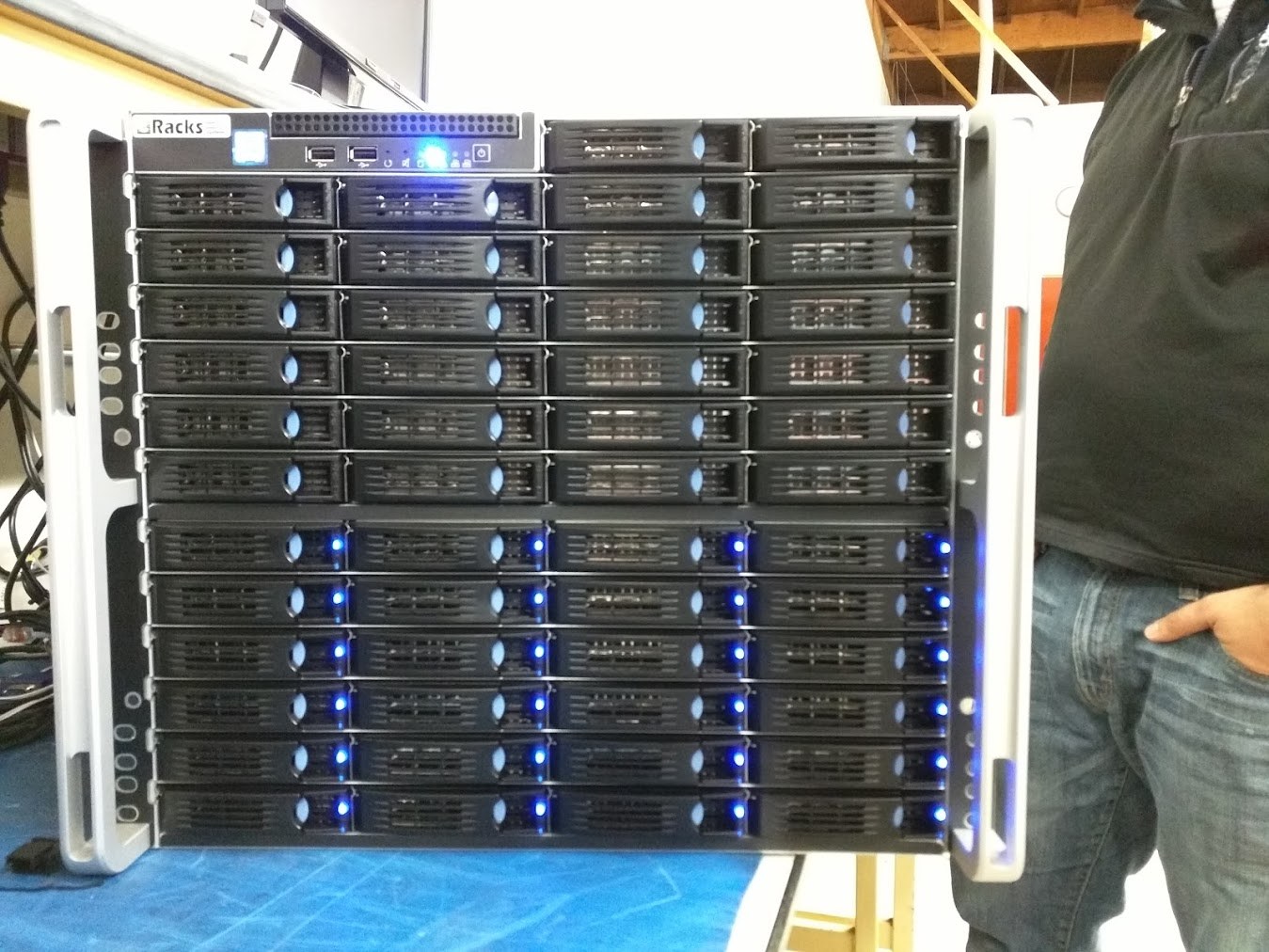
A sale landed in our feed this week: thirty dollars off an 8TB Barracuda. Nice, if you need one drive. It is also completely the wrong number to be watching.
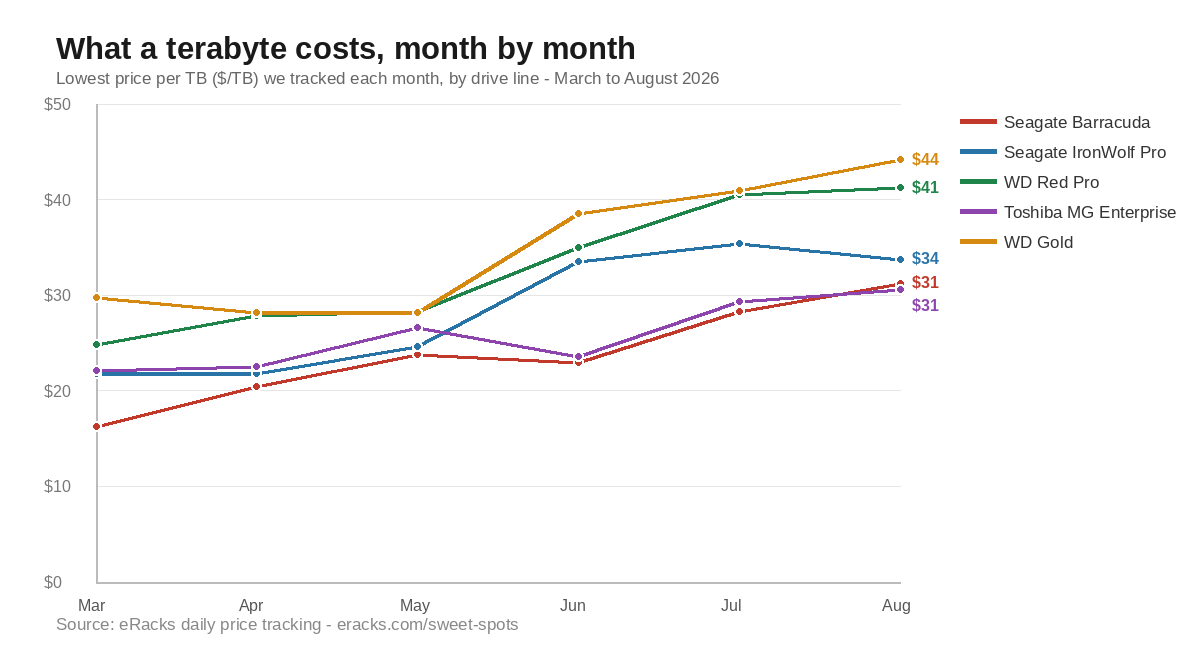
We price storage servers every week, so we track drive street prices daily and keep the results on a public page. The metric that matters is not the sticker on any one drive, it is dollars per terabyte, and over the last six months it has gone one direction.
What actually happened
These are the best prices we found in each month, not averages, so they are the floor rather than the typical ask:
| Drive line | Class | March 2026 | August 2026 | Change |
|---|---|---|---|---|
| Seagate Barracuda | Desktop | $16.25 | $31.25 | +92% |
| WD Red Pro | NAS | $24.84 | $41.22 | +66% |
| Seagate IronWolf Pro | NAS | $21.78 | $33.75 | +55% |
| WD Gold | Enterprise | $29.79 | $44.17 | +48% |
| Toshiba MG | Enterprise | $22.17 | $30.64 | +38% |
| Seagate Exos SATA | Enterprise | $24.33 | $27.92 | +15% |
The consumer line moved most, which is the tell. Desktop drives are the shock absorber of the storage market: they are the first to get discounted when supply is loose and the first to be repriced when it is tight. The enterprise lines with long supply contracts behind them moved least.
Why
The same squeeze that took DDR5 memory prices up this year is reaching spinning storage. AI datacenter buildouts are consuming manufacturing capacity and inventory across the board, and hard drives are being pulled into it as the cheap tier behind all those flash arrays. Meanwhile the drives most people actually buy, the 8TB to 16TB middle, are the ones the shortage bites hardest, because that is where consumer and datacenter demand overlap.
What this means if you are buying storage
Watch $/TB, not the discount. Thirty dollars off an 8TB drive that has already gone up sixty dollars per terabyte since spring is not a deal, it is a smaller increase. Divide the price by the capacity, every time, and compare that number to what the same class cost you last quarter.
The sweet spot moves. The cheapest terabyte is not always in the biggest drive, and in a shortage it moves around by the week. We publish the current best price per TB by capacity and by line, updated daily, at eracks.com/sweet-spots/drives, with the trend lines at the trends view. It is the same data we quote from, so you can check our arithmetic.
Buy the array you need now, not the one you will need in three years. The usual advice, buy extra capacity because it is cheap, assumes prices fall. They are not falling right now. Size the array for real growth, leave bays free, and add capacity when the market gives you a better number rather than paying today’s price for tomorrow’s data.
Fewer, larger drives still wins on the other costs. Even with prices up, a 24TB drive costs less per terabyte to power, cool, and rack than three 8TB drives, and it leaves bays open. The capacity ceiling keeps moving too: the largest drive in our catalog was 14TB in 2019, and it is 32TB today.
How we track it
A scraper walks the drive lines we actually build with, several times a day, records what each capacity costs from real listings, and computes price per terabyte. Every server quote we send is priced from that table on the day we send it, which is also why our quotes carry a refresh note: in a market moving this fast, a four-week-old number is fiction.
If you are sizing a storage server, a rackmount NAS, an all-flash array, or a media and video server, tell us the usable capacity you need and how fast it grows. We will size it against today’s numbers, show you the per-TB math, and tell you if waiting a quarter is the better move.
Common questions
Should I buy now or wait? Prices are not falling right now, so waiting is a bet, not a saving. Size the array for the growth you can actually forecast, leave bays free, and add capacity when the per-terabyte number improves.
Are enterprise drives worth the premium in a shortage? The gap narrowed: Toshiba MG enterprise at $30.64 per TB is now close to what a consumer Barracuda costs at $31.25, and the enterprise drive carries the longer warranty and the workload rating. When consumer pricing catches up to enterprise, buy enterprise.
Do these numbers include the drives in your servers? Yes. Every storage server we quote is priced from this same table on the day we quote it.
Scope note: our own daily tracking began in March 2026, so the chart is six months of first-hand data rather than a multi-year index. The capacity figures come from our catalog history.
joe September 3rd, 2026
Tags: component pricing, Exos, hard drive prices, NAS storage, price per TB, Seagate IronWolf, Storage Server, Toshiba MG, WD Gold, WD Red Pro, ZFS NAS
We Benchmarked a Dual Intel Arc Pro B70 AI Server: Real Numbers, Real Gotchas
This week we ran a dual Intel Arc Pro B70 server through our full AI provisioning pass: burn-in, GPU bring-up, model deployment, and benchmarks. Not a spec-sheet estimate, not a vendor slide: a production machine on our bench, running the models our customers actually ask for. Here are the numbers, and the three undocumented problems we had to solve to get them.
The numbers
Serving stack: llama.cpp’s official Intel build (SYCL, Intel’s open GPU compute layer), running rootless under Podman (containers with no root daemon), exposing the standard OpenAI-compatible API on localhost. Models in GGUF format, 4-bit quantization, 16K context window.
- Qwen3-14B: 54 tokens per second. A token is roughly three-quarters of a word, so this is around 40 words per second: the fast daily driver for chat, summarization, and coding assistance.
- Qwen3.6-27B: 26 tokens per second on a single B70. The larger flagship, held steady across back-to-back 300-token responses. For reference, that is faster than most people read.
Both models run entirely in GPU memory. One card serves the model; the second card is free to carry a second model, an embedding model for document search, or headroom for more users. No API fees, no per-token metering, no data leaving the building.
Why the Arc Pro B70 matters
The B70 gives you 32GB of VRAM (the GPU’s onboard memory, the hard limit on what models fit) per card. Two cards put 64GB of GPU memory in a server at a price that undercuts a single big-name datacenter GPU by a wide margin. In 2026’s GPU market, with datacenter cards on allocation and prices climbing, that ratio of memory to dollars is the story. If your workload is private AI inference (running models on your own hardware, on your own data), the B70 class is the value play right now.
And the density curve is still bending: board partners are already building single-slot 32GB B70 variants (Sparkle’s 160W blower design, shown at Computex). Eight single-slot cards put 256GB of GPU memory in one chassis, enough to serve 200B-parameter-class models, and exactly the direction our 8-GPU platforms are built around.
The gotchas nobody documents
Getting those numbers took more than racking cards. Three real problems, none of them in any manual:
- Arc cards go to sleep and do not come back. Linux power management idles a headless Arc card (one with no monitor attached) at three separate levels: runtime power management, PCIe port power, and the display engine. On a multi-card system the second card can lock up until the next full power-off. The fix is a three-layer configuration: a udev rule pinning the cards awake at driver bind, a boot-time service covering the PCIe ports, and two kernel boot parameters. A warm reboot will not recover a card that has gone down this hole; only a cold power-off will.
- Rootless container port-forwarding that resets every connection. On current Ubuntu, the rootless port forwarder reset every request to the AI server while the server itself was perfectly healthy: a failure that looks exactly like an application crash and can eat hours or days of debugging. We now bind these stacks to host networking by design.
- Container image format quirks that silently drop build instructions, and upstream configuration files with inline comments that become literal arguments and crash the server on startup.
We solved all three on the bench, wrote them into our provisioning playbook, and bake the fixes into every AI build we ship. That is bench time you do not spend, and downtime your team never sees.
What this costs to own
Every machine below is configured online, priced live, and ships benchmarked:
- eRacks/AIDAN: one Arc Pro B70, 32GB VRAM, 2U EPYC platform, from $13,895.
- eRacks/AINSLEY: two Arc Pro B70s, 64GB VRAM, Threadripper platform, from $21,395. This is the configuration class benchmarked above.
- eRacks/HIGHLANDER: the 8-GPU flagship for serious multi-user inference and fine-tuning, from $154,995.
- The full AI server line starts at $7,695.
And the work described in this post is a product: eRacks AI Provisioning & Setup. We install the serving stack, deploy and benchmark your chosen models on your actual hardware, apply every fix above, and hand you the numbers and the rebuild notes: $1,495, or $2,495 with a private RAG stack (retrieval-augmented generation: a chat interface plus a vector database that lets the models answer from your own documents, entirely offline). Included at no charge on flagship orders.
Renting this class of GPU in the cloud runs thousands of dollars a month, forever, with your data on someone else’s disks. Run your own numbers in our TCO calculator: for daily AI workloads, ownership typically pays for itself inside a year.
Configure a machine online, or request a quote and tell us what models you want to run: we will spec the memory, the cards, and the stack to match. Questions first? Call us at 408-455-0010.
joe August 26th, 2026
Posted In: AI Servers, News
Tags: AI server benchmarks, GPU server, Intel Arc Pro B70, llama.cpp, local LLM, open source AI, Podman, private AI, Qwen3, rootless containers
The 2026 AI Hardware Squeeze, From Our Own Purchasing Records
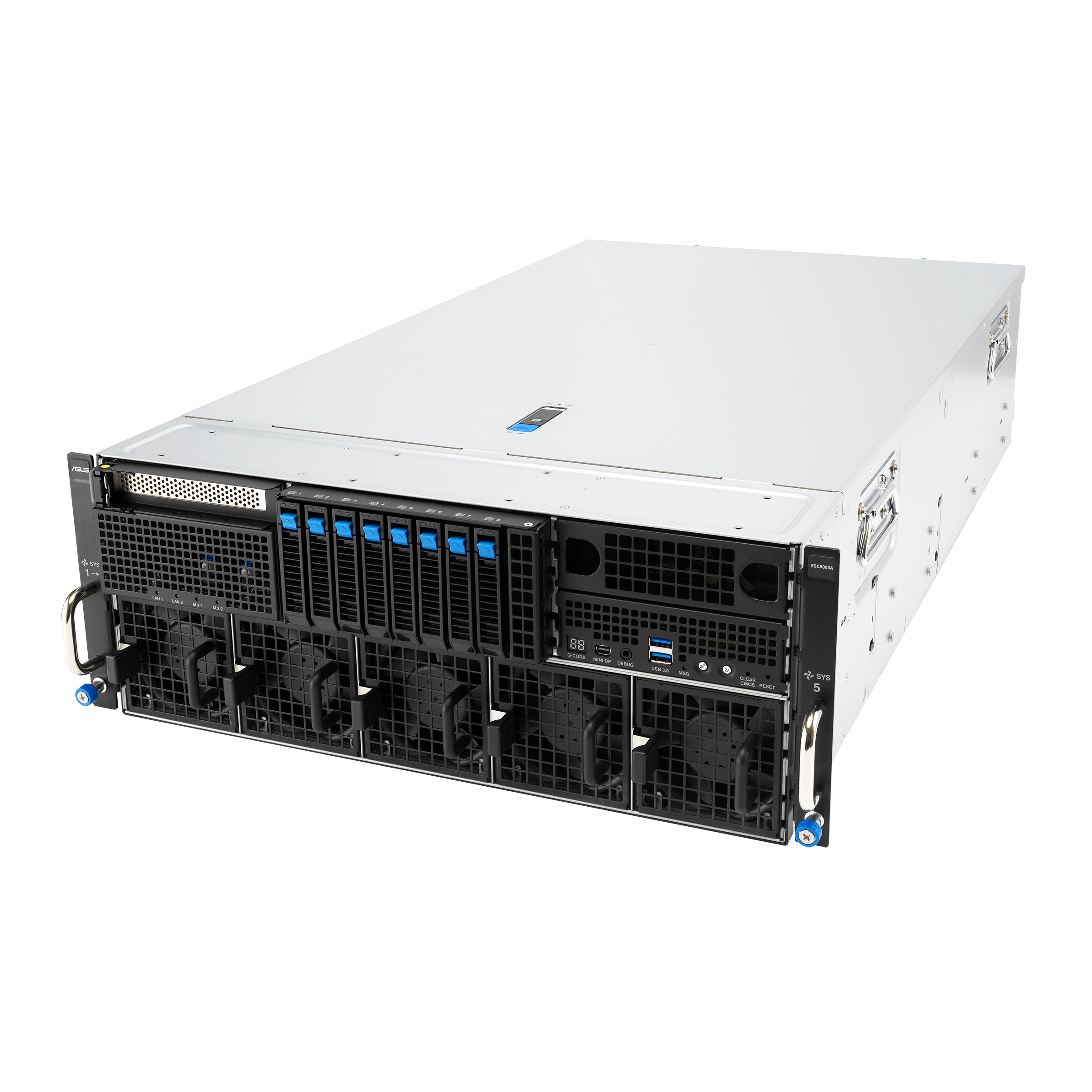
We build servers for a living, which means we buy components every week: GPUs, memory, drives, boards. That gives us something most commentary about the AI buildout does not have – purchasing records. Here is what ours say about 2026.
Three numbers from our records
87 percent. NVIDIA’s RTX PRO 6000 Blackwell (the 96GB card serious AI shops standardize on) launched at $8,565. It was repriced to $13,250, and now lists at $16,000. Same card, up 87 percent in under 18 months.
Roughly 4x. Server memory (ECC RDIMMs, the error-correcting kind server boards require) has roughly quadrupled per gigabyte in the 2026 shortage.
30 to 50 percent. Mainstream enterprise NVMe drives (fast solid-state storage) are out of stock at major distributors, and the units that are in stock carry 30 to 50 percent premiums.
The cause is structural, not seasonal. The hyperscalers (the biggest cloud operators) buy GPUs, memory, and flash by the container, and everyone downstream pays the new price.
What this does to rent versus own
The intuition says wait: prices are high, so hold off. The math says the opposite, for two reasons.
First, rising hardware prices do not favor renting. Cloud GPU rates ride the same scarcity – the landlord’s costs are your costs, plus margin – and rent never converts into a machine you own. If your team runs AI workloads daily, an owned server typically pays for itself inside a year.
Second, waiting has a cost of its own. The same configuration has cost more every quarter this year, and the shortage driving that has not eased. If owning is where your team lands eventually, sooner costs less than later.
Run your own numbers
We publish the rent-versus-own calculator we use internally: eracks.com/tco. It starts from the bill you actually pay – AI subscription seats or cloud GPU hours – and compares it against owning an eRacks server at live configured prices. It runs in your browser, requires no signup, and collects no email address.
And one thing about how we price: the configurator runs on live component costs, and the price you configure today is the price you pay at order. Component prices are moving weekly; your order does not.
The AI line runs from 2-GPU value systems to 96GB-class 8-GPU flagships, all built to order in California with the full open-source stack pre-installed (Ollama the model runner, Open WebUI the chat interface, vLLM high-throughput serving) and no Windows tax: browse the AI servers.
Questions about your workload? Ask for a quote and tell us what you run and what you pay for AI today – we will tell you straight whether owning pencils out for you, and exactly which box if it does.
joe August 21st, 2026
Posted In: AI Servers, News
Tags: AI hardware prices, DDR5 shortage, GPU prices, GPU server, NVMe shortage, open source AI, private AI, rent vs own, RTX PRO 6000 Blackwell, total cost of ownership
A Federal Court Just Changed the Rules for AI Confidentiality: US v. Heppner and the On-Premise Answer
On February 10, 2026, in United States v. Heppner (No. 25-cr-00503-JSR, Southern District of New York), Judge Jed Rakoff held that roughly thirty-one documents a defendant prepared using the consumer version of a generative AI platform were not covered by attorney-client privilege (the confidentiality protection on lawyer-client communications) or the work-product doctrine (the protection on material prepared for litigation). The defendant had used a public AI chatbot to work on his own defense. The court’s reasoning reaches far beyond one criminal docket: putting information into a public AI platform is disclosure to a third party, and disclosure to a third party is how confidentiality dies.
It was not an isolated signal. In a separate matter, a federal court ordered roughly 20 million ChatGPT conversation logs produced to the plaintiffs in the consolidated copyright litigation against OpenAI, over the platform’s objections that production would invade its users’ privacy. Two different courtrooms, one consistent message: every prompt your team types into a rented AI service is a business record on someone else’s server, kept under someone else’s retention policy, reachable by someone else’s litigation.
What the court actually held
The privilege analysis in Heppner turns on a doctrine every first-year law student learns: confidentiality protections survive only as long as the communication stays inside the protected circle. Hand a draft to an outside party with no duty of confidentiality and the protection is waived. The court treated the consumer AI platform as exactly that kind of outside party: its privacy policy gave the user no reasonable expectation of confidentiality, so material routed through it was shared with a stranger to the privilege. The work-product claim failed separately, because the documents were not prepared by or at the direction of counsel.
The holding was expressly tied to those facts: a public, non-enterprise platform, used without counsel’s direction. That is the door left open, and legal commentators analyzing the ruling have walked straight through it: tools that contractually or architecturally guarantee confidentiality can support a different analysis. On-premise AI is the strongest form of that guarantee, because the data never leaves the organization’s control and no third party ever holds it. Confidentiality by the system’s design, not by a vendor’s promise.
This is not only a law firm problem
Privilege is the sharpest version of the issue, but the underlying logic applies to any confidential information: client lists, financials, personnel matters, unfiled patents, M&A discussions, source code. If it is confidential, and your team pastes it into a public AI prompt box, you have shared it with a third party whose logs are discoverable and whose retention policy you do not control. The 20-million-logs production order makes that concrete: the logs existed, so they were produced.
The architecture answer
A private AI server dissolves the third-party problem instead of papering over it. The model runs inside your walls. Prompts, drafts, and outputs never cross the internet. The only logs are on your hardware, under your retention policy, inside your discovery perimeter, exactly like the rest of your files.
What that looks like in practice on an eRacks system:
- Air-gapped or egress-controlled networking: the machine physically cannot send your data out.
- The full open-source AI stack pre-installed free: Ollama (the model runner), Open WebUI (the familiar chat interface), and vLLM (high-throughput serving), tested before the system ships.
- Current open models, yours to run: DeepSeek, Llama, Qwen, Mistral, selected and sized for your workload.
- Real configured prices: the private AI line starts with the 2U AILSA at $7,695, and every price on the site is an orderable number, not a starting point for a sales call.
- Turnkey deployment if you want it: AI Provisioning and Setup at $1,795 flat takes the system from powered-on to production-ready, with your models tuned on your hardware and 30 days of follow-up included.
One necessary caveat: we build architecture, not legal opinions. Whether and how the Heppner analysis applies to your practice is a question for your counsel. What we can say is that the technical side of the answer is now the easy part.
The full breakdown for legal practices, including the ruling timeline and an architecture comparison, is at eracks.com/law-firm-ai-server. For everyone else wondering what it would take to bring confidential AI work inside the building: tell us what your team runs through AI today, and we will tell you straight which box does it, or whether you need one at all.
joe July 28th, 2026
Posted In: AI Servers, News
Tags: AI confidentiality, AI provisioning, AILSA, air-gapped AI, attorney-client privilege, ChatGPT logs, law firm AI, legal AI server, on-premise AI, private AI, US v Heppner, work product