
eRacks Systems Tech Blog
Open Source Experts Since 1999
HAMR vs CMR: 32TB NAS Drives and What They Mean for Your Storage Budget
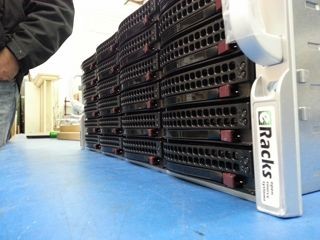
A quiet but significant update landed in the eRacks configurator this week: 32TB HAMR drives are now available across the full NAS product line. For organizations that measure their storage needs in petabytes, this matters. The 102-bay eRacks/NAS100 can now be configured with 3.264 petabytes of raw capacity in a single 4U chassis – up from 2.6PB with the previous generation of 30TB CMR drives.
That is not a rounding difference. It is an additional 664 terabytes in the same footprint, with no extra rack space, no additional power circuits, and no change to the chassis.
What HAMR Actually Means
Hard drives have been using conventional magnetic recording (CMR) for decades. In CMR, a write head magnetizes small regions of a spinning platter to store data. The physics of that process set a ceiling on how densely bits can be packed – push the magnetic grains too close together and they become thermally unstable, meaning data can corrupt itself over time.
Heat-Assisted Magnetic Recording (HAMR) breaks through that ceiling by using a tiny laser to briefly heat a precise spot on the platter to around 450 degrees Celsius at the moment of writing. At that temperature, the magnetic material becomes temporarily easier to flip, allowing much smaller, more stable grains to be written reliably. Once the spot cools – which happens in nanoseconds – the written data is locked in place more durably than conventional CMR recording allows.
The practical result is higher areal density: more data per square millimeter of platter surface. Seagate’s current 32TB HAMR drives achieve this without increasing the drive’s physical dimensions. The same 3.5-inch form factor, the same power envelope, the same standard SATA interface – just significantly more capacity per bay.
For NAS applications running ZFS, this translates directly into larger pools, longer time-to-failure curves on RAIDZ arrays, and more headroom before an expansion shelf becomes necessary.
The Capacity Math
The eRacks NAS lineup runs from 4 bays to 102 bays. Here is what 32TB HAMR drives unlock at a few points in the range:
- NAS12 (12 bays): 384TB raw
- NAS24 (24 bays): 768TB raw
- NAS50 (50 bays): 1.6PB raw
- NAS72 (72 bays): 2.304PB raw
- NAS100 (102 bays): 3.264PB raw
These are raw figures. Usable capacity after RAIDZ2 parity and filesystem overhead will be lower – typically around 60-70% of raw depending on configuration – but the density improvement carries through regardless of the protection scheme you choose.
Where On-Premise Storage Still Wins on Cost
The cost argument for owning your storage rather than renting it has not changed, but the HAMR upgrade sharpens it. As a reference point: 100TB of object storage on Amazon S3 Standard runs roughly $27,600 per year in storage fees alone, before factoring in egress charges when you actually retrieve data.
An eRacks/NAS24 configured with enough capacity to cover that same 100TB – with room to grow – starts at $8,995. That is a one-time capital cost. In year two, cloud egress still costs what it costs. The NAS does not send an invoice.
For organizations in regulated industries – healthcare, finance, legal, government – the calculus has an additional dimension. Data sovereignty means knowing exactly where your data is, who has access to it, and under what legal jurisdiction it sits. Cloud storage agreements involve shared infrastructure, third-party subprocessors, and terms of service that can change. An on-premise NAS running ZFS on hardware you own answers those questions conclusively.
Available Now in the Configurator
The 32TB HAMR option is live in the eRacks online configurator for all NAS models. You can select drive size, drive count, RAID level, operating system (TrueNAS, Ubuntu, Rocky Linux, or Debian), and connectivity options at the time of order. Every system ships assembled and tested from Los Angeles.
eRacks has been building custom rackmount storage since 1999. The NAS line ranges from the 4-bay NAS4 at $1,995 to the 102-bay NAS100 at $29,995. All systems are open-source-friendly, built to order, and designed for data center or on-premise deployment.
Configure your system at eracks.com/products/rackmount-nas-servers/ or contact us to discuss capacity planning for your environment.
joe May 15th, 2026
Posted In: FreeBSD, Linux, NAS Storage, NAS24, News, Storage
Tags: 32TB drives, cloud vs on-premise, data sovereignty, HAMR drives, NAS servers, network attached storage, on-premise storage, ZFS
eRacks Expands NAS Lineup: 11 Models, 4 Bays to 100 Bays, From $1,995
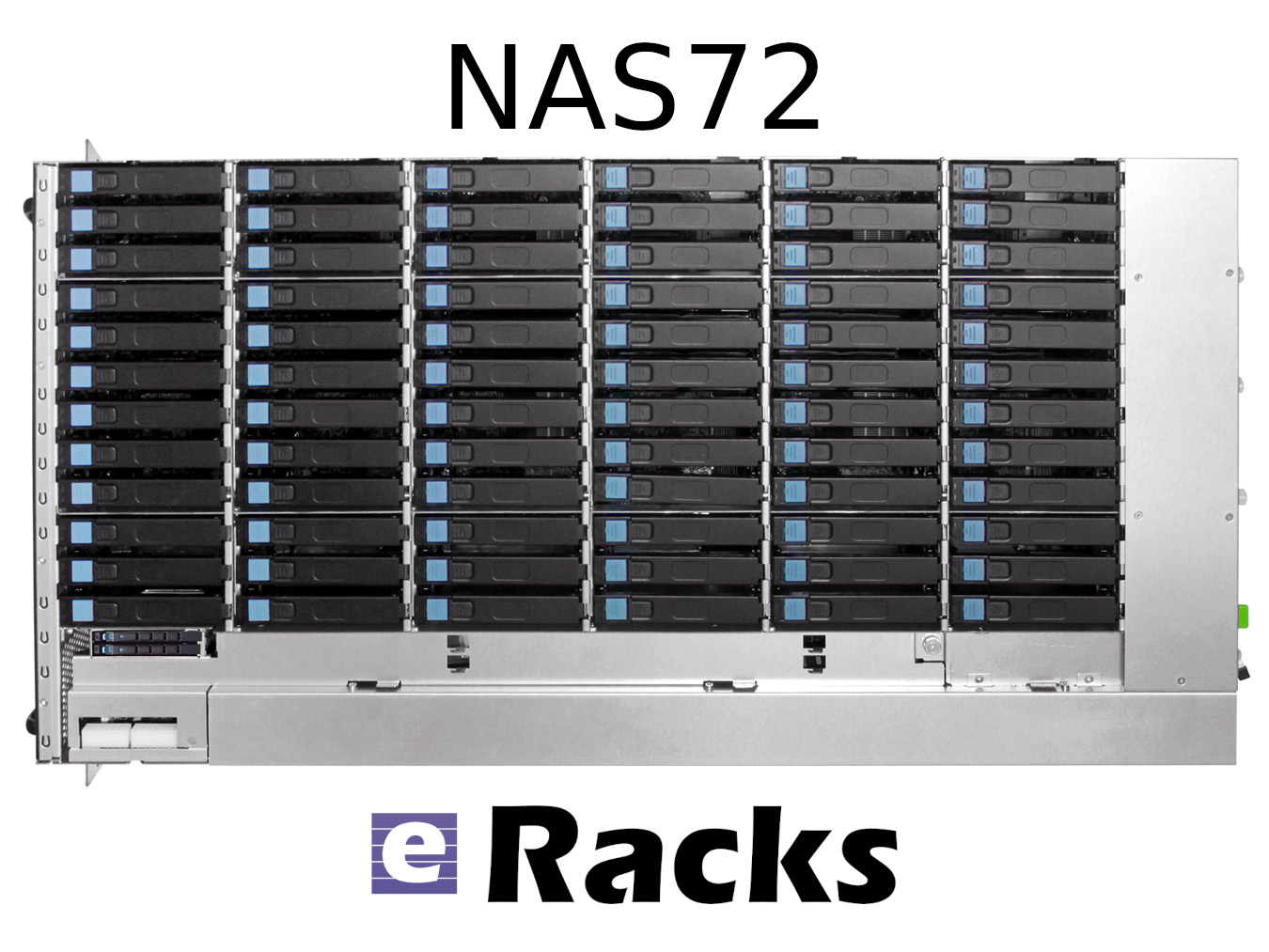
eRacks Open Source Systems has expanded its rackmount NAS server lineup to 11 models, spanning from the 4-bay NAS4 at $1,995 to the 100-bay NAS100 at $29,995. The expansion targets the accelerating cost pressure of cloud storage subscriptions versus on-premise alternatives, with full Linux, ZFS, TrueNAS, and Ceph support across the entire range – and zero per-TB licensing fees.
The math behind on-premise NAS in 2026
Storing 100 terabytes on Amazon S3 costs roughly $27,600 per year in standard-tier fees. The same 100 TB sitting on an eRacks NAS24 – 24 bays, ~480 TB raw capacity – is a one-time $8,995 purchase. Payback is under four months.
Then there are egress fees. A single 100 TB pull from AWS to your office costs around $9,000 just to get your own data back. Cloud storage made sense when the data was small. At terabyte and petabyte scale, the math has flipped.
The lineup at a glance
| Model | Bays | Form Factor | Price (starting) | Best for |
|---|---|---|---|---|
| NAS4 | 4 | 1U or desktop | $1,995 | Branch office, dev team |
| NAS6 | 6 | 1U | $2,995 | Small office, light backup |
| NAS8 | 8 | 2U | $4,995 | SMB primary file server |
| NAS12 | 12 | 2U | $5,995 | SMB with growth headroom |
| NAS16 | 16 | 3U | $6,995 | Mid-tier file + backup |
| NAS24 | 24 | 4U | $8,995 | Mid-enterprise (the bestseller) |
| NAS36 | 36 | 4U | $10,995 | Mid-large workloads, scale-out node |
| NAS50 | 50 | 4U top-load | $14,995 | Media production, surveillance |
| NAS60 | 60 | 4U top-load | $19,995 | High-density archive, large backup |
| NAS72 | 72 | 4U top-load | $24,995 | Broadcast, large-scale archive |
| NAS100 | 100 | 4U top-load | $29,995 | Petabyte-class, Ceph nodes |
Plus a parallel all-flash NAS lineup for performance-tier workloads: FLASH10 ($5,995), FLASH20 ($9,895), FLASH24 ($8,995), FLASH48 ($15,995), and FLASH72 ($19,985) – all-NVMe arrays for database backends, AI training datasets, virtualization storage, and any workload that needs IOPS rather than raw capacity.
Open source the whole way down
Every eRacks NAS ships with full Linux – not a locked appliance OS – and supports your choice of:
- ZFS with ECC RAM for data integrity
- TrueNAS Scale for the friendly web UI experience
- Ceph for clustered scale-out
- MinIO for S3-compatible object storage
- Nextcloud for private cloud file sharing
- OpenMediaVault for the lightweight option
- Proxmox if you want NAS + VMs in one box
No vendor licenses. No per-TB fees. Full root access. You own the OS, you own the data, you own the hardware.
Hardware standards across the line
ECC RAM as standard. Hot-swap drive bays throughout. Redundant power supply options on NAS12 and above. NVMe SSD caching on larger models for accelerated reads. 25 GbE networking on demand for AI training workloads, video production pipelines, and large-scale backup.
The lineup also scales without chassis replacement. A NAS50 shipping with 24 drives today expands to 50 as needs grow – no forklift upgrade required.
When does it pay off?
For most organizations storing more than 5 TB of business data, on-premise NAS is cheaper than cloud subscriptions in year one. For HIPAA-aligned healthcare deployments, law firms protecting privileged data, or any organization with data sovereignty requirements, on-premise is not just cheaper – it is the right architecture.
Custom-built since 1999
eRacks Open Source Systems has designed, built, and shipped custom Linux servers since 1999. Every system is configured to order, burn-in tested before shipping, and supported directly by engineers who built it. No call centers, no upsell scripts, no per-feature licensing.
Get a quote
The full NAS lineup is at eracks.com/products/rackmount-nas-servers. Contact us for a custom quote sized to your specific capacity, performance, and software-stack requirements.
joe April 29th, 2026
Posted In: Backups, Linux, NAS24, NAS50, NAS72, Storage
Tags: backup, Best-Practices, Cloud Storage Server, eRacks/NAS24, eRacks/NAS50, NAS, NAS24, NAS72, near-line storage, Storage, Storage Server
Your AI Server, Your Software Stack: Why eRacks Doesn’t Ship a Custom AI OS
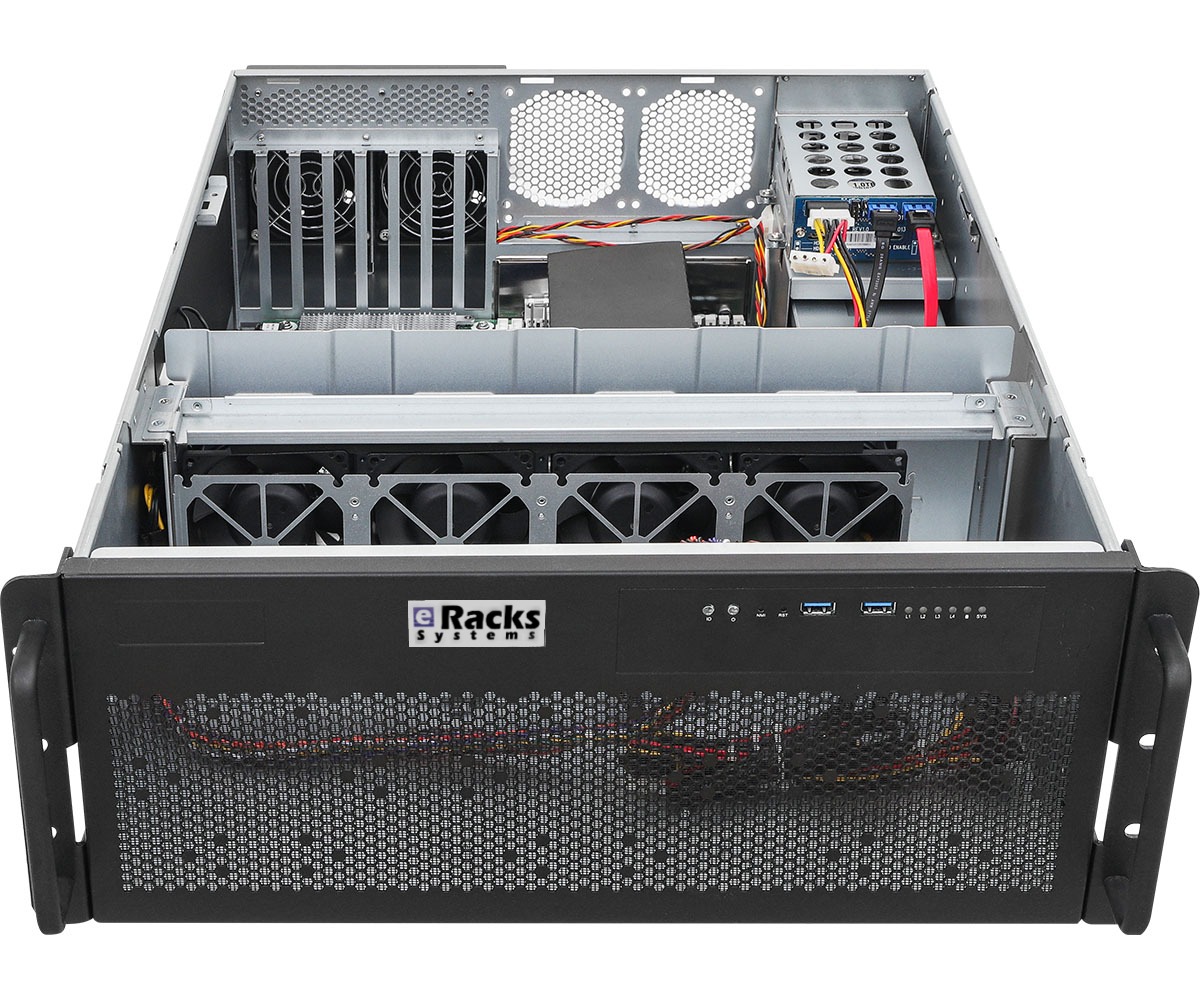
Last week we wrote about the 2026 AI GPU landscape – the hardware story. This week we want to talk about the question that comes right after a buyer picks a GPU: what actually runs on this thing once it’s plugged in?
For a lot of our boutique competitors, the answer is “our proprietary OS, our proprietary management tool, and the AI runtime we picked for you.” That model trades convenience for lock-in. We chose differently. Every eRacks AI server – AILSA, AIDAN, AINSLEY, AISHA – ships with the same software stack: vanilla Ubuntu 26.04 LTS plus a curated set of open-source AI tools, all pre-installed, all standard packages, nothing custom-forked.
What’s actually on the box when it arrives
By default, every AI server ships with:
- Ubuntu 26.04 LTS – standard server install, your team already knows it, supported until 2031.
- Ollama – the easiest local LLM runtime. OpenAI-compatible API. Pull and run any open-weight model with one command (
ollama pull llama4for Llama 4 Scout,ollama pull qwen3,ollama pull deepseek-v3.2, etc.). - Open WebUI – polished self-hosted chat interface. Looks and feels like ChatGPT. Multi-user, works for the whole team out of the box.
- vLLM – production-grade inference engine for high-throughput workloads. PagedAttention, continuous batching, the works.
- PyTorch + CUDA + cuDNN – matched to your installed GPU. Training and custom model work ready to go.
- Docker + NVIDIA Container Toolkit – containerized AI workloads work without setup.
- Standard Linux dev tools – Python 3.12, git, build-essential, tmux, htop, the lot.
That’s the hardware-AI side. On the storage and platform side, you also get the standard eRacks Linux base: ZFS available, SSH hardened, automatic security updates configured, monitoring hooks ready. No surprises, no proprietary agents.
Plug in, open a browser, start chatting
The whole “first 10 minutes” experience looks like this:
- Rack the server, connect ethernet, power on.
- SSH in once with the credentials we ship in the envelope, set your own password.
- Open
http://<server-ip>:3000in any browser on your network. - Open WebUI loads. Click “Sign up” (first user becomes admin), pick a model from the dropdown, start typing.
That’s it. The model list is pre-populated with whatever we sized your GPU for – Llama 4 Scout (17B active, 10M context) on the 48GB tier, Qwen 3 30B / DeepSeek-V3.2 distill on 32GB, Llama 3.1 8B + Mistral on 16GB. You can ollama pull any other model from the Ollama registry or Hugging Face the same day.
Why we chose this stack over building our own
There’s a temptation when you sell hardware to also sell a “platform” – a custom Linux fork, a branded management UI, a vendor-locked update channel. Some of our competitors do this. We don’t, for four reasons:
1. Your team already knows Ubuntu. Every Linux admin in your shop has used Ubuntu. Deploying our box is not a training exercise. Vanilla apt works. Standard systemd. No “did you check the wiki for this version of OurOS” support calls.
2. No vendor lock-in. If we go out of business tomorrow (we’ve been around since 1999, but still), your hardware keeps running on a fully supported open OS. You’re not stranded on an orphaned proprietary stack.
3. Updates are yours to control. When a new version of Ollama drops (which is every couple weeks), or when Meta drops Llama 4.5, or DeepSeek pushes V3.3, you can ollama pull it the same hour it lands. You don’t wait for us to vet it and ship a new firmware bundle.
4. The open-source ecosystem ships faster than any single vendor. Ollama, Open WebUI, vLLM, llama.cpp, the Hugging Face ecosystem – these tools improve weekly. Llama 4, Qwen 3.5, DeepSeek V3.2 all dropped in the last few months and were running on customers’ eRacks boxes within days of release. A vendor stack that re-bundles them is always a release behind. Vanilla Ubuntu lets you ride the open-source release cadence directly.
For teams that want different
That said: if you want a different OS, we’ll ship that too. Customers commonly ask for:
- Debian 12 stable – rock-solid, smaller footprint, similar tooling.
- Rocky Linux 9 / RHEL 9 – for teams standardized on enterprise RHEL.
- Proxmox VE – if you want to virtualize the AI server alongside other workloads.
- Bring your own image – we can boot your custom OS from USB before shipping.
And if you want a different inference stack:
- llama.cpp + llama-server instead of Ollama (more control, smaller dependency footprint)
- Text Generation Inference (Hugging Face’s TGI) for production deployments
- SGLang for advanced structured-output workloads
- LangChain / LlamaIndex stacks for RAG and agents
- JupyterLab + a stack of ML tooling if your buyer is an ML researcher
Tell us what you want at order time and we’ll pre-install it. If you don’t want anything, we’ll ship the bare OS.
The point
The hardware decision (which GPU, how much VRAM, how many drives) is the visible part of buying an AI server. The software decision is the longer-term part – it’s what your team interacts with every day for the next 5-7 years. We think that decision should be yours, on a stack you can fork, audit, replace, and redeploy on commodity hardware if you ever change vendors.
We’ve been shipping open-source Linux servers since 1999. Same approach. New use case.
joe April 20th, 2026
Posted In: AI, Deep Learning, Linux, Open Source, Rackmount Servers, servers
Tags: eRacks, Intel Arc, LLM, Rackmount Servers
From 144TB to 2.6PB: The 2026 Storage Market and Why On-Premise NAS Is Back
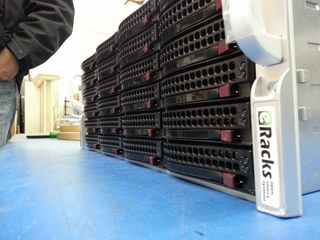
The data storage market in 2026 is doing something unusual: it’s both growing fast and getting cheaper per terabyte at the same time. Global storage requirements are projected to nearly double by 2029, hitting roughly 20,000 exabytes. The NAS hardware market alone is forecast to grow from $55B today to $173B+ by 2034 – a 15.5% CAGR. And while all that’s happening, 30TB+ enterprise SATA drives have become genuinely mainstream, with retail prices that put petabyte-scale on-premise storage within reach of mid-sized organizations for the first time.
Meanwhile, the cloud-storage decade is hitting a wall. Egress fees on AWS, Azure and GCP have only gone up. Ransomware losses keep climbing. Healthcare, legal, finance, and government buyers are all asking the same question they used to leave for the IT department: where, exactly, is our data? The answer “somewhere in us-east-1” doesn’t satisfy a HIPAA auditor, a SOC 2 attestation, or a court order anymore.
The on-premise comeback is a hardware story
For years, the argument against running storage in your own rack was capex vs opex – “cloud is cheaper because you don’t buy hardware.” That math has flipped for any organization storing more than a few hundred TB. A 36-bay NAS loaded with 24TB drives gives you nearly a petabyte of raw storage for the price of about 8-10 months of equivalent S3 storage at production-tier rates – and the hardware keeps working for 5-7 years after that.
Three things made it flip:
- HDD prices at historic lows. 28TB and 30TB enterprise drives now sell for under $20/TB. A decade ago, that was 2TB-drive territory.
- ZFS and modern Linux file systems matured. ZFS in particular – with built-in checksumming, snapshots, replication, and dedup – has become the default storage layer for serious on-premise deployments. No vendor lock-in, no licensing tax.
- Cloud egress is the new vendor lock. Pulling 100TB out of S3 to migrate workloads costs more than the hardware that would store it locally for 5 years.
The eRacks NAS lineup
Our rackmount NAS line covers everything from a small workgroup file server to true petabyte-scale storage chassis. All ship with real Ubuntu Linux (your choice of file system – ZFS, XFS, or Btrfs), enterprise components (ECC RAM, redundant power supplies, hot-swap bays), and zero proprietary management software. The OS is yours, the data is yours, the hardware is yours.
| Model | Form | Bays | Max Raw | Starting |
|---|---|---|---|---|
| NAS4 | 1U | 4 | 144TB | $1,895 |
| NAS6 | 2U | 6 | 180TB | $2,795 |
| NAS8 | 2U | 8 | 240TB+ | $3,695 |
| NAS12 | 2U | 12 | 360TB | $4,695 |
| NAS16 | 3U | 16+2 | 288TB | $6,595 |
| NAS24 | 4U | 24 | 720TB | $8,995 |
| NAS36 | 4U | 36 | ~1PB | $10,495 |
| NAS50 | 9U | 50 | 1.3PB | $13,595 |
| NAS60 | 4U | 60 | ~2PB | $15,995 |
| NAS72 | 4U | 72 | 1.5PB+ | $19,995 |
| NAS100 | 4U | 102 | 2.6PB | $24,995 |
Starting prices are barebones (chassis, motherboard, PSU); add drives, RAM, OS choice at configuration. Custom builds welcome.
What you actually run on it
Because we don’t ship a proprietary OS, you get to pick the storage stack that matches your workload. Common combinations our customers deploy:
- File systems: ZFS (default for most deployments), XFS, Btrfs
- NAS / file sharing: TrueNAS, OpenMediaVault, Samba, NFS, iSCSI
- Distributed storage: Ceph, BeeGFS, MooseFS, LizardFS – for multi-node clusters and HPC workloads
- Object storage: MinIO (S3-compatible) – increasingly popular as a local target for AI/ML training datasets
- Private cloud: NextCloud, Seafile, OwnCloud, Proxmox VE, CloudStack
- Backup & sync: Bacula, BorgBackup, restic, rsync, Duplicati
Pre-installed and tested before shipping, or shipped bare for you to provision however you like – your call at order time.
Who’s actually buying these in 2026
Six segments dominate our NAS pipeline this year:
- SMBs and mid-market IT trying to escape per-GB cloud bills that have crept past the cost of hardware ownership
- Media and production companies with growing 4K/8K video libraries (one production house can fill a 720TB NAS24 in a year)
- Healthcare and medical practices with HIPAA and patient-data sovereignty requirements that rule out major cloud providers
- Legal firms archiving case files, depositions, and discovery materials that simply cannot leave the building
- AI/ML teams needing local high-speed datasets for training – typically pairing a NAS24 or NAS36 with our AI server line for the GPU compute side
- MSPs and IT consultancies building private cloud infrastructure for clients who want SaaS economics without surrendering data ownership
What we don’t do
We don’t build consumer NAS appliances. There’s no fancy iOS app to manage your photos. We don’t license a proprietary OS or lock you into a vendor ecosystem. If you want a four-bay desktop box with a slick web UI for your home media collection, we’re not your shop – and that’s fine, lots of good vendors serve that market.
What we do build: enterprise rackmount storage on standard Linux, configurable to your exact spec, that you fully own and can replace any component on. The same approach we’ve taken since 1999.
Get the configuration right
Drive count, RAID level, networking (10/25/100GbE), RAM (1GB per TB is the rule of thumb for ZFS), and OS choice all matter. Reply to this post or hit our contact page with rough requirements and we’ll spec it for you – usually same day.
joe April 8th, 2026
Posted In: Backups, Linux, Open Source, Rackmount Servers, servers, Storage
Tags: backup, ceph, Cloud Storage Server, eRacks, eRacks signature service, eRacks/NAS24, eRacks/NAS36, eRacks/NAS50, MooseFS, NAS, NAS24, NAS36, NAS50, NAS72, Privacy, Rackmount, sata
Latest OSes
Mint 22.2 “Zara”, 22.1 “Xia”, Debian 13.0, 13.1, Fedora 42, and more now available
admin October 23rd, 2025
Posted In: Debian, Fedora, Linux, Mint, NEW, News, Open Source, Operating Systems, Technology
Tags: Debian, fedora, Latest OS, linux, Mint, Open Source, ubuntu