
eRacks Systems Tech Blog
Open Source Experts Since 1999
Your AI Server, Your Software Stack: Why eRacks Doesn’t Ship a Custom AI OS
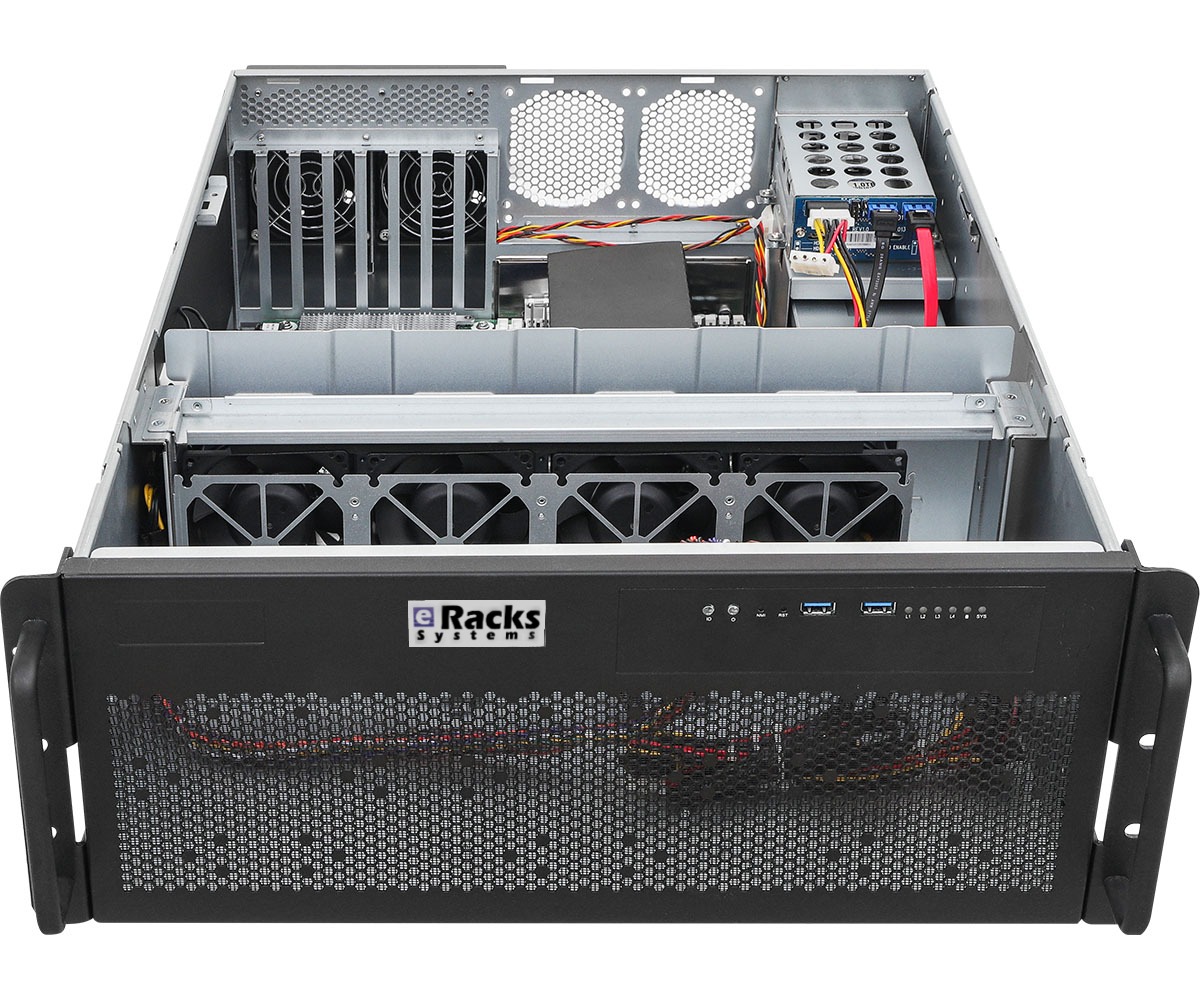
Last week we wrote about the 2026 AI GPU landscape – the hardware story. This week we want to talk about the question that comes right after a buyer picks a GPU: what actually runs on this thing once it’s plugged in?
For a lot of our boutique competitors, the answer is “our proprietary OS, our proprietary management tool, and the AI runtime we picked for you.” That model trades convenience for lock-in. We chose differently. Every eRacks AI server – AILSA, AIDAN, AINSLEY, AISHA – ships with the same software stack: vanilla Ubuntu 26.04 LTS plus a curated set of open-source AI tools, all pre-installed, all standard packages, nothing custom-forked.
What’s actually on the box when it arrives
By default, every AI server ships with:
- Ubuntu 26.04 LTS – standard server install, your team already knows it, supported until 2031.
- Ollama – the easiest local LLM runtime. OpenAI-compatible API. Pull and run any open-weight model with one command (
ollama pull llama4for Llama 4 Scout,ollama pull qwen3,ollama pull deepseek-v3.2, etc.). - Open WebUI – polished self-hosted chat interface. Looks and feels like ChatGPT. Multi-user, works for the whole team out of the box.
- vLLM – production-grade inference engine for high-throughput workloads. PagedAttention, continuous batching, the works.
- PyTorch + CUDA + cuDNN – matched to your installed GPU. Training and custom model work ready to go.
- Docker + NVIDIA Container Toolkit – containerized AI workloads work without setup.
- Standard Linux dev tools – Python 3.12, git, build-essential, tmux, htop, the lot.
That’s the hardware-AI side. On the storage and platform side, you also get the standard eRacks Linux base: ZFS available, SSH hardened, automatic security updates configured, monitoring hooks ready. No surprises, no proprietary agents.
Plug in, open a browser, start chatting
The whole “first 10 minutes” experience looks like this:
- Rack the server, connect ethernet, power on.
- SSH in once with the credentials we ship in the envelope, set your own password.
- Open
http://<server-ip>:3000in any browser on your network. - Open WebUI loads. Click “Sign up” (first user becomes admin), pick a model from the dropdown, start typing.
That’s it. The model list is pre-populated with whatever we sized your GPU for – Llama 4 Scout (17B active, 10M context) on the 48GB tier, Qwen 3 30B / DeepSeek-V3.2 distill on 32GB, Llama 3.1 8B + Mistral on 16GB. You can ollama pull any other model from the Ollama registry or Hugging Face the same day.
Why we chose this stack over building our own
There’s a temptation when you sell hardware to also sell a “platform” – a custom Linux fork, a branded management UI, a vendor-locked update channel. Some of our competitors do this. We don’t, for four reasons:
1. Your team already knows Ubuntu. Every Linux admin in your shop has used Ubuntu. Deploying our box is not a training exercise. Vanilla apt works. Standard systemd. No “did you check the wiki for this version of OurOS” support calls.
2. No vendor lock-in. If we go out of business tomorrow (we’ve been around since 1999, but still), your hardware keeps running on a fully supported open OS. You’re not stranded on an orphaned proprietary stack.
3. Updates are yours to control. When a new version of Ollama drops (which is every couple weeks), or when Meta drops Llama 4.5, or DeepSeek pushes V3.3, you can ollama pull it the same hour it lands. You don’t wait for us to vet it and ship a new firmware bundle.
4. The open-source ecosystem ships faster than any single vendor. Ollama, Open WebUI, vLLM, llama.cpp, the Hugging Face ecosystem – these tools improve weekly. Llama 4, Qwen 3.5, DeepSeek V3.2 all dropped in the last few months and were running on customers’ eRacks boxes within days of release. A vendor stack that re-bundles them is always a release behind. Vanilla Ubuntu lets you ride the open-source release cadence directly.
For teams that want different
That said: if you want a different OS, we’ll ship that too. Customers commonly ask for:
- Debian 12 stable – rock-solid, smaller footprint, similar tooling.
- Rocky Linux 9 / RHEL 9 – for teams standardized on enterprise RHEL.
- Proxmox VE – if you want to virtualize the AI server alongside other workloads.
- Bring your own image – we can boot your custom OS from USB before shipping.
And if you want a different inference stack:
- llama.cpp + llama-server instead of Ollama (more control, smaller dependency footprint)
- Text Generation Inference (Hugging Face’s TGI) for production deployments
- SGLang for advanced structured-output workloads
- LangChain / LlamaIndex stacks for RAG and agents
- JupyterLab + a stack of ML tooling if your buyer is an ML researcher
Tell us what you want at order time and we’ll pre-install it. If you don’t want anything, we’ll ship the bare OS.
The point
The hardware decision (which GPU, how much VRAM, how many drives) is the visible part of buying an AI server. The software decision is the longer-term part – it’s what your team interacts with every day for the next 5-7 years. We think that decision should be yours, on a stack you can fork, audit, replace, and redeploy on commodity hardware if you ever change vendors.
We’ve been shipping open-source Linux servers since 1999. Same approach. New use case.
joe April 20th, 2026
Posted In: AI, Deep Learning, Linux, Open Source, Rackmount Servers, servers
Tags: eRacks, Intel Arc, LLM, Rackmount Servers