
eRacks Systems Tech Blog
Open Source Experts Since 1999
The April 2026 AI GPU Landscape: From $349 to $16,500, Which VRAM Fits Your Model?
Last updated April 2026. Prices move weekly — keep checking back.
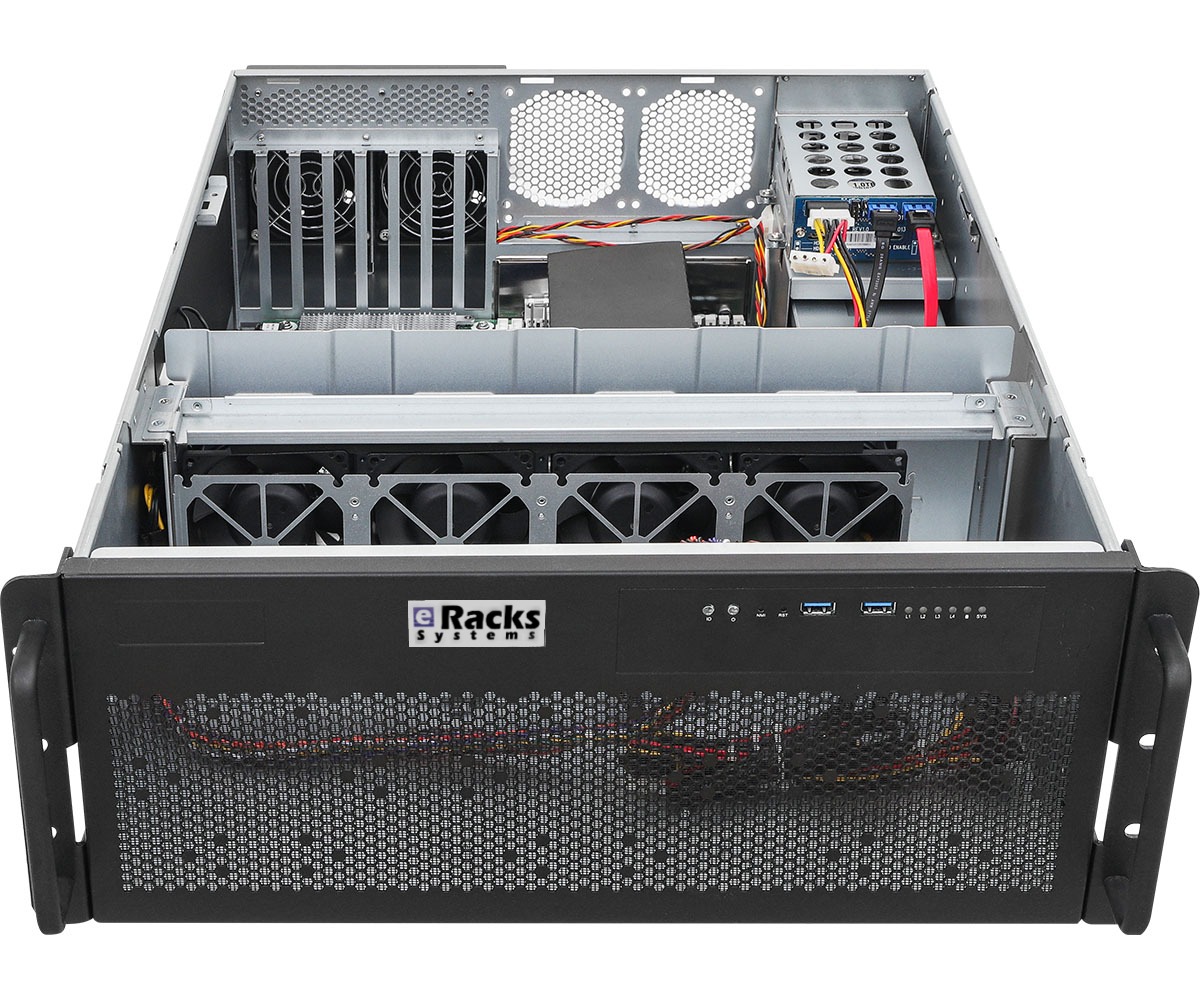
If you’ve been watching the AI GPU market, you already know the usual tension: NVIDIA dominates mindshare and most of the benchmarks, AMD is cheaper per gigabyte of VRAM but software support lags, and Intel keeps quietly shipping cards that punch well above their price tag but nobody talks about them. Meanwhile the actual hardware question most customers ask us is just: “How much VRAM do I need, and what’s the cheapest card that gets me there?”
This post is our answer as of mid-April 2026. We’ve broken the market into seven VRAM tiers, from the $349 low-profile starter card to a $16,500 datacenter accelerator, and matched each tier to the model sizes it actually runs well. All prices are current street prices, not MSRPs. At the end we’ll tie each tier back to one of our AI servers.
What “VRAM fits my model” actually means
As a rule of thumb for local inference:
- Model weight size ≈ parameters × bytes per weight. A 7B-parameter model at 4-bit quantization needs roughly 3.5–4 GB. The same model in full FP16 precision needs ~14 GB.
- Add 2–4 GB of working memory on top for KV cache, context window, and runtime overhead — more if you want long contexts.
- If your model plus overhead doesn’t fit, you’ll spill to system RAM or disk, and your tokens-per-second drops by an order of magnitude.
So the VRAM tier you need is driven by what you want to run, not by marketing tier names. Here’s how the 2026 market actually lines up.
The seven tiers
| Tier | VRAM | Price range | Models it runs comfortably | Example cards |
|---|---|---|---|---|
| Low-Profile (2U) | 8–16 GB | $320–$450 | 3B–8B quantized, embeddings, small classifiers | RTX 5060 LP, Intel Arc Pro B50, nVidia RTX A1000/A2000 LP |
| Entry | 16 GB | $480–$1,500 | 7B–13B full, 30B quantized | RTX 4060 Ti, RTX 5070 Ti, RTX 5080, AMD RX 9060 XT 16GB, AMD RX 9070 |
| Workstation | 20 GB single-slot | $1,280–$2,500 | 13B full, 34B quantized; quiet, ECC, space-efficient | nVidia RTX A4000 Ada (single-slot), AMD Radeon Pro W7800 32GB |
| Prosumer | 24–32 GB | $2,000–$3,740 | 34B full, 70B quantized | RTX 3090 Ti refurb, AMD RX 7900 XTX, RTX 5090 (availability-dependent) |
| Server | 48 GB | $1,299–$8,800 | 70B full, early 100B class | Intel Arc Pro B60 Dual 48GB, RTX 6000 Ada, NVIDIA L40S (passive), AMD Radeon Pro W7900 |
| Flagship | 96 GB | ~$9,680 | 70B full comfortably, 120B quantized, long-context everything | RTX PRO 6000 Blackwell 96GB ECC |
| Datacenter | 192 GB HBM3 | $15k+ (by quote) | Serious training + 405B-class inference | AMD Instinct MI300X |
The two surprise cards of 2026
If you only remember two things from this post, remember these:
Intel Arc Pro B50 ($399). A 16 GB low-profile card for under $400 didn’t exist twelve months ago. This card ships with both a standard and a low-profile bracket in a dual-slot form factor, slides into a 2U chassis without drama, and gets you enough VRAM for 7B-class models, embedding pipelines, and small classification workloads. As a starter card for a team dipping into local AI, nothing NVIDIA sells competes on $/GB at this form factor.
Intel Arc Pro B60 Dual 48GB ($1,299). This one is genuinely wild. Intel’s Project Battlematrix puts two Arc Pro B60 GPUs on a single PCIe card with 48 GB total VRAM — at roughly a fifth the price of an NVIDIA RTX 6000 Ada ($7,150) or a quarter the price of an L40S ($8,800). The software stack isn’t as mature as CUDA and your specific workload may or may not run well on Intel’s Battlematrix Linux drivers, but if your model runs, you’re getting 48 GB of VRAM for $1,299. For inference-bound 70B-quantized workloads where you don’t need peak training throughput, this is the best $/VRAM-GB in the market right now by a wide margin.
The AMD side
AMD’s RDNA 4 generation (RX 9060 XT, RX 9070, RX 9070 XT) turns out to be genuinely competitive for consumer-grade AI inference once you’re running on a framework that’s ROCm-aware — llama.cpp, Ollama, and vLLM all work. Performance-per-dollar on 16GB RDNA 4 cards is very close to the NVIDIA 50-series and sometimes ahead. For customers who don’t need CUDA and want to avoid NVIDIA’s pricing, this is a real path.
On the workstation side, AMD’s Radeon Pro W7800 (32 GB) and W7900 (48 GB) are direct replacements for NVIDIA’s RTX A5000/A6000 at roughly half the price, with ECC memory and workstation driver support. If you’re building a quiet single-user AI workstation, the W-series deserves a serious look.
At the top end, the AMD Instinct MI300X with 192 GB of HBM3 is the only single card that holds an entire 405B-class model in VRAM without any quantization tricks. It’s quote-only, it’s expensive, and the software story is still improving — but for the handful of customers for whom “does it fit” is more important than any other consideration, it’s currently the only game in town below $30k.
Which eRacks AI server for which tier?
We built our AI rackmount server line around this same VRAM-first thinking. Each model defaults to a different VRAM tier out of the box, and you can upgrade within the tier or jump tiers at configuration time:
- eRacks/AILSA — 2U, from $5,995. Default tier: Low-Profile. The “affordable starter” for teams trying local AI for the first time. Upgrade chassis to 3U-GPU or 4U-GPU if you want to move up to full-height cards later.
- eRacks/AIDAN — 2U full-height (up to 3 GPUs mounted sideways), from $9,995. Default tier: Entry 16GB. For 7B–13B models full-precision.
- eRacks/AINSLEY — 4U, from $14,995. Default tier: Prosumer 24–32GB. For 34B full or 70B quantized, with room for up to 4 full-height GPUs.
- eRacks/AISHA — 4U 8-GPU, from $19,995. Default tier: Workstation. Scales to the Server and Flagship tiers with up to 8 full-height GPUs — including the Intel Arc Pro B60 Dual for 48GB-per-card pricing unavailable anywhere else.
All four run Ubuntu Linux LTS Server out of the box, come with ECC-capable DDR5 RAM up to 512 GB, and ship with assembly, burn-in, and a 3-year warranty.
A note about prices
Our internal component costs tracked above — and therefore the baseline configuration prices you see on each product page — are mid-April 2026. The two forces moving them right now are (1) the AI-driven DDR5 memory supply crunch, which has roughly doubled ECC server RAM pricing since Q3 2025, and (2) the NAND flash shortage pushing SSD prices up. We’ll keep this post synced with our configurator. If you see a number here that doesn’t match what the configurator shows, trust the configurator — it’s the system of record.
Questions we haven’t answered yet
This post is the overview. Over the next few weeks we’ll be publishing deeper dives on:
- Why we just bumped our RAM prices 3x — an honest look at the 2026 memory market
- Arc Pro B60 Dual vs RTX 6000 Ada — real-world benchmarks on Llama 3 70B quantized
- The eRacks AI server lineup in depth — AILSA, AIDAN, AINSLEY, AISHA side-by-side
Got a specific model you want to run and aren’t sure which tier fits? Drop us a line and we’ll build the configuration for you.
joe April 15th, 2026
Posted In: AI, Deep Learning, LLM, Local AI, New products, Open Source, Rackmount Servers, servers, Technology
Tags: AI, AMD Radeon, Blackwell, Deep Learning, eRacks, GPU, Inference, Intel Arc, Llama, LLM, Local AI, Machine Learning, Open Source, Rackmount Servers, RDNA 4, VRAM
Linux Mint 21.1 (Vera) is Now Available with eRacks Systems.
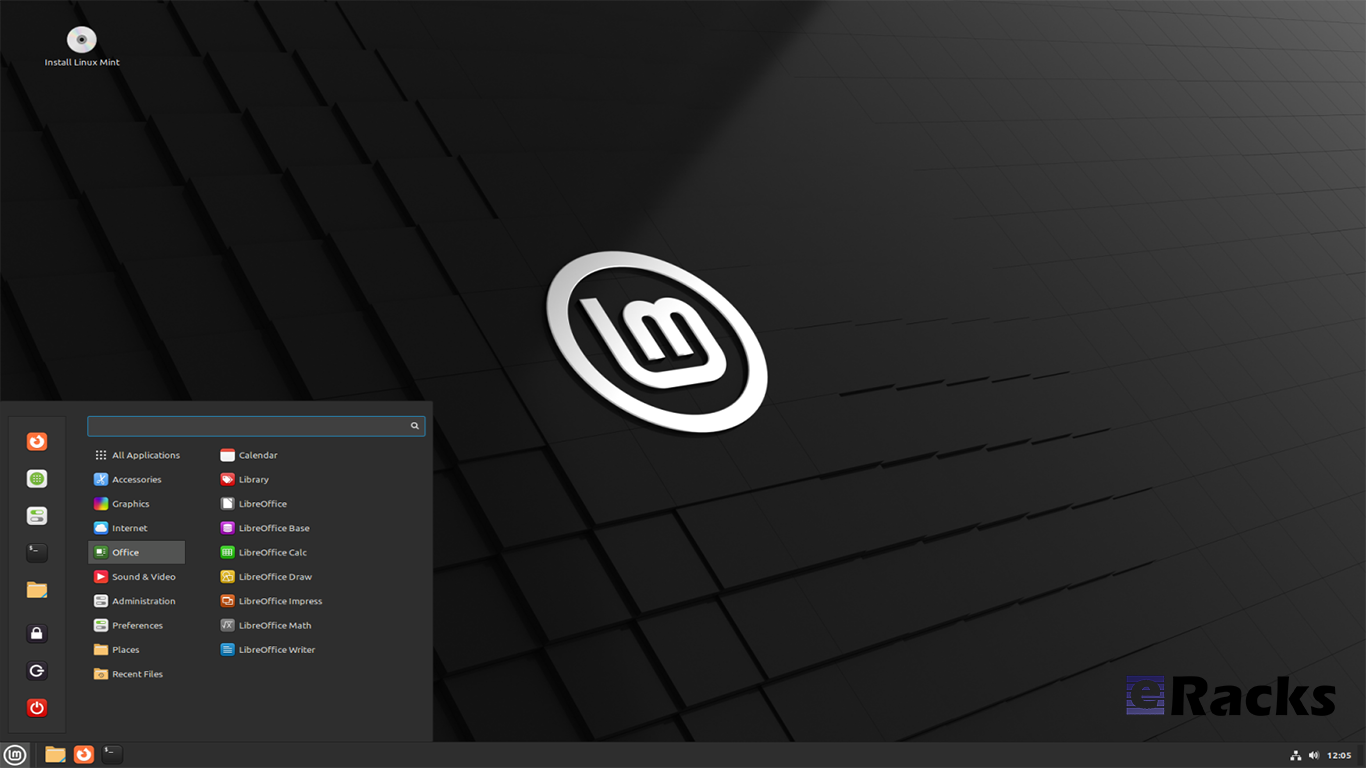
Linux Mint 21.1 “Vera” was released on December 20, 2022, a full 14 days after the beta appeared. The popular Ubuntu-based distribution’s intuitive desktop environments make it especially popular among newcomers to Linux.
Linux Mint 21.1 code name “Vera”, brings several interface changes including a cleaner desktop with more vibrant colors. Vera also sees the arrival of more controls in the update, driver, and software managers. New system sounds, ISO tools, and mouse pointers round out this update to the popular Linux distribution.
Let’s see what new Linux Mint 21.1 has in its store for users.
Linux Mint
Linux Mint is one of the most successful distributions based on Ubuntu. And with the number of Ubuntu derivatives out there, that’s saying something. Linux Mint must be doing a lot of things right—at least, according to its passionate user base.
Linux Mint is focused on desktops and laptops. It provides customized desktop environments with a choice of Cinnamon, Xfce, and Mate. It has the Snap store disabled by default; a move first made in Linux Mint 20.
Linux Mint doesn’t have a server version. Its purpose is to provide a simple, intuitive, attractive desktop Linux experience for its users, especially newcomers to the Linux world. The Linux Mint team want a mac or Windows user to be comfortable with Linux Mint within a short time.
Linux kernel
The release will continue to use the Linux 5.15 LTS kernel under the hood, based on Ubuntu 22.04 LTS.
A Refreshed User Interface
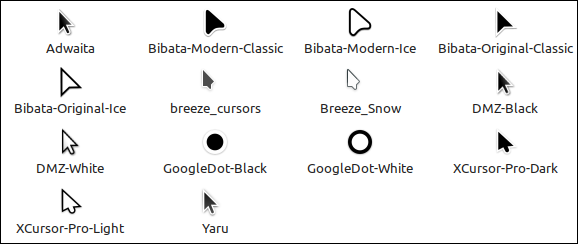
When you first boot into the desktop, you should quickly notice the new look of the cursor. It features the new Bibata theme by default.

The cursor icon theme inventory has new options like Yaru, Breeze, and GoogleDot along with the traditional DMZ theme.
Users will also find a unique set of app icon themes to choose from in addition to the traditional Mint-X, Mint-Y, and Mint-Legacy themes. This includes Papirus, Breeze, Numix, and Yaru.

Another interesting thing you may notice is the default accent color isn’t the traditional green anymore, and that’s because the desktop theme is now switched to Aqua. The accent color library offers more vibrant colors and gives the desktop a clean and attractive look.
For those who want the legacy look back, there exists a “Mint-Y-Legacy” option in the theme options.
Moreover, the Computer, Home, Networks, and Trash icons previously visible on the desktop are removed by default and can be accessed in the file manager. The Home folder icon is displayed on the panel instead. If you want to return the old arrangement, you can do so by heading to the system preferences.
Cleaner Desktop
The desktop has been purged. The “home”, “computer”, “trash”, and “network” icons have been removed.
Clicking the folder icon pinned to the panel opens your “home” directory in the Nemo file browser, so it is still only one click away. Counter-intuitively, its tooltip reads “Files”, but it gives you a fast way to get to Nemo and your “home” directory all in one.
The “computer”, “trash”, and “network” locations are available through the “Go” menu in Nemo or by searching in the start menu.

Files that you copy or save to “~/Desktop” still show up on the desktop, as do mounted devices.
There’s the usual selection of new background wallpapers. You’ve got access to the generic Linux Mint wallpapers, the backgrounds from the Linux Mint 21 Vanessa release, and the new Vera-specific backgrounds.
It’s a stunning collection of images by skilled photographers. Whoever curated these backgrounds did a great job too.
There’s a new “Show Desktop” button at the extreme right-hand end of the panel. It hides all open windows, clearing the desktop with a single mouse click.
It’s practically invisible, but it’s there. Point at it, and you’ll see its tooltip.
A Modern Mouse Pointer
The default mouse pointer has changed. Linux Mint 21.1 uses “Bibata Modern Classic”, which has a gently rounded shape without a tail.
A Modern Mouse Pointer
With all of these cosmetic tweaks, what looks good is subjective. If you don’t like the defaults, you can change them in a flash to something more agreeable to you.
New System Sounds
The system sounds have been updated. As before, the volume can be adjusted, and individual sounds can be switched on and off if they’re too distracting.
A Liberated Driver Manager
The Driver Manager application has been changed to run in user mode. This means it’ll run without the need for a password.
It searches your computer for drivers that are installed and in use, then lists them. It’ll also identify missing drivers and offer to install them.
Our test machine didn’t require any additional drivers, but it’s nice to know that you’ve got a helping hand if your computer does need them.
Enhanced Update Manager
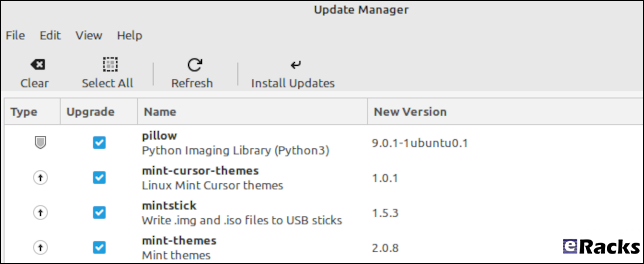
A similar amount of assistance and hand-holding is available in the Update Manager. It makes what can become a complicated task very easy. You can select the packages that you want to update, and exclude those you’re not interested in at this time.
Significantly, support for updating flatpaks has been added.
More Control in Software Manager
If a flatpack is available for an application, the Software Manager let’s you choose between installing a DEB “System Package” or a flatpack.
It’s not the flashiest software store application, but it looks good and works well. You can find what you want quickly from a huge choice of software, and you get a choice of install types, too. I’ll take that over eye candy any day.
New USB Tools
As you’d expect USB Image Writer tool lets you select an ISO image and the USB stick you want to write the image to. It also has a “Verify” button which lets you verify the authenticity of the ISO image before you burn it, which is convenient.
The USB Stick Formatter tool formats USB sticks for you. You can pick a USB stick, set its device name, and choose a file system. There are four file systems supported:
- FAT32
- exFAT
- NTFS
- ext4
Other improvements
The code which lets you remove applications from the main menu was reviewed and password prompts were removed in situations where administrative permissions weren’t required.
Removing a Flatpak will no longer require a password to be entered. Same goes for simple shortcuts and local applications (i.e. applications which aren’t installed system-wide).

Synaptic and the Update Manager will now also ask pkexec to remember your password so you won’t have to enter it every single time if you perform multiple operations.
Following the upstream deprecation of apt-key, the Software Sources received changes to rework the way it handles PPA keys.
When a PPA is added its key is now only accepted for the PPA itself, not globally for all APT Sources.
Continuous integration for all Linux Mint projects moved from Circle CI to Github Actions. This gives the development team greater control over docker.
Documentation was written and added to the User Guide to cover the following topics:
- How to reset a forgotten password
- How to have Bluetooth disabled at boot
- How to make a Windows live USB stick or a multiboot USB stick
Summary of changes

- First point release of Linux Mint 21, based on Ubuntu 22.04.1 release
- Linux Kernel 5.15 LTS
- Cinnamon 5.6.4 desktop
- Xfce 4.16 desktop
- MATE 1.26 desktop
- Friendly driver manager
- Cleaner default desktop view with fewer icons
- Default theme changes to “Mint-Y-Aqua” from the green-based icons
- New cursor theme: Bibata (one of the best cursor themes in Linux)
- A bunch of stunning wallpapers
- And an array of bug fixes
Including these, there are lot of new features in this new release. Start using new Linux Mint 21.1 to get the full experiences.
To get the Linux Mint 21.1 on your system, simply upgrade the existing Linux Minx 20.x or do a clean install.
Upgrading to Linux Mint 21.1
Upgrading to Linux Mint 21.1 is simple. Long-time users of the distro will be familiar with the steps needed to do so:
- Use the Timeshift app to make a system snapshot
- Update any/all Cinnamon spices/applets/themes
- Open Update Manager and install any updates
- Select the “Upgrade” option in the ‘Edit’ menu of Update Manager
- Hit Install
Once all updates are downloaded, unpacked, and installed it’s advised to restart the computer. A reboot ensures all changes take effect, and that the system comes back-up functioning as intended by Linux Mint’s developers.
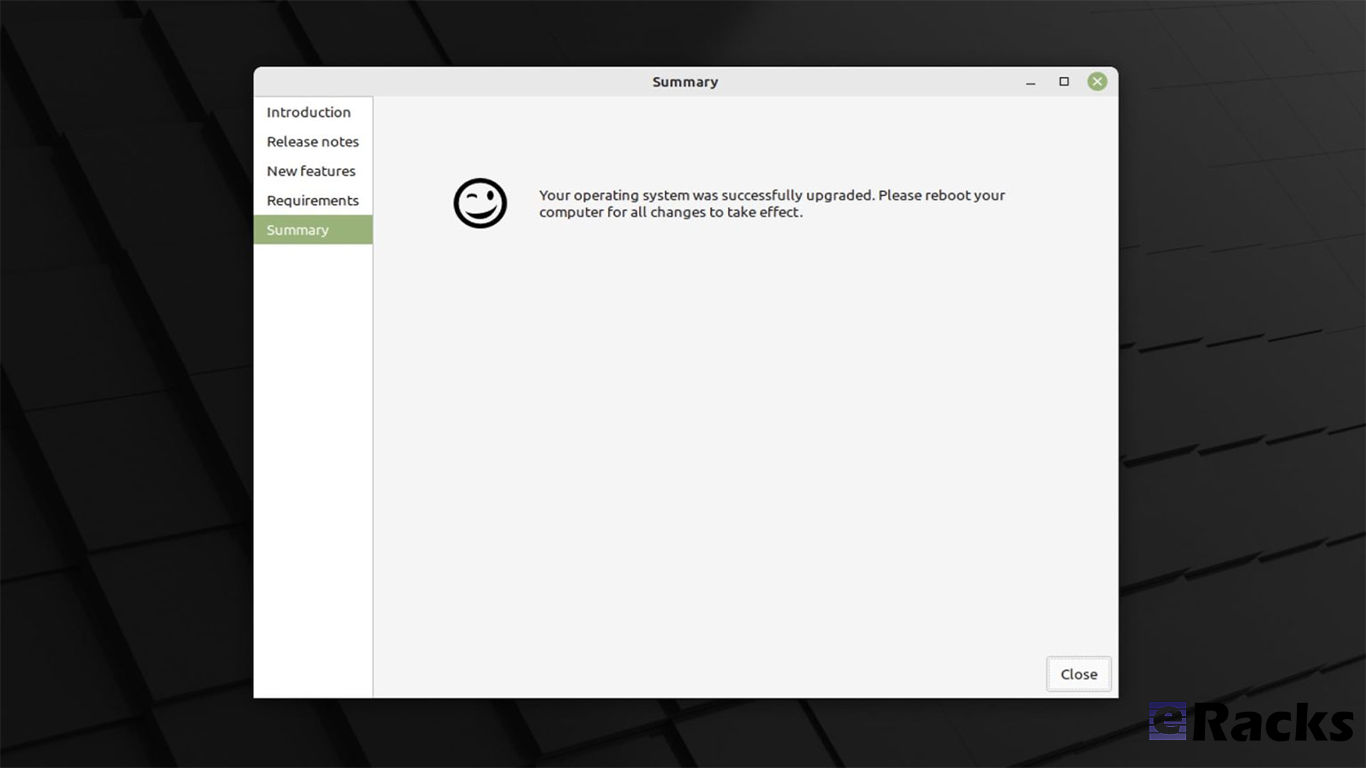
As mentioned, Linux Mint 21.1 includes a number of visual changes and new artwork. Anyone who makes the upgrade but doesn’t like the new folder icons or aqua color accents can revert to Linux Mint’s older look using the Welcome app available in the applications menu.
Before upgrading or clean install, make sure your system meets the minimum requirements. The system requirements are as follows.
System requirements:
- 2GB RAM (4GB recommended for a comfortable usage).
- 20GB of disk space (100GB recommended).
- 1024×768 resolution (on lower resolutions, press ALT to drag windows with the mouse if they don’t fit in the screen).
Conclusion
If your system doesn’t meet the minimum system requirements, or you need clean pre-installed new system, you can always get one from eRacks Systems store as pre-configured with Linux Mint 21.1.
Asif Raihan December 28th, 2022
Posted In: Laptop cookbooks, Linux, Mint, New products, Operating Systems, Upgrades
Tags: Desktop OS, Laptops, linux, LTS, Mint, multimedia, New products, Open Source, operating system
Ubuntu 22.10 “Kinetic Kudu” is here!
Ubuntu 22.10, codenamed “Kinetic Kudu”, is here with eRacks Systems. This release continues Ubuntu’s proud tradition of integrating the latest and greatest open-source technologies into a high-quality, easy-to-use Linux distribution. The team has been hard at work through this cycle, partnering with the community and our partners, to introduce new features and fix bugs.
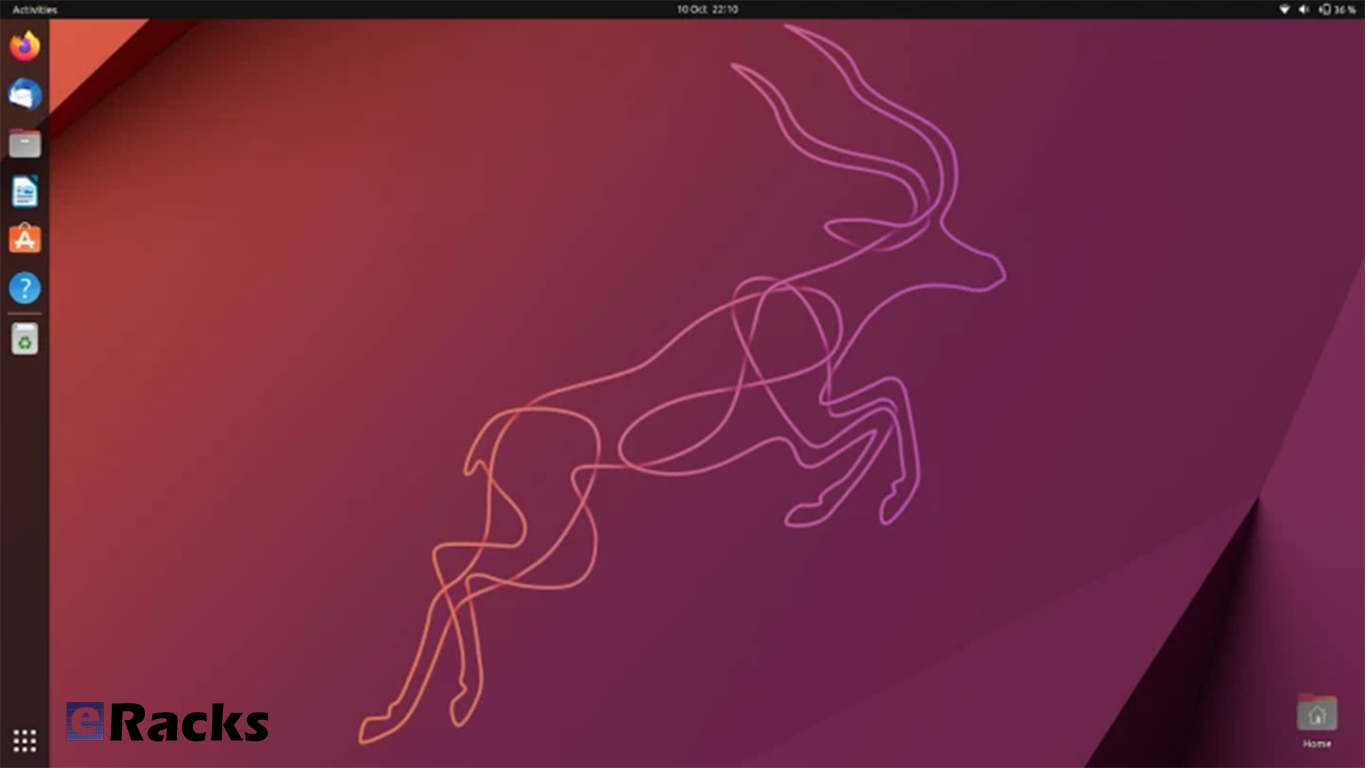
Ubuntu Desktop 22.10 users will benefit from the refinements in GNOME 43, including GTK4 theming for improved performance and consistency. Quick Settings now provide faster access to commonly used options such as wifi, bluetooth, dark mode and power settings.
Since Ubuntu 22.10 “Kinetic Kudu” will be supported for 9 months until July 2023, it was released to the wider public on Oct 20, 2022. Here’s in short, what you can expect from the Ubuntu 22.10 release.
Linux kernel

Ubuntu 22.10 is shipped with the new 5.19 Linux kernel that brings the most relevant features (in addition to many other new features, new drivers, improvements and fixes.
GNOME 43
In Ubuntu 22.10, GNOME 43 is the base desktop version. GNOME 43 is an impressive release in terms of features and work around the GTK4 and libadwaita. A lot of features which was missed to reach in Ubuntu 22.04 LTS, finally arrived in this version.
Qemu
Qemu was updated to version v7.0.0 which brings many major and minor improvements.
libvirt
Tracking the releases of libvirt continuously version v8.6.0 is now provided in Ubuntu 22.10 which – among many other fixes, improvements and features.
Docker.io 20.10.16
This new version contains fixes to avoid potential lock issues and update its dependencies internally.
Security Improvements
AppArmor gained support for restricting access to unprivileged user namespaces. This allows a system administrator to configure their system so that only applications and services which are confined by an appropriate AppArmor profile can use this feature.
Summary of the key changes in Ubuntu 22.10
- Linux Kernel 5.19
- GNOME 43
- Pipewire by default
- IWD is replacing wpa_supplicant
- KDE Plasma 5.25 in Kubuntu
- LXQt 1.1.0 in Lubuntu
- Firefox 106
- LibreOffice 7.4
- Thunderbird 102
Including these, there are a lot of improvements. To experience the full improvements, you need to use one. You can download an installation file directly from here, or get a pre-installed ready to use system from eRacks Systems’ Store.
Asif Raihan October 28th, 2022
Posted In: Linux, LiveCD, New products, Open Source, Operating Systems, ubuntu, Zenbook
Tags: Laptops, linux, New products, Rolling Release, ubuntu, Zenbook
Red Hat® Enterprise Linux® 9 (RHEL 9) Released & Available With eRacks Systems!
Released in 17th May 2022, Red Hat® Enterprise Linux® 9 helps users innovate, optimize, protect, and trust their traditional and modern workloads across their datacenter, cloud, and edge environments. Red Hat Enterprise Linux remains an economic driver, with the overall Red Hat Enterprise Linux footprint forecast to touch more than $13 trillion of the global economy in 2022. RHEL 9 is now available with the following major features with all of the systems in eRacks.
Enhanced web console performance metrics
This feature makes it easy for the system admin and operation team to monitor and identify performance metrics. It allows quick report generation and presentation with one click.
Kernel live patching
It is one of the best features for managing kernel update, RHEL 9 provide the ability to manage kernel patching with a cockpit web console.
Streamlined image building
RHEL 9 comes with various improvements like an image builder that gives the ability to build RHEL8 and RHEL 9 images through a single build node. This feature is very useful for the developer community.
Improved container development
RHEL 9 ships launch with upgraded version podman with new features and advanced technology.
Link Time Optimization
It allows speeding up various applications and running services as well as source code inspection at the time of compilation.
Application Updates
You can find all application releases with new versions which available in RHEL8 such as newer versions available of Perl, python, ruby, git, apache, Nginx, MySQL, MariaDB, and more.
Enhanced security
- Smart card authentication via the web console.
- Additional SELinux security profiles.
- Detailed SSSD Logging and search capabilities.
- Integrated OpenSSL 3.
- Integrity Measurement Architecture allows you to dynamically verify the integrity of the OS.
- The SSH root password is now disabled by default.
Support for Newer Versions of Programming Languages
- RHEL 9.0 offers the following new versions of dynamic programming languages:
- PHP 8.0
- Node.JS 16
- Perl 5.32
- Python 3.9
- Ruby 3.0
Download Red Hat® Enterprise Linux® 9 (RHEL 9) for Free.
To download RHEL 9. Check out the Red Hat Enterprise Linux product page.
Or you can get the hassle free Pre-Installed Red Hat® Enterprise Linux® 9 (RHEL 9) or your preferred versions or any of your preferable Open-Source Distribution by purchasing any systems from eRacks Systems’ Store.
Asif Raihan May 30th, 2022
Posted In: Linux, New products, Open Source, Operating Systems, servers, Technology
Tags: linux, New products, Open Source, operating system, Red Hat, Releases, upgrade
Latest Ubuntu 20.10 “Groovy Gorilla” is Now Available!
The Ubuntu 20.10 code name ‘Groovy Gorilla’, Yes, “Groovy Gorilla” is the development code name chosen for the next stable Ubuntu release, which is currently earmarked for general availability on October 26, 2020.

Now, I probably don’t need to tell you what a gorilla is — and if you don’t know, I don’t believe you !!, and the term groovy is… Well, the dictionary definition of “Groovy” describes it as an informal adjective meaning ‘fashionable and exciting’, e.g., “That’s a groovy new wallpaper!” or generally ‘excellent, e.g., “A groovy release filled with greatness”.
Ubuntu 20.10 establishes another milestone in Canonical’s long-term commitment to delivering a carrier-grade private cloud with “Groovy Gorilla”. The 33rd release of the most popular Linux distribution in the data center space, Groovy Gorilla, brings various improvements that enable easier consumption of the fast-networking stack across both VMs and containers, straightforward compliance with common security benchmarks and a reference telco cloud implementation.
Ubuntu 20.10 “Groovy Gorilla” is a short-term release supported for 9 months until July 2021. So, with its imminent release on 22nd Oct 2020, Ubuntu 20.10 will be getting support from Canonical till July 2021. This includes access to new app releases, bug-fixes, and security patches. This release mostly the testbed for the latest application, Kernel stack to provide users stable packages back to Ubuntu 20.04 LTS.
I personally have been using it for the past couple of days, and it’s reasonably stable. It also feels snappier compared to its predecessor, which isn’t a surprise considering it was primarily focusing on performance enhancements.
That being said, I won’t keep you waiting with the formalities. I know you came here to get a tour of what’s new with Ubuntu 20.10, and I have put together a few new changes in Ubuntu 20.10. Only you can feel the exact changes when you start using it.
let’s what’s new in latest Ubuntu 20.10 “Groovy Gorilla”;
Ubuntu 20.10 “Groovy Gorilla” Some Major Features:
Linux Kernel 5.8
When development for Ubuntu 20.10 started, it was based on Ubuntu 20.04 and used the same kernel base – Linux kernel 5.4 LTS. But then, Linus Torvalds released Linux kernel 5.8 in May, and everyone in the Linux community was suspecting that “Groovy Gorilla” will ship with it.
Now, after a long wait, the Linux 5.8 kernel has popped up in the Ubuntu 20.10 archives, and that too only a month ago. This means that the new iteration of the popular Linux distro will benefit from the sweep of features that comes with the new kernel.
Some notable examples include:
- Airtime Queue limits for better WiFi connection quality
- Btrfs RAID1 with 3 and 4 copies and more checksum alternatives
- USB 4 (Thunderbolt 3 protocol) support added
- X86 Enable 5-level paging support by default
- Intel Gen11 (Ice Lake) and Gen12 (Tiger Lake) graphics support
- Initial support for AMD Family 19h (Zen 3)
- Thermal pressure tracking for systems for better task placement wrt CPU core
- XFS online repair
- OverlayFS pairing with VirtIO-FS
- General Notification Queue for key/keyring notification, mount changes, etc.
- Active State Power Management (ASPM) for improved power savings of PCIe-to-PCI devices
- Initial support for POWER10
Easy Wi-Fi Hotspot Configuration
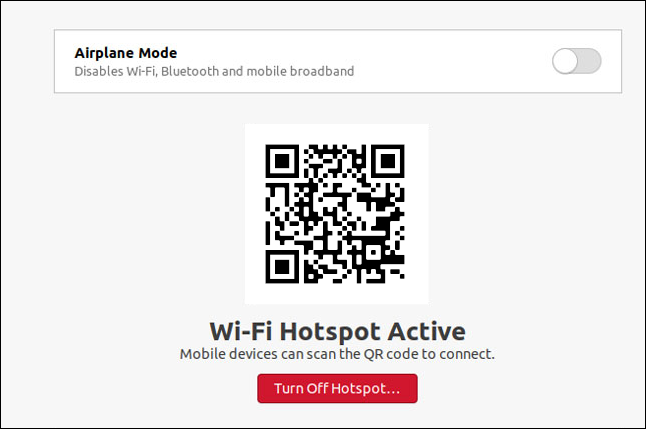
The Wi-Fi tab in “Settings” allows you to use your laptop as a Wi-Fi hotspot. If you scan the QR code with a mobile device, like your smartphone or tablet, it will connect to your hotspot.
Security Improvements
- nftables is now the default backend for the firewall.
Ubuntu 20.10 Desktop
- Ubuntu 20.10 is the first Ubuntu release to feature desktop images for the Raspberry Pi 4.
GNOME 3.38
Ubuntu 20.10 is shipping with GNOME 3.38 out of the box, released on 16th Sept 2020. It is a welcome upgrade over GNOME 3.34, which is being used in Ubuntu 20.04 by default.

GNOME 3.38 brings many excellent features and functionalities to the table. Here is a list going over the most notable ones:
- Better Fingerprint Support
- Intelligent Web Tracking Prevention
- Updated GNOME Maps with Performance and UI Improvements
- A Redesigned Sound Recorder and Screenshot App
- Support for QR Code WiFi Hotspot
- Tons of New Default Wallpaper
- Folder Support in Application Grid
- Restart Button Added to System Tray
- New Icons for Various Apps
- New Parental Controls Under Settings
Apart from this, you will get to see many more bells and whistles. We have a detailed article covering the best features in GNOME 3.38 if you are looking for more information.
Now, as you know, Ubuntu is not known for shipping with vanilla GNOME. As such, you won’t get the authentic experience that was intended by the GNOME developers. We will talk more about the new interface and overall end-user experience in a later section.
ZFS Becomes Less Experimental
The Ubuntu Unity installer hasn’t changed significantly. The installation process is almost the same as it was on Ubuntu 20.04, and the black disk checking screen is the same.
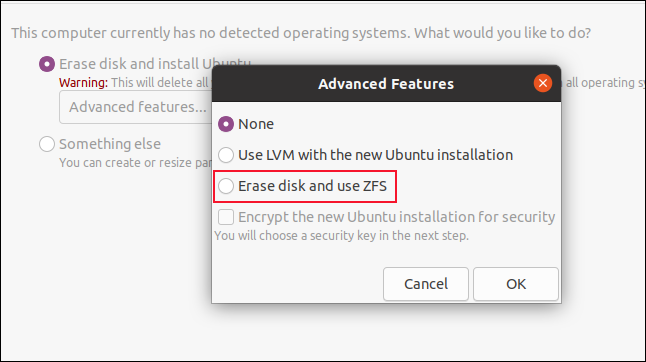
One notable change is tucked away in the “Advanced Features” dialog box. The ZFS file system installation option no longer has the word “Experimental” in capital letters beside it. Confidence must be building within Canonical about the durability and readiness of its ZFS implementation as a daily driver file system.
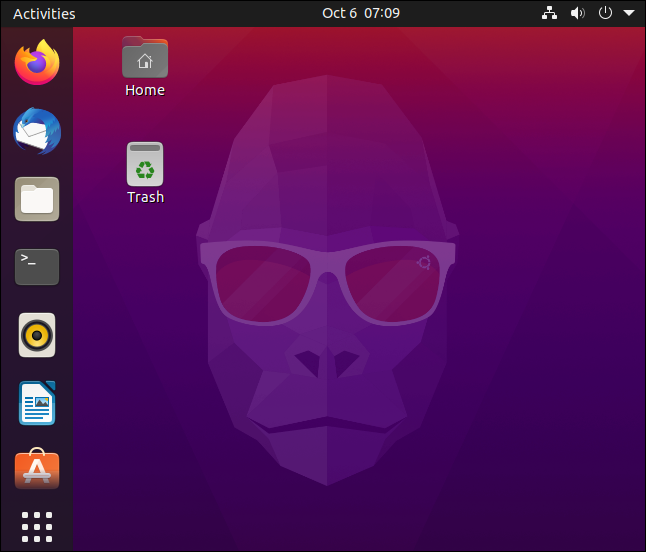
After you install Ubuntu 20.10 and sign in, you’ll see the Groovy Gorilla, positioned prominently amidst the familiar purple hues of the Ubuntu color palette.
He looks like an ape that’s got it together, but let’s see if that’s true.
Updated Applications:
- Firefox version 81
- LibreOffice version 7.0.2
- Thunderbird version 78.3.2
Updated Subsystems:
- BlueZ 5.55
- NetworkManager 1.26.2
Noteworthy changes Ubuntu 20.10 Server:
- squid: the NIS basic authentication helper was removed (LP: #1895694 34)
- adcli and realmd: many upstream fixes were applied to these packages, improving on the compatibility with current Active Directory changes
- samba 4.12 40 has switched to GnuTLS for most of its cryptographic operations and that has a huge performance improvement in SMB3 encryption
- QEMU was updated to the 5.0 release. See the upstream changes 40 for an overview of the many improvements.
- One noteworthy new feature is virtiofs 42 which allows better sharing of host file systems to the guest compared to the older 9p fs 4 based approach.
- Libvirt has been updated to version 6.6. See the upstream Changelogs 34 for the many improvements and fixes since version 6.0 that was in Focal.
- Libvirt 6.6 also supports the new virtiofs that was mentioned in the QEMU section above.
System Requirements for Ubuntu 20.04:
- 2 GHz dual-core processor
- 4 GiB RAM (but 1 GiB can work)
- 25 GB of hard-drive space
- VGA capable of 1024×768 screen resolution
- Either of the two: a CD/DVD drive or a USB port for the installer media
Note: Optionally, Internet access is helpful.
Download Ubuntu 20.10
You can download Ubuntu 20.10 for 64-bit computers using the link below:
As the Ubuntu 20.10 desktop image is 2.9GB in size do make sure you’re on a decent internet connection before you hit the download button!
When the download completes you need write the Ubuntu 20.10 ISO image to a USB stick using a tool like Etcher. Then pop the USB in an empty port, reboot your computer, and choose to boot from the USB.
You can also upgrade to Ubuntu 20.10 from an earlier version.
Asif Raihan November 2nd, 2020
Posted In: Linux, New products, News, Open Source, Operating Systems, Reviews, ubuntu
Tags: Cloud Computing, linux, New products, Open Source, operating system, OS, ubuntu