
eRacks Systems Tech Blog
Open Source Experts Since 1999
eRacks Expands NAS Lineup: 11 Models, 4 Bays to 100 Bays, From $1,995
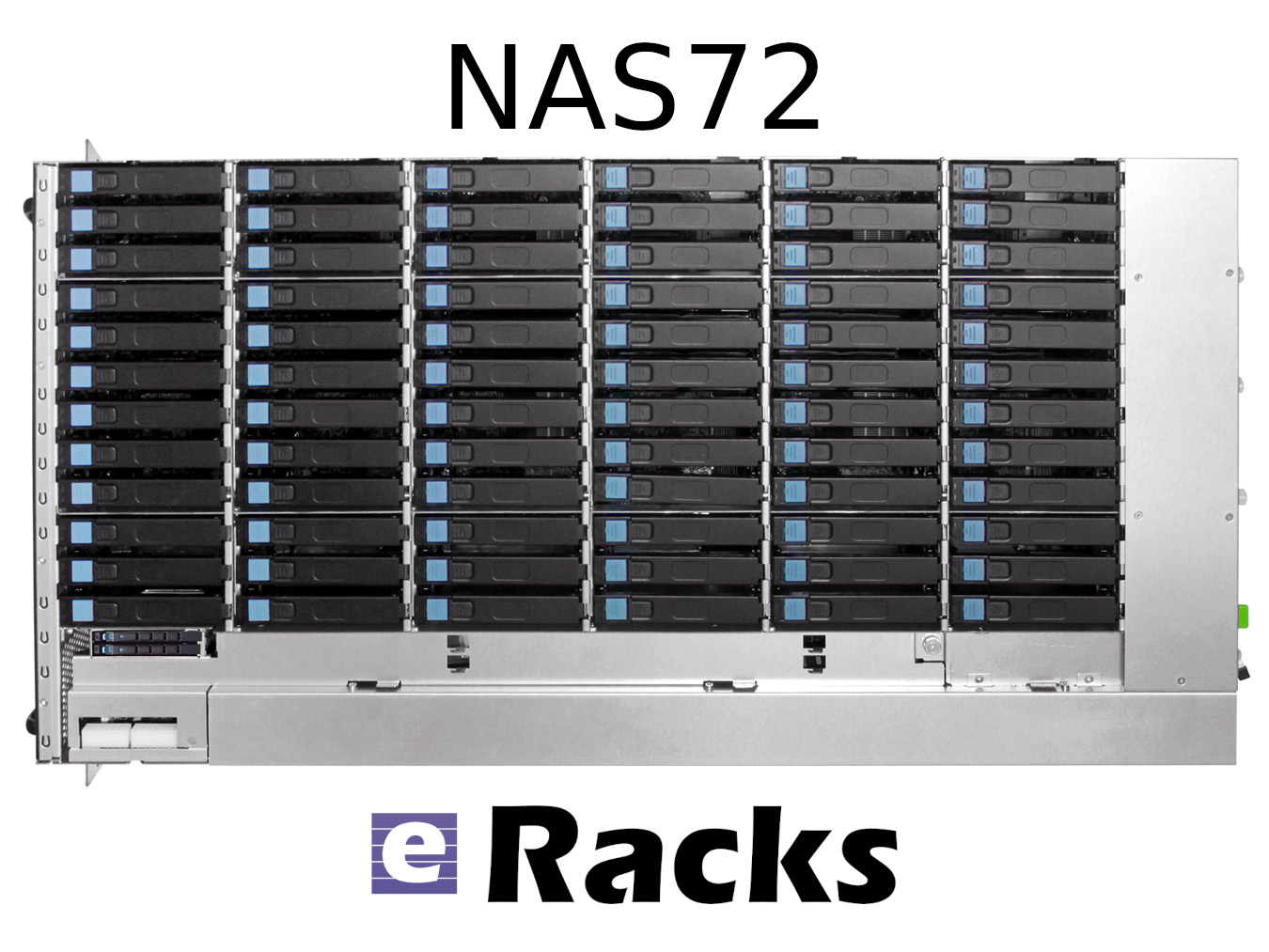
eRacks Open Source Systems has expanded its rackmount NAS server lineup to 11 models, spanning from the 4-bay NAS4 at $1,995 to the 100-bay NAS100 at $29,995. The expansion targets the accelerating cost pressure of cloud storage subscriptions versus on-premise alternatives, with full Linux, ZFS, TrueNAS, and Ceph support across the entire range – and zero per-TB licensing fees.
The math behind on-premise NAS in 2026
Storing 100 terabytes on Amazon S3 costs roughly $27,600 per year in standard-tier fees. The same 100 TB sitting on an eRacks NAS24 – 24 bays, ~480 TB raw capacity – is a one-time $8,995 purchase. Payback is under four months.
Then there are egress fees. A single 100 TB pull from AWS to your office costs around $9,000 just to get your own data back. Cloud storage made sense when the data was small. At terabyte and petabyte scale, the math has flipped.
The lineup at a glance
| Model | Bays | Form Factor | Price (starting) | Best for |
|---|---|---|---|---|
| NAS4 | 4 | 1U or desktop | $1,995 | Branch office, dev team |
| NAS6 | 6 | 1U | $2,995 | Small office, light backup |
| NAS8 | 8 | 2U | $4,995 | SMB primary file server |
| NAS12 | 12 | 2U | $5,995 | SMB with growth headroom |
| NAS16 | 16 | 3U | $6,995 | Mid-tier file + backup |
| NAS24 | 24 | 4U | $8,995 | Mid-enterprise (the bestseller) |
| NAS36 | 36 | 4U | $10,995 | Mid-large workloads, scale-out node |
| NAS50 | 50 | 4U top-load | $14,995 | Media production, surveillance |
| NAS60 | 60 | 4U top-load | $19,995 | High-density archive, large backup |
| NAS72 | 72 | 4U top-load | $24,995 | Broadcast, large-scale archive |
| NAS100 | 100 | 4U top-load | $29,995 | Petabyte-class, Ceph nodes |
Plus a parallel all-flash NAS lineup for performance-tier workloads: FLASH10 ($5,995), FLASH20 ($9,895), FLASH24 ($8,995), FLASH48 ($15,995), and FLASH72 ($19,985) – all-NVMe arrays for database backends, AI training datasets, virtualization storage, and any workload that needs IOPS rather than raw capacity.
Open source the whole way down
Every eRacks NAS ships with full Linux – not a locked appliance OS – and supports your choice of:
- ZFS with ECC RAM for data integrity
- TrueNAS Scale for the friendly web UI experience
- Ceph for clustered scale-out
- MinIO for S3-compatible object storage
- Nextcloud for private cloud file sharing
- OpenMediaVault for the lightweight option
- Proxmox if you want NAS + VMs in one box
No vendor licenses. No per-TB fees. Full root access. You own the OS, you own the data, you own the hardware.
Hardware standards across the line
ECC RAM as standard. Hot-swap drive bays throughout. Redundant power supply options on NAS12 and above. NVMe SSD caching on larger models for accelerated reads. 25 GbE networking on demand for AI training workloads, video production pipelines, and large-scale backup.
The lineup also scales without chassis replacement. A NAS50 shipping with 24 drives today expands to 50 as needs grow – no forklift upgrade required.
When does it pay off?
For most organizations storing more than 5 TB of business data, on-premise NAS is cheaper than cloud subscriptions in year one. For HIPAA-aligned healthcare deployments, law firms protecting privileged data, or any organization with data sovereignty requirements, on-premise is not just cheaper – it is the right architecture.
Custom-built since 1999
eRacks Open Source Systems has designed, built, and shipped custom Linux servers since 1999. Every system is configured to order, burn-in tested before shipping, and supported directly by engineers who built it. No call centers, no upsell scripts, no per-feature licensing.
Get a quote
The full NAS lineup is at eracks.com/products/rackmount-nas-servers. Contact us for a custom quote sized to your specific capacity, performance, and software-stack requirements.
joe April 29th, 2026
Posted In: Backups, Linux, NAS24, NAS50, NAS72, Storage
Tags: backup, Best-Practices, Cloud Storage Server, eRacks/NAS24, eRacks/NAS50, NAS, NAS24, NAS72, near-line storage, Storage, Storage Server
From 144TB to 2.6PB: The 2026 Storage Market and Why On-Premise NAS Is Back
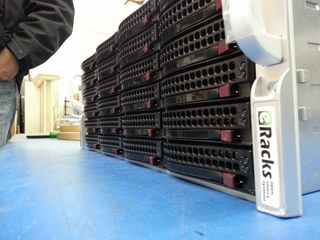
The data storage market in 2026 is doing something unusual: it’s both growing fast and getting cheaper per terabyte at the same time. Global storage requirements are projected to nearly double by 2029, hitting roughly 20,000 exabytes. The NAS hardware market alone is forecast to grow from $55B today to $173B+ by 2034 – a 15.5% CAGR. And while all that’s happening, 30TB+ enterprise SATA drives have become genuinely mainstream, with retail prices that put petabyte-scale on-premise storage within reach of mid-sized organizations for the first time.
Meanwhile, the cloud-storage decade is hitting a wall. Egress fees on AWS, Azure and GCP have only gone up. Ransomware losses keep climbing. Healthcare, legal, finance, and government buyers are all asking the same question they used to leave for the IT department: where, exactly, is our data? The answer “somewhere in us-east-1” doesn’t satisfy a HIPAA auditor, a SOC 2 attestation, or a court order anymore.
The on-premise comeback is a hardware story
For years, the argument against running storage in your own rack was capex vs opex – “cloud is cheaper because you don’t buy hardware.” That math has flipped for any organization storing more than a few hundred TB. A 36-bay NAS loaded with 24TB drives gives you nearly a petabyte of raw storage for the price of about 8-10 months of equivalent S3 storage at production-tier rates – and the hardware keeps working for 5-7 years after that.
Three things made it flip:
- HDD prices at historic lows. 28TB and 30TB enterprise drives now sell for under $20/TB. A decade ago, that was 2TB-drive territory.
- ZFS and modern Linux file systems matured. ZFS in particular – with built-in checksumming, snapshots, replication, and dedup – has become the default storage layer for serious on-premise deployments. No vendor lock-in, no licensing tax.
- Cloud egress is the new vendor lock. Pulling 100TB out of S3 to migrate workloads costs more than the hardware that would store it locally for 5 years.
The eRacks NAS lineup
Our rackmount NAS line covers everything from a small workgroup file server to true petabyte-scale storage chassis. All ship with real Ubuntu Linux (your choice of file system – ZFS, XFS, or Btrfs), enterprise components (ECC RAM, redundant power supplies, hot-swap bays), and zero proprietary management software. The OS is yours, the data is yours, the hardware is yours.
| Model | Form | Bays | Max Raw | Starting |
|---|---|---|---|---|
| NAS4 | 1U | 4 | 144TB | $1,895 |
| NAS6 | 2U | 6 | 180TB | $2,795 |
| NAS8 | 2U | 8 | 240TB+ | $3,695 |
| NAS12 | 2U | 12 | 360TB | $4,695 |
| NAS16 | 3U | 16+2 | 288TB | $6,595 |
| NAS24 | 4U | 24 | 720TB | $8,995 |
| NAS36 | 4U | 36 | ~1PB | $10,495 |
| NAS50 | 9U | 50 | 1.3PB | $13,595 |
| NAS60 | 4U | 60 | ~2PB | $15,995 |
| NAS72 | 4U | 72 | 1.5PB+ | $19,995 |
| NAS100 | 4U | 102 | 2.6PB | $24,995 |
Starting prices are barebones (chassis, motherboard, PSU); add drives, RAM, OS choice at configuration. Custom builds welcome.
What you actually run on it
Because we don’t ship a proprietary OS, you get to pick the storage stack that matches your workload. Common combinations our customers deploy:
- File systems: ZFS (default for most deployments), XFS, Btrfs
- NAS / file sharing: TrueNAS, OpenMediaVault, Samba, NFS, iSCSI
- Distributed storage: Ceph, BeeGFS, MooseFS, LizardFS – for multi-node clusters and HPC workloads
- Object storage: MinIO (S3-compatible) – increasingly popular as a local target for AI/ML training datasets
- Private cloud: NextCloud, Seafile, OwnCloud, Proxmox VE, CloudStack
- Backup & sync: Bacula, BorgBackup, restic, rsync, Duplicati
Pre-installed and tested before shipping, or shipped bare for you to provision however you like – your call at order time.
Who’s actually buying these in 2026
Six segments dominate our NAS pipeline this year:
- SMBs and mid-market IT trying to escape per-GB cloud bills that have crept past the cost of hardware ownership
- Media and production companies with growing 4K/8K video libraries (one production house can fill a 720TB NAS24 in a year)
- Healthcare and medical practices with HIPAA and patient-data sovereignty requirements that rule out major cloud providers
- Legal firms archiving case files, depositions, and discovery materials that simply cannot leave the building
- AI/ML teams needing local high-speed datasets for training – typically pairing a NAS24 or NAS36 with our AI server line for the GPU compute side
- MSPs and IT consultancies building private cloud infrastructure for clients who want SaaS economics without surrendering data ownership
What we don’t do
We don’t build consumer NAS appliances. There’s no fancy iOS app to manage your photos. We don’t license a proprietary OS or lock you into a vendor ecosystem. If you want a four-bay desktop box with a slick web UI for your home media collection, we’re not your shop – and that’s fine, lots of good vendors serve that market.
What we do build: enterprise rackmount storage on standard Linux, configurable to your exact spec, that you fully own and can replace any component on. The same approach we’ve taken since 1999.
Get the configuration right
Drive count, RAID level, networking (10/25/100GbE), RAM (1GB per TB is the rule of thumb for ZFS), and OS choice all matter. Reply to this post or hit our contact page with rough requirements and we’ll spec it for you – usually same day.
joe April 8th, 2026
Posted In: Backups, Linux, Open Source, Rackmount Servers, servers, Storage
Tags: backup, ceph, Cloud Storage Server, eRacks, eRacks signature service, eRacks/NAS24, eRacks/NAS36, eRacks/NAS50, MooseFS, NAS, NAS24, NAS36, NAS50, NAS72, Privacy, Rackmount, sata
8TB Western Digital Red and RedPro now available
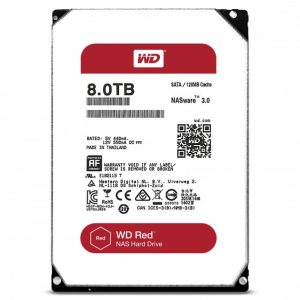
 8TB WD Red and RedPro drives are now available in the dropdowns on all eRacks NAS Systems, and are available on select other eRacks systems, and of course all eRacks systems by custom quote –
If you don’t see it on the system you want, just ask & we’ll quote you!
j
joe December 3rd, 2016
Posted In: Backups, NAS24, NAS36, NAS50, NAS72, servers
Why we Have to Say we Use Only New Components
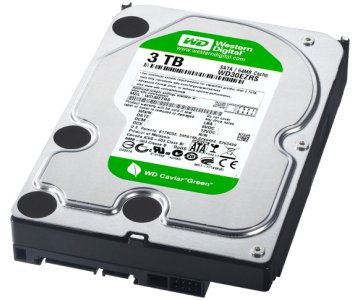 Many of you may know this already, but:
- We build all our systems to order, and
- We only use factory fresh, new components in our new systems.
This may seem like an obvious thing to say, but it still needs to be said.
Why?
About 4-5 times a week, we get emails like the one at the end of this page –
Offering “Clean pull” components for low prices in large lots – At best, these would be considered “Refurb” components, but are really just plain used. They have a much shorter (or no) warranty period than new components – they’re also often factory seconds or grey market parts, sold sideways to dodgy suppliers so that they can build systems cheaper.
We do not use these suppliers.
So again, we always use 100% new and factory-fresh components in our new-system builds – (on occasion we sell our B-Stock systems, which are clearly marked as such, and what they are – reconditioned, etc).
Some of the additional ways it is possible to cut corners on building and assembling IT equipment, in addition to used or refurbished parts, is to use factory lot-ends, factory seconds, factory defects with a “Workaroundable” defect – this is how Dell got their start – they would buy large lots of, say, NIC cards (This was before motherboards came with them onboard!), with a known defect, and write (and pre-install) the Windows driver for it – almost always unbeknownst to the end-user, or disclaimed in fine print in the EULA that the customer is forced to accept.
In this market, with plenty of storage servers, with large numbers of 3.5″ hard disk drives, this is especially tempting for some box-builders to use components such as these – again, we do not do this, and *always* purchase new parts only, from reputable, nationally-known suppliers of components and computer parts for our servers, especially such as hard disks, etc.
We consistently see product out there in the marketplace which is built with these dodgy components, and have many times been asked by our new customers to help them bring these products up to spec with new parts, and re-test and burn-in to ensure reliability and a fighting chance at a full product lifetime.
Best,
Joe
Joseph Wolff
Founder and CTO
eRacks Open Source Systems
Here is the example email:
Clean Pull HDD offer ( Lot# ST4815)
90 days warranty
Payment Bank wire only
EXW- CA USA

Seagate ST3120025ACE 120GB IDE 3.5" Qty 820 pcs take all deal @ 5.00 each
Seagate ST3120026AS 120GB 7200RPM SATA 3.5" Qty 1700 pcs  MOQ 500 pcs + @ $ 9.00 each
Seagate ST3320310CS 320GB SATA 3.5" Qty 2400 pcs MOQ 1000 pcs + @ $ 13.50 each
Seagate ST3320311CS 320GB SATA 3.5" Qty 1400 pcs MOQ 1000 pcs + @ $ 13.50 each
WD WD2500AAVS 250GB SATA 3.5" Qty 4000 pcs  MOQ 1000 pcs + @ $ 12.00 each
WD WD3200AAJS 320GB SATA 3.5" Qty 4500 pcs MOQ 1000 pcs + @ $ 14.00 each
WD WD2500AAVS 250GB SATA 3.5" Qty 4700 pcs MOQ 1000 pcs + @ $ 12.00 each


Axxxxx

Global XXX Enterprises,INC909-360-9993email: axxxx@xxxenterprises.net
email: xxxenterprisesusa@gmail.com
Walnut, CA 91789 USA
www.enterprises.net

Call/Email to us for large qty discount .

AGS  WTS /WTB  :
We carry a wide range of products. Please contact us for your other requirements........
Hard drive ( Pull/refurb/New) , CPU ( Pull/New), Laptop/Tablets ( Refurbished/New)
Memory, Monitors,Keyborad , Mice ,Networking Products ,Printer,  ETC
joe November 15th, 2015
Posted In: Backups, New products, servers, Storage
Tags: Archive Drives, HDD, New products
Useful commands for backing up filesystems
Have you ever needed to backup the contents of one or more filesystems to another machine, yet you only had a single hard drive in the machine being backed up and found that you lacked the temporary disk space necessary to create your backup before shuttling it across the network to its final destination?
As an example, when I backup my laptop, I have too many gigabytes of data to realistically store my data on DVD-R’s, and my only option is to create a tarball of the root filesystem and store it on another machine on my network. The problem is that if I try to create a backup of my laptop’s contents, I find that the resulting tarball backup is too large to fit on the hard drive along with all the data.
One solution that I’ve found to this problem is to avoid storing the backup on the source machine altogether. Through stdin and stdout, along with the magic of *NIX pipes, we can stream the data in realtime over to its destination, and only then write it to disk.
Before we begin, it is very important to note that in most situations, you’ll have to boot into another environment and manually mount your partition before proceeding, particularly when dealing with an operating system’s root filesystem. Otherwise, not only will tar choke on certain directories like /proc and /dev, the contents of the disk will also continue to change as the backup is being made, leading to inconsistencies between the data on your filesystem and the data in the backup.
With that in mind, assuming that you have ssh installed and configured correctly on both the source and destination computers, you can create a backup with the following commands (as root):
#cd /path/to/your/mounted/filesystem
#tar -jcvp | ssh username@destination “cat > /path/to/backup.tar.bz2”
If you prefer to use gzip as opposed to bzip2, replace the above tar command with the following:
#tar -zcvp | ssh username@destination “cat > /path/to/backup.tar.gz”
Now, let’s say that you’ve created a new partition and want to restore a previous backup. Again, assuming that ssh is configured properly on the source and the destination machines, and assuming that you’ve mounted your partition, you would recover your backup with the following commands (again, as root):
#cd /path/to/your/mounted/filesystem
#ssh username@destination “cat /path/to/backup.tar.bz2” | tar -jvxp
If the backup is a gzipped archive, then replace the above tar command with the following:
#ssh username@destination “cat /path/to/backup.tar.gz” | tar -zvxp
Note that the user specified by ‘username’ above should have read/write permissions on the directory where the backup is to be stored for this procedure to work.
The astute reader will probably notice the missing -f option, which one usually passes to tar. The reason for this is that it tells tar to write its data to, or read its data from, a file. However, by ommitting it, we tell tar to send its output to stdout, or to receive its data from stdin when reading from an archive, which allows us to make use of pipes. It’s situations like these where the power of *NIX really shines!
james May 28th, 2008
Posted In: Backups
Tags: backup, bzip, bzip2, filesystem, gzip, partition, ssh, zip