
eRacks Systems Tech Blog
Open Source Experts Since 1999
eRacks NAS, Rebuilt for Q2 2026: Xeon 6, 30TB CMR Drives, and Built Right for ZFS
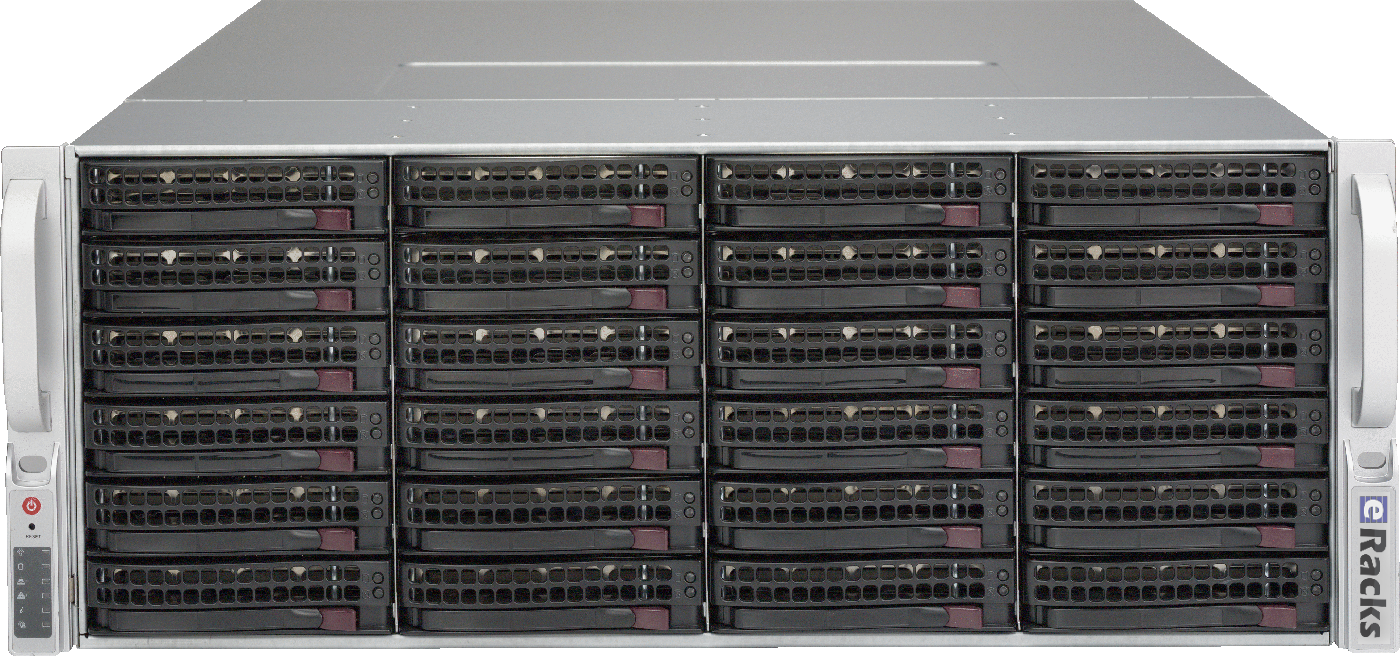
A NAS is only as good as the parts under the hood – and the parts that make a great ZFS server are not the ones most “NAS appliances” ship. So we went through the entire eRacks rackmount NAS line, from the NAS12 to the NAS100, and rebuilt it around what actually matters for modern open-source storage. Here’s what changed.
Current-Generation CPUs, the Way You’d Actually Spec Them
Every NAS now configures from a single CPU platform selector with current-generation silicon: Intel Xeon 6 – both Granite Rapids (P-core, for throughput) and Sierra Forest (E-core, for density and efficiency) – alongside AMD EPYC, with Ryzen and Threadripper available for workstation-class builds. Each platform is presented Good/Better/Best so you can pick the right core count without wading through a hundred SKUs, and the price reflects the real cost of that platform – a Ryzen build, for instance, comes in lower than a dual-socket Xeon 6.
CMR Drives Only – No SMR Surprises
ZFS and SMR (shingled) drives are a bad combination: SMR’s read-modify-write behavior turns a routine resilver into a multi-day ordeal. Our NAS line is CMR-only. The new default is the 30TB Seagate IronWolf Pro – the current dollars-per-terabyte sweet spot in NAS-class CMR – with conventional-recording options from a few TB up to the 32TB ceiling. No shingled drives ever sneak into a config.
Built Right for ZFS
Hardware RAID controllers and ZFS fight each other – ZFS wants direct, unmediated access to every disk. So every NAS offers an IT-mode HBA (no hardware RAID in the way), DDR5 ECC memory for a healthy ARC, and a RAID/pool selector that now includes ZFS directly alongside the traditional levels. Spin one up pre-provisioned with TrueNAS SCALE, Proxmox VE, Ubuntu, or Ceph – your choice, burned-in and tested before it ships.
Which ZFS Layout?
For most deployments we recommend RAIDZ2 (double parity – survives two simultaneous drive failures) as the default. Need maximum IOPS for VMs or databases? Striped mirrors. Very wide vdevs or archival data on large drives? RAIDZ3. We’ll help you match the layout – and the optional NVMe special vdev, SLOG, and L2ARC – to your workload.
One Line, Twelve Sizes
From the compact 1U NAS12 up through the petabyte-class NAS100, every model is built to order, burned-in, tested, and shipped ready to run. Pick your bays, pick your drives, pick your OS.
Questions about a build, or which ZFS layout fits your workload? Just reply – a real engineer answers.
joe June 14th, 2026
Posted In: NAS Storage, News
Tags: 26TB CMR, AMD EPYC, DDR5 ECC, Granite Rapids, Intel Xeon 6, IT-mode HBA, NAS servers, open source storage, rackmount NAS, RAIDZ2, Sierra Forest, TrueNAS SCALE, WD Red Pro, ZFS
Cameras Don’t Sleep: Why Surveillance and Healthcare Workloads Need a Different Kind of NAS
Most NAS conversations start with capacity: how many terabytes, how many drives, what does it cost per gigabyte. For a typical file server or backup target, those are the right questions. For surveillance, broadcast, and healthcare imaging workloads, they are the wrong questions – or at least, far from the only ones.
What unifies video surveillance, broadcast archives, healthcare PACS, and clinical research isn’t capacity. It’s the write pattern. These workloads write continuously, 24 hours a day, 7 days a week, with dozens or hundreds of concurrent streams. Consumer NAS drives, optimized for read-mostly home and small-office use, wear out two to three times faster under that load. Cloud storage solves the wear problem but introduces a different one: bandwidth costs at sustained ingest rates that quickly outpace any savings.
Why Surveillance Breaks Consumer NAS
Consider a modest IP camera deployment: 50 cameras, 4K resolution, H.265 encoding, 4 megabits per second average bitrate per stream. That works out to roughly 1.6 terabytes of new video written to storage every single day. Multiply by 30 days of retention and the active hot storage requirement is around 50 TB at any moment, with new data flowing in continuously.
That write pattern is fundamentally different from what consumer NAS drives are built for. Drives like WD Red Plus and Seagate IronWolf are optimized for the read-heavy workload typical of file sharing, media servers, and personal backup. Push them into 24×7 sequential write duty and the drive’s internal wear leveling, head positioning, and thermal management all get stressed in ways their firmware was not designed to handle. Manufacturers publish workload ratings for a reason: a 180 TB/year rating means exactly that, and surveillance workloads exceed it within months.
The Surveillance-Certified Drive Difference
WD Purple Pro and Seagate SkyHawk AI are different products. They are CMR (conventional magnetic recording) drives, not SMR, which matters because SMR drives perform catastrophically badly under sustained random writes. They carry workload ratings of 550 TB/year (Purple Pro) and 550 TB/year (SkyHawk AI), well above what 24×7 multi-camera deployments produce. Their firmware is tuned for the specific I/O pattern of camera writers: long sequential writes, frequent metadata updates, occasional reads when an operator scrubs back through footage.
Surveillance-certified drives also handle the thermal and vibration environment of a populated chassis differently. A 24-bay or 50-bay NAS with all bays writing simultaneously generates measurable rotational vibration; surveillance-rated drives compensate with internal sensors that consumer drives lack.
Networking Matters as Much as Drives
The other half of the surveillance storage equation is network throughput. Fifty 4K H.265 cameras at 4 Mbps each is 200 Mbps of aggregate ingest. That fits in gigabit Ethernet on paper, but headroom matters – encoded bitrate spikes during high-motion scenes, and a saturated link drops frames. An eRacks Video NAS ships with 25 or 100 gigabit Ethernet as a standard option, leaving plenty of room for both ingest and concurrent VMS playback or operator review without congestion.
Matching the System to the Scale
Honest pricing requires honest scale guidance:
- NAS8 ($4,995): 10 to 20 cameras, 4K, ~30 day retention. Branch office, small retail, smaller campus deployments.
- NAS24 ($8,995): 50 to 100 cameras with multi-week retention. The sweet spot for medium businesses, schools, and mid-sized municipal deployments.
- NAS50 ($14,995): 200+ cameras, broadcast archives, or long-retention security workloads. Large campuses, transit systems, broadcast facilities.
- NAS72 ($24,995): Petabyte-class surveillance backends, broadcast video archives, or city-wide CCTV.
None of these are “from $1,995 supports 1000 cameras” claims. The NAS4 entry tier is a real product for branch offices and small deployments; it is not a 1000-camera VMS backend, and pretending otherwise wastes the customer’s time and ours.
Where Healthcare Fits
The same architecture serves an adjacent vertical with surprising overlap. Healthcare PACS (Picture Archiving and Communication System) imaging produces a similar write profile: continuous, high-bandwidth, multi-source ingest with regulatory retention requirements that often exceed 7 years. Clinical research datasets, EMR (Electronic Medical Record) backends, and DICOM imaging archives all push storage hard in the same way camera systems do.
Where healthcare differs is the compliance overlay: HIPAA-aligned architecture means protected health information cannot leave the customer firewall, audit logging must be enabled at the filesystem level, and encryption at rest is non-negotiable. eRacks Healthcare NAS configurations ship with ZFS native encryption (AES-256), full Linux auditd logging, and SIEM forwarding hooks (Splunk, Elastic, Wazuh) configurable at build time. The hardware is the same VNAS; the OS configuration is the differentiator.
What This Looks Like in Practice
Cameras (or external NVR/VMS like Milestone, Genetec, or Frigate) write video files directly to the NAS over NFS, SMB, or iSCSI. The NAS handles all the storage logic: RAID, encryption, replication, snapshots. The VMS handles the recording schedule, operator interface, motion detection, and analytics. Separating these concerns means you can swap VMS software without re-buying storage, and you can scale storage independently of recording capacity.
For smaller deployments, optional VNAS configurations can ship with Frigate or ZoneMinder pre-installed, putting both storage and VMS on one box. For larger deployments, run VMS on separate hardware and use the VNAS as pure write-optimized storage.
Cost Comparison vs. Cloud
For a 50-camera deployment with 30-day retention, storage requirements are roughly 50 TB written per month with 100 to 200 TB of hot storage maintained continuously. AWS S3 Standard storage alone runs about $8,000 per year before egress charges; egress costs spike whenever an operator reviews footage or evidence needs to be exported. An eRacks/NAS24 at $8,995 with surveillance-certified drives is a one-time capital cost that handles the same workload and pays for itself inside year one, then runs for five-plus years with periodic drive replacements.
Configure or Inquire
The Video NAS and Healthcare NAS configurations are both available at eracks.com/products/rackmount-nas-servers/. Click any configuration link and the quote form arrives with vertical-specific notes pre-filled, so you can move quickly to capacity sizing and drive selection rather than starting from a blank form.
Questions about capacity sizing, drive choice, or network topology? Contact us with your camera count, expected retention, and average bitrate; we will spec it.
joe May 28th, 2026
Posted In: NAS Storage, News
Tags: 24x7 storage, Frigate, healthcare IT, HIPAA NAS, IP camera storage, NAS servers, PACS storage, Seagate SkyHawk AI, surveillance, Video NAS, VMS, VNAS, WD Purple Pro, ZFS, ZoneMinder
HAMR vs CMR: 32TB NAS Drives and What They Mean for Your Storage Budget
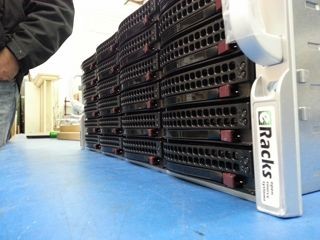
A quiet but significant update landed in the eRacks configurator this week: 32TB HAMR drives are now available across the full NAS product line. For organizations that measure their storage needs in petabytes, this matters. The 102-bay eRacks/NAS100 can now be configured with 3.264 petabytes of raw capacity in a single 4U chassis – up from 2.6PB with the previous generation of 30TB CMR drives.
That is not a rounding difference. It is an additional 664 terabytes in the same footprint, with no extra rack space, no additional power circuits, and no change to the chassis.
What HAMR Actually Means
Hard drives have been using conventional magnetic recording (CMR) for decades. In CMR, a write head magnetizes small regions of a spinning platter to store data. The physics of that process set a ceiling on how densely bits can be packed – push the magnetic grains too close together and they become thermally unstable, meaning data can corrupt itself over time.
Heat-Assisted Magnetic Recording (HAMR) breaks through that ceiling by using a tiny laser to briefly heat a precise spot on the platter to around 450 degrees Celsius at the moment of writing. At that temperature, the magnetic material becomes temporarily easier to flip, allowing much smaller, more stable grains to be written reliably. Once the spot cools – which happens in nanoseconds – the written data is locked in place more durably than conventional CMR recording allows.
The practical result is higher areal density: more data per square millimeter of platter surface. Seagate’s current 32TB HAMR drives achieve this without increasing the drive’s physical dimensions. The same 3.5-inch form factor, the same power envelope, the same standard SATA interface – just significantly more capacity per bay.
For NAS applications running ZFS, this translates directly into larger pools, longer time-to-failure curves on RAIDZ arrays, and more headroom before an expansion shelf becomes necessary.
The Capacity Math
The eRacks NAS lineup runs from 4 bays to 102 bays. Here is what 32TB HAMR drives unlock at a few points in the range:
- NAS12 (12 bays): 384TB raw
- NAS24 (24 bays): 768TB raw
- NAS50 (50 bays): 1.6PB raw
- NAS72 (72 bays): 2.304PB raw
- NAS100 (102 bays): 3.264PB raw
These are raw figures. Usable capacity after RAIDZ2 parity and filesystem overhead will be lower – typically around 60-70% of raw depending on configuration – but the density improvement carries through regardless of the protection scheme you choose.
Where On-Premise Storage Still Wins on Cost
The cost argument for owning your storage rather than renting it has not changed, but the HAMR upgrade sharpens it. As a reference point: 100TB of object storage on Amazon S3 Standard runs roughly $27,600 per year in storage fees alone, before factoring in egress charges when you actually retrieve data.
An eRacks/NAS24 configured with enough capacity to cover that same 100TB – with room to grow – starts at $8,995. That is a one-time capital cost. In year two, cloud egress still costs what it costs. The NAS does not send an invoice.
For organizations in regulated industries – healthcare, finance, legal, government – the calculus has an additional dimension. Data sovereignty means knowing exactly where your data is, who has access to it, and under what legal jurisdiction it sits. Cloud storage agreements involve shared infrastructure, third-party subprocessors, and terms of service that can change. An on-premise NAS running ZFS on hardware you own answers those questions conclusively.
Available Now in the Configurator
The 32TB HAMR option is live in the eRacks online configurator for all NAS models. You can select drive size, drive count, RAID level, operating system (TrueNAS, Ubuntu, Rocky Linux, or Debian), and connectivity options at the time of order. Every system ships assembled and tested from Los Angeles.
eRacks has been building custom rackmount storage since 1999. The NAS line ranges from the 4-bay NAS4 at $1,995 to the 102-bay NAS100 at $29,995. All systems are open-source-friendly, built to order, and designed for data center or on-premise deployment.
Configure your system at eracks.com/products/rackmount-nas-servers/ or contact us to discuss capacity planning for your environment.
joe May 15th, 2026
Posted In: FreeBSD, Linux, NAS Storage, NAS24, News, Storage
Tags: 32TB drives, cloud vs on-premise, data sovereignty, HAMR drives, NAS servers, network attached storage, on-premise storage, ZFS