
eRacks Systems Tech Blog
Open Source Experts Since 1999
Private AI Servers, Restructured: The New eRacks Good, Better, Best Ladder
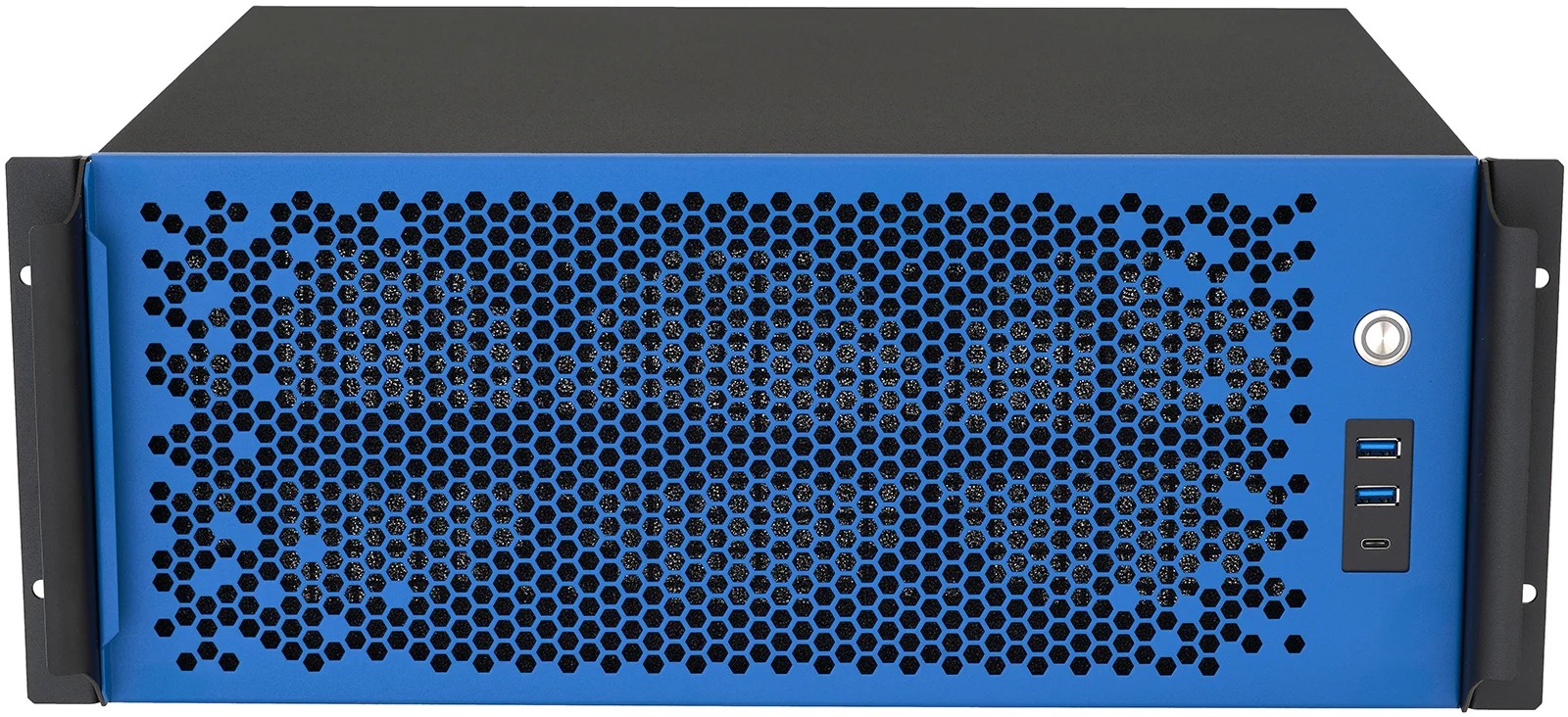
We have restructured the eRacks private AI server line into a clear Good, Better, Best ladder. The goal is simple: whatever size model you want to run, there is one obvious system for it, at a price that reflects what is actually inside the box. Prices on the mid-tier dropped substantially from the old line, because the new systems use current-generation parts and are sized honestly for the work.
First, the framing. Private AI means running large language models (LLMs, the software behind AI assistants) on hardware you own, inside your own building. Your prompts, your documents, and your model outputs never touch a cloud provider. You buy the system once, and there are no per-seat or per-token fees afterward. Every system in the line is air-gap ready (able to operate with no internet connection at all), which matters for legal, medical, financial, and government work.
Good: AILSA 2U, from $5,995
The AILSA is the entry point. It is a 2U system (a U is 1.75 inches of rack height) assembled, burned in, and certified by eRacks, with Intel Arc GPUs (graphics processing units, the chips that run AI models). The base build carries two Arc B50 low-profile cards for 32GB of VRAM (the GPU’s onboard memory, which holds the model), with larger Arc Pro options available in the configurator. It handles 70B-class models (roughly 70 billion parameters), which covers most private chat, coding, and RAG workloads (retrieval-augmented generation, where the model answers from your own documents).
Better: AISLING 4U, from $16,995
The new AISLING is the workhorse of the line. It pairs a 24-core AMD Threadripper 9960X with 128GB of ECC memory (error-correcting code memory, which detects and fixes memory errors) and a single 1600W power supply. The 4U chassis takes up to three dual-slot GPUs, which means 96GB of total VRAM with Intel Arc Pro B70 cards. That is enough headroom to run a 70B-class model at higher precision, serve more simultaneous users, or hold longer context windows.
Best: AILEEN 4U, from $21,995
The new AILEEN steps up to server-class silicon: a 32-core AMD EPYC 9355 with 12 memory channels and 192GB of ECC memory. The extra memory bandwidth feeds the GPUs and speeds up CPU-side work like document indexing. It takes up to four GPUs for 128GB of VRAM, and it has redundant 1+1 power (two supplies, either one can run the system alone). AILEEN also ships in custom colors: blue, black, white, or red. The blue unit is the one pictured here.
| Model | Form factor | GPU memory (VRAM) | From |
|---|---|---|---|
| AILSA | 2U | 32GB base, larger Arc Pro options | $5,995 |
| AISLING | 4U | up to 96GB (3 x Arc Pro B70) | $16,995 |
| AILEEN | 4U | up to 128GB (4 GPUs) | $21,995 |
The enterprise tier
Some buyers need validated OEM server systems rather than our eRacks-Certified workhorse builds, usually because their ops teams require out-of-band management (a dedicated channel for remote hardware control, such as IPMI, that works even when the operating system is down). For them, the AIDAN 2U EPYC starts at $13,895, and the AISHA 4U starts at $30,995 with support for up to 10 GPUs.
What every system includes
All five models ship with Ubuntu LTS and the open-source AI stack pre-installed: Ollama, Open WebUI, vLLM, llama.cpp, and PyTorch. Each unit is burned in (run under sustained load before shipping) and tested. You get browser access to your own models on day one: unbox, rack, log in.
Not sure which tier fits? Start with our private AI sizing guide, which walks through how much GPU memory and system RAM a given model actually needs. Then configure the system that matches.
joe July 5th, 2026
Posted In: AI Servers, News
Tags: AI server, AMD EPYC, AMD Threadripper, GPU server, Intel Arc Pro, Ollama, open source AI, private AI, self-hosted LLM, vLLM
eRacks NAS, Rebuilt for Q2 2026: Xeon 6, 30TB CMR Drives, and Built Right for ZFS
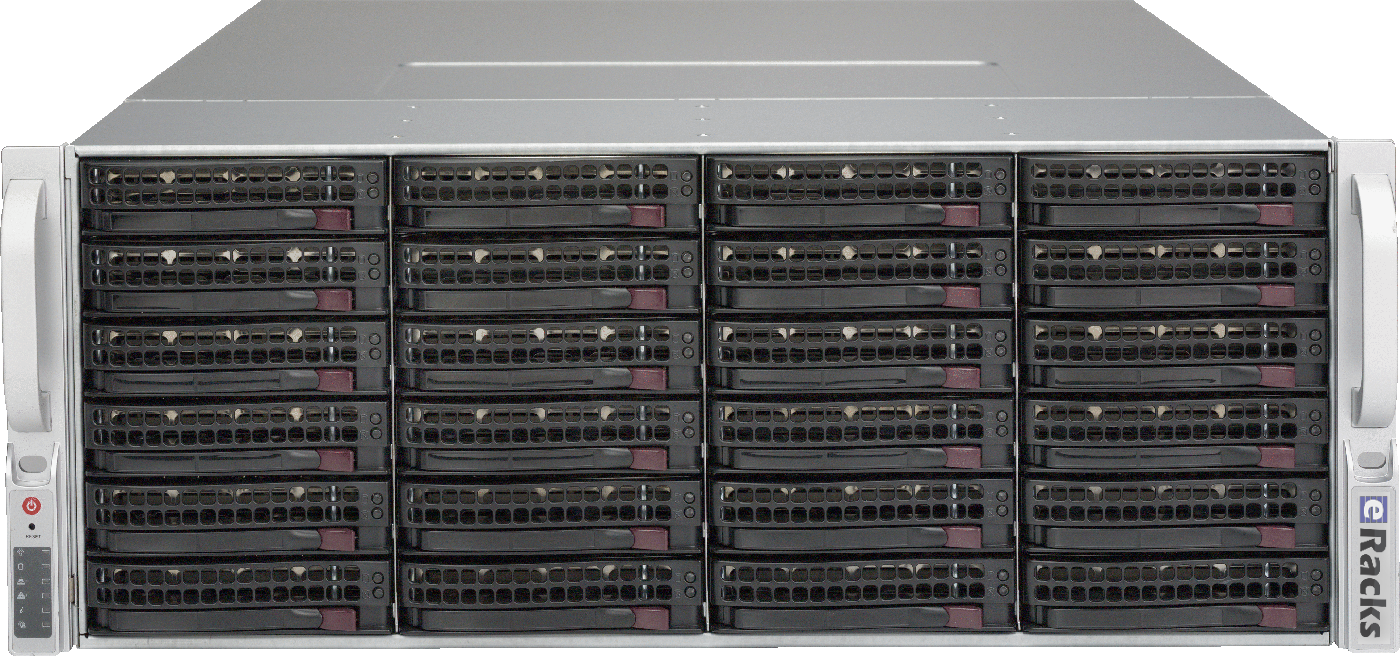
A NAS is only as good as the parts under the hood – and the parts that make a great ZFS server are not the ones most “NAS appliances” ship. So we went through the entire eRacks rackmount NAS line, from the NAS12 to the NAS100, and rebuilt it around what actually matters for modern open-source storage. Here’s what changed.
Current-Generation CPUs, the Way You’d Actually Spec Them
Every NAS now configures from a single CPU platform selector with current-generation silicon: Intel Xeon 6 – both Granite Rapids (P-core, for throughput) and Sierra Forest (E-core, for density and efficiency) – alongside AMD EPYC, with Ryzen and Threadripper available for workstation-class builds. Each platform is presented Good/Better/Best so you can pick the right core count without wading through a hundred SKUs, and the price reflects the real cost of that platform – a Ryzen build, for instance, comes in lower than a dual-socket Xeon 6.
CMR Drives Only – No SMR Surprises
ZFS and SMR (shingled) drives are a bad combination: SMR’s read-modify-write behavior turns a routine resilver into a multi-day ordeal. Our NAS line is CMR-only. The new default is the 30TB Seagate IronWolf Pro – the current dollars-per-terabyte sweet spot in NAS-class CMR – with conventional-recording options from a few TB up to the 32TB ceiling. No shingled drives ever sneak into a config.
Built Right for ZFS
Hardware RAID controllers and ZFS fight each other – ZFS wants direct, unmediated access to every disk. So every NAS offers an IT-mode HBA (no hardware RAID in the way), DDR5 ECC memory for a healthy ARC, and a RAID/pool selector that now includes ZFS directly alongside the traditional levels. Spin one up pre-provisioned with TrueNAS SCALE, Proxmox VE, Ubuntu, or Ceph – your choice, burned-in and tested before it ships.
Which ZFS Layout?
For most deployments we recommend RAIDZ2 (double parity – survives two simultaneous drive failures) as the default. Need maximum IOPS for VMs or databases? Striped mirrors. Very wide vdevs or archival data on large drives? RAIDZ3. We’ll help you match the layout – and the optional NVMe special vdev, SLOG, and L2ARC – to your workload.
One Line, Twelve Sizes
From the compact 1U NAS12 up through the petabyte-class NAS100, every model is built to order, burned-in, tested, and shipped ready to run. Pick your bays, pick your drives, pick your OS.
Questions about a build, or which ZFS layout fits your workload? Just reply – a real engineer answers.
joe June 14th, 2026
Posted In: NAS Storage, News
Tags: 26TB CMR, AMD EPYC, DDR5 ECC, Granite Rapids, Intel Xeon 6, IT-mode HBA, NAS servers, open source storage, rackmount NAS, RAIDZ2, Sierra Forest, TrueNAS SCALE, WD Red Pro, ZFS