
eRacks Systems Tech Blog
Open Source Experts Since 1999
Upgraded eRacks/NAS24 – 200-TB-class Storage for $14,880
We’ve upgraded our popular eRacks/NAS24 rackmount storage server for higher-storage-density – new 8TB Archive drives allow price-breakthrough $/density of nearly 192TB going for $14,880.
Configurable now, it combines a rack usage of only 4U with a density of 24 drives, which, when combined with the available technology of 8TB drives, yields a total storage configuration of up to 192TB.
What makes eRacks/NAS24 so unique
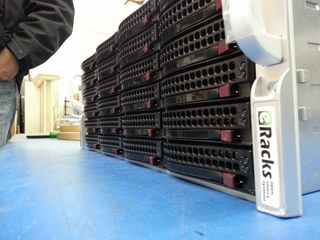
eRacks/NAS24 Storage Server

eRacks/NAS24
Motherboard: eRacks Intel Dual Xeon E5-2600 v2/v3 IPMI motherboard
CPU: Intel Xeon E5-2609 v3 (15M Cache, 1.90 GHz)
Memory: 4GB DDR4 Memory (2133/2400/2666) ECC / REG
Hard Drives: Seagate Archive 5-8TB 3.5″ SATA6 5900RPM SMR Hard Drive
RAID card: RAID 6 (striped with dual parity)
OS: 2x SSD 120GB Samsung 840 EVO or better, Mirrored
Email us at info (at) eracks.com or via our contact page at eracks.com/contact if you have any questions.
Read More in our Press Releases:
PR newswire – http://www.newswire.com/press-release/eracks-announces-upgraded-eracks-nas24-200-tb-class-storage-for
e-releases – http://eracks.com/mar-11-2015-eracks-announces-upgraded-eracks-nas24-200-tb-class-storage-under-20000/
Dennis
eRacks
Dennis April 13th, 2015
Posted In: NAS24, Open Source, Operating Systems, Reviews, servers, Upgrades
Tags: 200TB-class, 8TB, Archive Drives, Cloud Computing, Cloud Storage Server, HDD, Hybrid Cloud, Internet, linux, NAS24, Private Cloud, Rackmount, seagate, Storage Server, ubuntu
eRacks/NAS36 Upgraded, 216TB / 4U now available Under $30K!
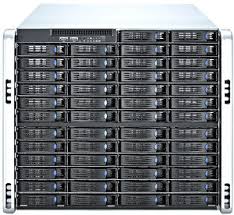
eRacks Open Source Systems announces the immediate availability of the eRacks/NAS36 rackmount storage server, with 36 removable 6TB hard drives, which yields a maximum of 216TB (Terabytes*) of raw storage with current widely-available technology. The eRacks/NAS36 rackmount server is shipped pre-configured to the user’s custom specs, with any available open-source software, and more flavors of Linux or BSD available than any other vendor.
Fremont, CA (PRWEB) October 3, 2014
eRacks Open Source Systems is pleased to announce the latest upgrade eRacks/NAS36 rackmount storage server.
Available immediately, it combines a rack usage of only 4U with a density of 36 drives (24 front and 12 rear), which, when combined with the current technology of widely available 6TB drives, yields a total storage of 216TB*.
This rounds out eRacks’ line of rackmount multi-drive storage servers and NAS solutions, nicely filling the gap between the 24-drive eRacks/NAS24 and the all-front-loading 50-drive eRacks/NAS50, eRacks’ flagship storage server.
When populated with 36 removable drives in only 4U, this represents a density / price breakthrough – using the best value (lowest price/TB) 6TB drives, this enables 216TB* of raw storage in only 4U, and for less than $30,000, as configured on the eRacks website.
The unit is also available partially populated, at a reduced price, to make it accessible at a lower initial price, and the storage can be increased later by filling the empty drive trays.
It’s signature service, eRacks will be happy to install any of the popular Linux distributions on request – Ubuntu, Debian, RedHat, Centos, Fedora, even the Arch Linux distro, which is growing fast in popularity, as well as FreeBSD, OpenBSD, or other Open Source OSes.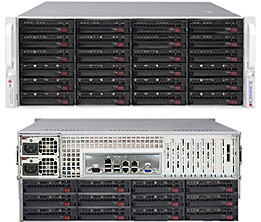
eRacks will also pre-install any open source NAS software, such as FreeNAS, OpenFiler, NAS4Free and OpenMediaVault, among others – and administrative dashboards and web GUIs are offered on most of these software choices.
Also available is OpenStack, and other OSS cloud software, such as Eucaluyptus or CloudStack, as well as best-of-breed Open Source software for BigData / Cloud storage, NAS, and networking – including Hadoop, MooseFS, CIFS, GlusterFS, etc – and eRacks is a partner with MooseFS.org.
In addition, the eRacks policy is to install any Linux/BSD distro or Open Source software on request – Contact eRacks today at http://eracks.com/contact to see how they can meet your needs.
Please email info@eracks.com to request a custom quote.
Note: *For the purposes of this press release, the term “Terabyte” is used to mean one trillion bytes – eRacks understands the issues about this, we are using the term as the disk drive and other industry manufacturers use it.
Dennis
eRacks
Dennis October 1st, 2014
Posted In: NAS36, News, Open Source, Ubuntu 14.04, Upgrades
Tags: eRacks, linux, NAS36, Rackmount server, ubuntu
Mint 16 Now Available
Mint 16 is now available – “Petra”.
Fremont, CA (PRWEB) December 23, 2013
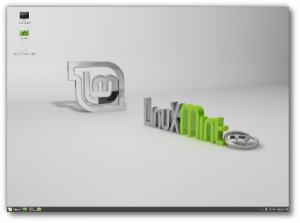 This latest Linux Mint release is now available on most or all eRacks systems.
eRacks today announced the latest release of a new operating system-Linux Mint 17 “Qiana” which is now in the OS dropdowns on all the systems
Either the Cinnamon or Mate editions, or KDE, XFCE, Debian (LMDE) are also available.
Most or all of our dropdown Operating System choices have been updated, but if you don’t see what you’re looking for, please ask us by email: http://eracks.com/contact_us and we will add it or give you a custom live quote.
Regards
Dennis
eRacks
Dennis December 24th, 2013
Posted In: Mint, Operating Systems, ubuntu
UEFI and the eRacks/ZENBOOK13
 Minty Zenbook
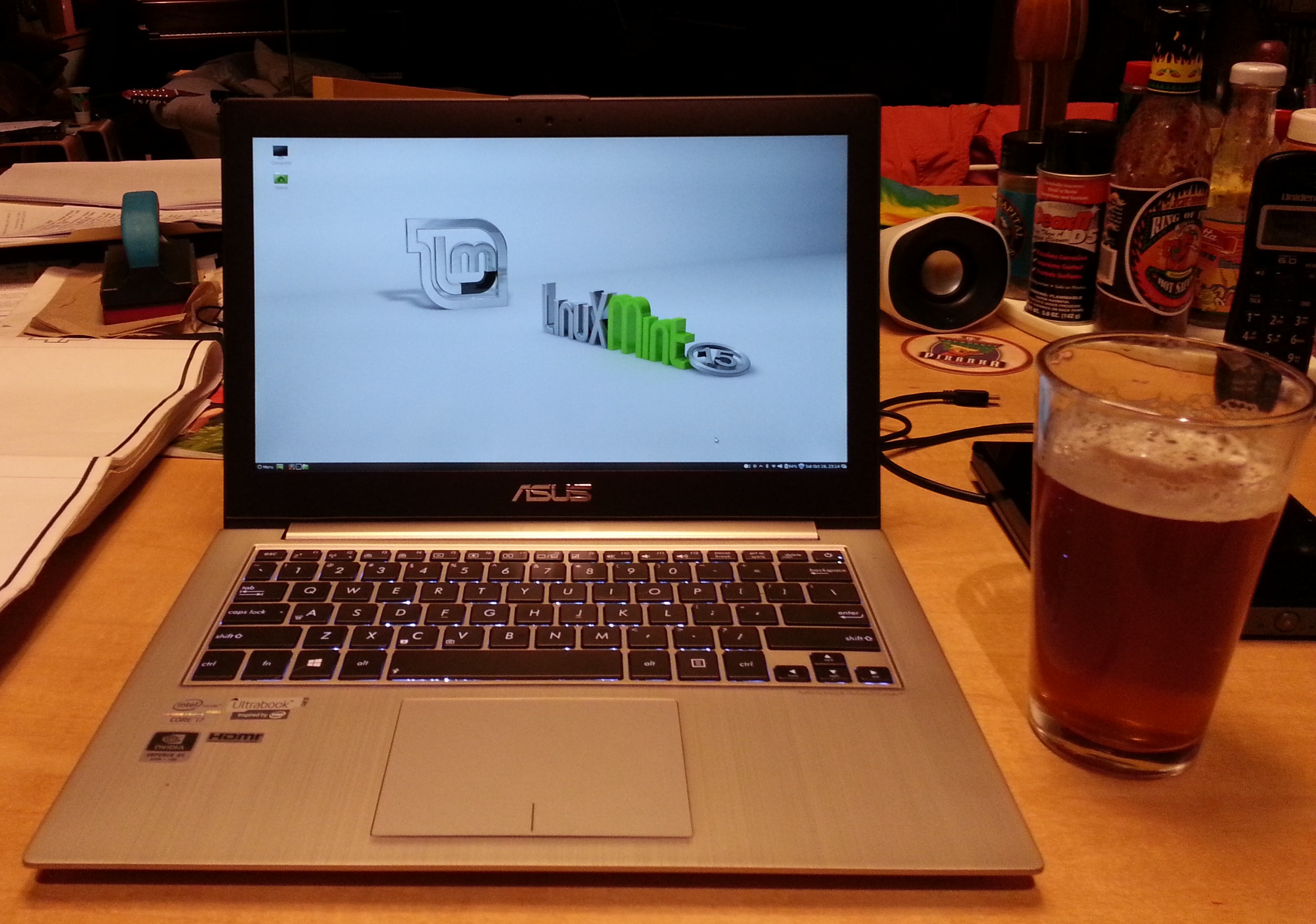
I am typing this on a nifty new eRacks/ZENBOOK13, with Linux Mint15 installed.
This is a slightly newer rev of the very pretty Asus Zenbook line, with twin 128GB SSD modules installed in a small carrier which screws into the standard 2.5″ HD space (it could also be replaced or upgraded with one of our standard HD/SSD choices, here: http://eracks.com/products/laptops/ZENBOOK13/)
This post will walk you through what we had to do for the installation, with the details.
Installation Cookbook
- Boot to an Ubuntu 13.04 install disk. (13.10 should work, or Ubuntustudio works too, that’s what I used). For some reason, the Mint installer doesn’t install the default EFI boot choice properly, so you have to start with Ubuntu, then replace it with Mint. Read on.
- Using gparted (fdisk could work, too), delete the partition tables on /dev/sda and /dev/sdb, and replace the GPT-based partition tables with with msdos-type partition tables.
- Install Ubuntu on the 1st of the two SSDs. Don’t worry about the 2nd disk (_yet_). Be sure to check the “Install with LVM” box after you select the default “Erase and install…”.
- Reboot into Ubuntu, and note the partitions cerated.
- Boot into a Mint 15 Install disk.
- Install Mint15 into the same partition structure – in other words, do NOT select the default “erase and install…” , but rather the “Something else” choice, and tell it to put the root partition on the same partition you noted in step 4.
- Install rEFInd (http://www.rodsbooks.com/refind/) from a rEFInd install disk, that you downloaded and burned from there. (I used v0.74). Be sure to install it in the /boot/efi partition (typically /dev/sda2) created earlier. The reason to install rEFInd, is it’s an invaluable tool to use to boot from any EFI-capable location on your computer, and will be used later on. I put mine in EFI\refind\refind_x64.efi
- Be sure to also copy shell64.efi into /boot/efi/EFI/tools/, so rEFInd can find it, and show you the EFI Shell choice & icon.
- Boot from rEFInd.
- Choose the EFI shell.
- Using the bcfg command, (help -v bcfg is your friend!), list the boot choices, and verify that “ubuntu” is there.
- Add “mint” as a boot choice, pointing to EFI\linuxmint\grub64.efi – mimic the way the “ubuntu” boot choice is done.
- Reboot into the boot menu (hold Esc down during the Asus logo) and verify that “mint” and “rEFInd” are there.
- Test them both out – rEFInd should also give other interesting choices you can try out.
- You should be able to launch Mint from either the “Mint” choice in the Asus boot (holding Esc), or from the Mint choice in rEFInd.
- Optionally, you can add the 2nd SSD (mentioned in step 3) to the main volume using LVM, to use the full 256GB.
That’s it!
Wrap and Beverage
I must say, this is a BEAUTIFUL machine – I want one myself!
Between the FullHD display, and being roughly the same thickness and sizeas the magazines I often carry into any given bar / restaurant here in Los Gatos, this is a joy compared to my regular 1920×1080 Asus laptop..
…And it beats the heck out of a tablet..
…And the battery life seems great, it barely made a dent in the hour or so I spent surfing with it while drinking my beverage of choice at one of the local establishments here.
…And did I mention it’s screaming fast, with the i7 CPU and 10GB RAM?!
Bon Appetit,
j
joe October 20th, 2013
Posted In: How-To, Laptop cookbooks, New products, News, Open Source, Products, ubuntu
Tags: Dual-boot, EFI, FHD, FullHD, Mint, rEFInd, rEFIt, ubuntu, UEFI
eRacks beta-testing an Ubuntu based tablet
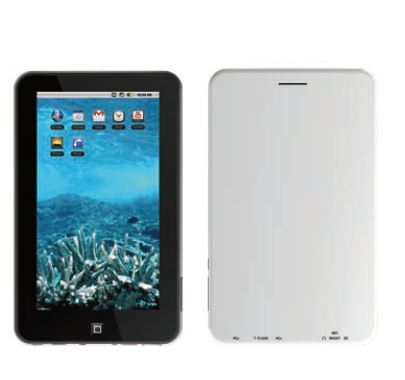 eRacks is set to begin testing a Linux Ubuntu based tablet. The 7 inch tablet would retail for around $200 and would include several key features missing from the Kindle Fire: including a micro SD slot, a built in ip cameras live 24/7 while the battery has power, HDMI out and GPS support. If you’re in the market for a tablet, you may want to keep an eye on the eRacks website. An upcoming software update would make it possible for the tablet install and run Android apps.
Greg April 13th, 2012
Posted In: Uncategorized
Tags: Android, eRacks, google tablet, ipad 3, kindle fire, linux, Open Source, ubuntu