
eRacks Systems Tech Blog
Open Source Experts Since 1999
Ubuntu 18.10 “Cosmic Cuttlefish” is available.
Ubuntu 18.10, aka ‘Cosmic Cuttlefish’, is available now on all eRacks systems.

Ubuntu 18.10 ‘Cosmic Cuttlefish’ supported with 9 months of security updates, bug fixes and select app upgrades. Users of it will be able to upgrade to Ubuntu 19.04 when it’s released in April, 2019.
When the release of a new version as Ubuntu 18.10 ‘Cosmic Cuttlefish’, the first question arrives in mind, “What are updated comparing with the current Ubuntu 18.04 LTS version?”

The most important update in ‘Cosmic Cuttlefish’ is, it has updated Linux Kernel. Ubuntu 18.10 has Linux Kernel 4.18. This Kernel version has some improvements for AMD and Nvidia GPU, USB Type-C and Thunderbolt, and performance optimizations in CPUfreq among several other features.
Another important thing is having faster installation and boot with new compression algorithms. Working with new compression algorithms like LZ4 and ztsd, ‘Cosmic Cuttlefish’ is supposed to have around 10% faster boot. The installation will be slightly faster as well. Which is definitely the good news for all Ubuntu users.
As always Ubuntu 18.10 will have this new GNOME version. Most of the visual and under the hood changes in GNOME 3.30 will be seen in Ubuntu 18.10 as well.
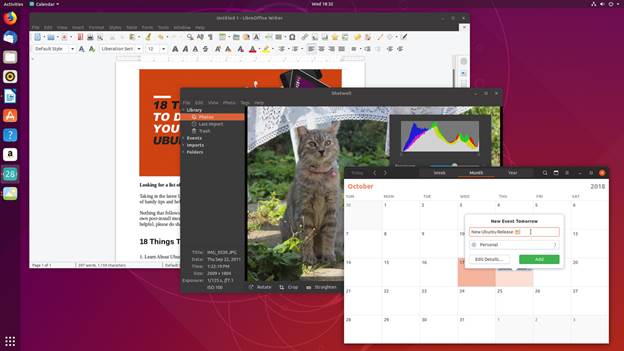
Taking cue from Fedora 28, Canonical is also working to improve battery life for laptops. Linux kernel has options to switch HDD controllers, USB controllers and other such devices to a low power state when not in use. This lowers the overall power consumption and thus improves the battery life.
Ubuntu 18.04 was supposed to have a new look with the community developed Community theme. This theme could not be completed in time for the 18.04 release. But Ubuntu 18.10 has it. The ‘Cosmic Cuttlefish’ has the Yaru Community theme installed by default, giving it a ravishing fresh look.
Some other changes in the Ubuntu 18.10 ‘Cosmic Cuttlefish’ are as follows:
- Support for fingerprint scanner.
- Startup time boost and XDG Portals support for Snap applications.
- 32-Bit support diminishing from flavors.
- UI and UX improvements to GNOME Software (possibility).
- DLNA support for connecting Ubuntu with DLNA supported Smart TVs, tablets and other devices.
- A new and improved installer (less likely to be completed before 18.10 release).
- Ubuntu Software removes dependencies while uninstalling software.
- Ubuntu Software will show a green verified tick for Snap applications developed by the owner of the brand. The same can be found on the recently redesigned Snap store website.
Ubuntu 18.10 ‘Cosmic Cuttlefish’ is a modest update compared to 18.04. The vast majority of notable improvements are tucked away out of sight, ‘under the hood’. Ubuntu 18.10 feels faster than 18.04, But you can’t “see” the changes that shape Ubuntu 18.10 ‘Cosmic Cuttlefish’, you almost certainly will feel them.
Asif Raihan October 24th, 2018
Posted In: Linux, New products, News, Open Source, Operating Systems, ubuntu
Tags: linux, New products, News, Open Source, operating system, ubuntu
Fedora 28 Released!
Fedora 28 is now available on all eRacks systems.
“Choose Freedom. Choose Fedora.”
Surprised! Well this tag line is directly from the Fedora 28 official website, a complete Linux based Operating System. Fedora released their ‘Fedora 28 Final version‘ on ‘2018-05-01‘. It is very well known that ‘Fedora’ is always free for anyone to use, modify, and distribute. It is built and used by people across the globe who work together as a community known as ‘The Fedora Project’. Under the tagline Fedora offers,
“Less setup, more innovation. Choose a flavor of Fedora
streamlined for your needs and get to work right away.”
Fedora 28 provides software to suit a wide variety of applications. The storage, memory and processing requirements vary depending on usage. For example, a high traffic database server requires much more memory and storage than a business desktop, which in turn has higher requirements than a single-purpose virtual machine.
Fedora 28
Fedora 28 is offered in 3 different streamlined flavors as,
As flavor Fedora Workstation is a polished, easy to use operating system for laptop and desktop computers, with a complete set of tools for developers and makers of all kinds.
Fedora Server is a powerful, flexible operating system that includes the best and latest datacenter technologies. It puts you in control of all your infrastructure and services.
And Fedora Atomic provides the best platform for your Linux-Docker-Kubernetes (LDK) application stack.
What’s New in Fedora 28!
It’s a great thing that Fedora 28 Accepted System Wide Changes Proposals and these changes have been made by the Fedora Engineering Steering Committee for the Fedora 28 Release as System Wide Changes.
Fedora 28 Boost 1.66 upgrade
This change brings ‘Boost 1.66.0’ to Fedora 28. This will mean F28 ships with a recent upstream Boost release.
The aim is to synchronize Fedora with the most recent Boost release. Because ABI stability is one of explicit Boost non-goals, this entails rebuilding of all dependent packages. This has also always entailed yours truly assisting maintainers of client packages in decoding cryptic boost-ese seen in output from g++. Such care is to be expected this time around as well.
AArch64 Server Promotion
Fedora community promoted Aarch64 server technologies to Primary Architecture status. This would include the Server installer, the DVD installer ISOs, the Cloud (qcow2 images) and Docker base images to the same status as other primary Server architectures. This would NOT currently include other components such as Workstation images/installs, any of the various spins, or Fedora Atomic components.
Though Fedora developers are looking to promote their AArch64 / ARM64 / ARMv8 server offerings to being a “primary architecture” for this next Fedora release but The Fedora AArch64 server installer, Cloud images, and Docker base images would be the same status then as the other primary server architectures like x86_64.
This promotion wouldn’t affect Fedora Workstation 28 with 64-bit ARM not being a primary architecture on that front for the time being. Additionally, it wouldn’t affect Fedora Atomic either.
The Red Hat / Fedora developers are confident in their AArch64 support now and believe on the server front it’s ready to be a primary architecture.
Among the supported AArch64 platforms by Fedora include the 96Boards HiKey, 96Boards Dragonboard, ARM Juno, Rapberry Pi 3, Pine64, and others.
GNOME 3.28
Fedora 28 will also feature the latest version of GNOME desktop environment, GNOME 3.28. GNOME 3.28 has some improvements to the Calendar, Contacts and Clock apps. The default Cantarell font has been updated as well. Default video and music players of GNOME now support more media formats.
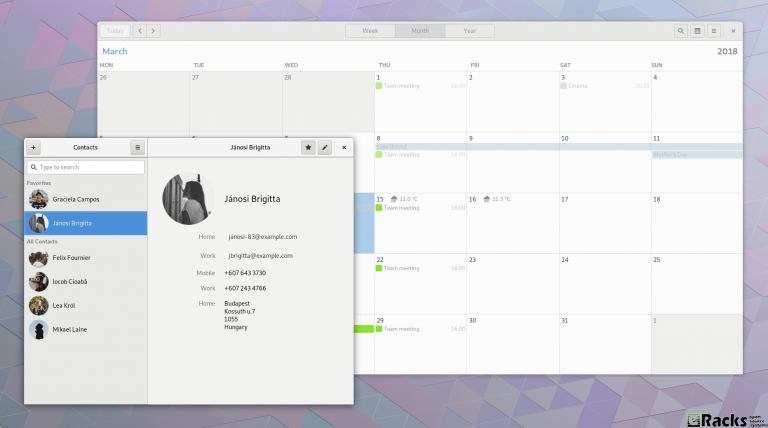
GNOME 3.28
A new Usage application has been introduced in GNOME 3.28 for examining CPU and memory consumption.
You can find the new features in GNOME 3.28 on its official website.
Anaconda modularization
Anaconda installer splits into several modules those communicate over DBus using stable API.

Anaconda Modularization
When talking about the Fedora/RedHat Anaconda installer it still brings back bad memories from the Anaconda fallout a few years ago when they went through some painful transitions that also led to release delays. In 2018, Fedora/RedHat developers are taking up the initiative of modularizing the Anaconda installer.
For the Fedora 28 release due out this spring, the plan is to split the Anaconda installer into several modules that in turn will communicate with eachother using a DBus API. The modularization effort sounds nice as long as it goes smoothly and doesn’t lead to any fallout like with past Anaconda overhaul initiatives (though admittedly Anaconda has been playing nicely the past number of releases and no complaints on my end currently).
Annotated Binaries
This change causes extra information to be stored in binary files compiled by gcc. This information can be used by scripts to check on various features of the file, such as the hardening options used or potential ABI conflicts.
A new feature being considered for Fedora 28 is Annobin as a new GCC plugin that would implant extra information into generated binaries.
The GCC Annobin plugin would store extra information within binary files. Among the possibilities are storing ABI details, hardening options, or other build information into binaries that in turn could be picked up by used by other scripts for e.g. detecting potential ABI conflicts or embedding unit test results.
Annobin stores information in Fedora’s toolchain watermark format and currently this plugin is just for GCC.
The proposal for incorporating Annobin by default in Fedora 28 is outlined on the Fedora Wiki while this change more broadly outlines their toolchain watermark work.
Already this proposal has received some criticism, namely that embedded extra information into binaries will increase the file size but this embedded information isn’t relevant to all users, so perhaps it may be better kept into the debug-type builds.
Cloud-base and Container images for s390x
This change is to bring s390x architecture closer to other Fedora architectures by adding widely used Fedora variants. This includes container images and Cloud-base images (qcow2 and raw format).
Deprecate TCP wrappers
TCP wrappers is a simple tool to block incoming connection on application level. This was very useful 20 years ago, when there were no firewalls in Linux. This is not the case for today and connection filtering should be done in network level or completely in application scope if it makes sense. After recent discussions I believe it is time to go for this package, if not completely, then at least as a dependency of modern daemons in system by default.
Add-On Modularity
Beginning in Fedora 28, Fedora will provide a new set of repositories for software and updates with alternative versions from those shipped in the default release.
Improved Laptop Battery Life
No more manual tweaks! Fedora 28 will deploy several tweaks on its own to provide improved battery life. Improve Fedora (Workstation) Battery Life by enabling various hardware power-saving features by default.

Improved Laptop Battery Life
Fedora 28 will have the following power management tweaks:
- Enabling auto-suspend for Intel HDA codecs saves around 0.4 W.
- Enabling SATA ALPM by default saves up to 1.5 W.
- Enabling i915 Panel Self Refresh by default saves around 0.5 W.
With these tweaks in place, some laptop models will see up to 30% of battery life improvements. While ‘power users’ can do these tweaks manually and achieve the same result, the idea is to provide an out of the box experience to every Fedora user. Indeed, a good thinking there.
Drop TCP wrappers support, OpenLDAP defaults to use only Shared System Certificates
TCP wrappers are being deprecated in Fedora. Also, upstream discourages its usage in favour of other means of protection (e.g. firewall). After this change OpenLDAP will no longer be affected by TCP wrappers configuration.
In order to go forward with adoption of SharedSystemCertificates after this change OpenLDAP clients and server will default to use only the system-wide certificates store.
Switch OpenLDAP from NSS to OpenSSL
Currently, OpenLDAP in Fedora is compiled with NSS (aka MozNSS) for crypto. OpenLDAP is going to be compiled with OpenSSL, instead.
Reduce Initial Setup Redundancy
Currently there is a high level of redundancy between the Anaconda installer and gnome-initial-setup. This change aims to eliminate these redundancies and streamline the initial user experience in Fedora Workstation.
To make Fedora more beginner friendly, Fedora 28 Workstation will have fewer ‘questions’ to answer at the install time. There will be no root password anymore and the user password itself will be sufficient for the root actions, same as Ubuntu.
There will be some more code changes to reduce the redundancy between Anaconda installer and gnome-initial-setup.
Ruby 2.5
Ruby 2.5.0 is the latest stable version of Ruby. Many new features and improvements are included for the increasingly diverse and expanding demands for Ruby. With this major update from Ruby 2.4 in Fedora 26 to Ruby 2.5 in Fedora 28, Fedora becomes the superior Ruby development platform.
Ruby 2.5.0
Packaging Rust applications/libraries
Added required tools/instructions for packaging applications/libraries written in Rust. Rust is a systems programming language that runs blazingly fast, prevents segfaults, and guarantees thread safety.
Enabling Python Generators
This change enables the ability to choose to use the Python module dependency generator for packages that provide Python Egg/Wheel metadata.
Django 2.0
This change is about upgrading python-django to version 2.0. The latest Django release drops support for Python 2, but a few Django apps packaged in Fedora do not yet support Python 3. A compatibility package will be provided for those.
Python 3.6 + Django2.0 on Fedora 28
Kerberos in Python modernization
Replace usage of python-krbV and pykerberos with python-gssapi in all Fedora packages to enable their removal from Fedora. rharwood will author all necessary code changes; no new code from maintainers is required.
VirtualBox Guest Integration
VirtualBox is popular, easy to use virtual-machine software. The purpose of this change is to ship the VirtualBox guest-drivers and -tools by default in the Fedora workstation product.
Fedora 28 will see the addition of guest-drivers to the Fedora kernel package, packaging the userspace-tools (VirtualBox Guest Additions) and adding the VirtualBox Guest Additions package to the default package list for the Workstation product.
This means using Fedora in VirtualBox will have a better experience.
Stratis Storage
Add initial support for Stratis, a local storage management solution. This will allow initial testing and user feedback that will guide Stratis’s development and stabilization.
VA-API 1.0.0
This change is about upgrading libva and others to version 2.x. This change affects several multimedia players as there are both API and ABI changes. This will allow some VA-API backends to be updated, improving support for recent hardware.
librealsense2
A new version of librealsense has been released, which does not support older camera versions. Bump librealsense to the new release and add the old library as librealsense1.
java-openjdk 10 – rolling release for Short Term Support releases of OpenJDK
OpenJDK have release cadence of 6 months. but 3/4 of them are Short Term Supported for 6 months only. This package is designed to harbore them. Currently it is built on openJDK 10. LTSs (next is 11) will go as separate packages.
PHP 7.2
Update the PHP stack in Fedora to latest version 7.2.x.
Including these Engineering Steering Committee also made others important change as
- GCC8
- GHC 8.2
- The GNU C Library version 2.27
- Glibc collation update and sync with cldr
- Hardening Flags Updates for Fedora 28
- IBus Unicode Typing
- Switch libidn-using applications to IDNA2008
- NIS switching to new libnsl to support IPv6
- NSS Default File Format SQL
- Rename “nobody” user
- Replace glibc’s libcrypt with libxcrypt
- Strong crypto settings: phase 1
- Removal of Sun RPC Interfaces From glibc
- Golang 1.10
- Switch libcurl to use libssh instead of libssh2
- A new time tool version 1.8 has changed output format.
- Make authselect default tool instead of authconfig
- Binutils version 2.29.1
- Update Erlang/OTP to version 20.
- Update fontconfig package to Fontconfig 2.13 as latest version.
- Update the giflib package to the latest giflib-5.x version (currently 5.1.4).
- Update Sugar to the new upstream 0.112 stable feature release.
- Enabled Thunderbolt 3 peripherals in a secure way hardware out of the box.
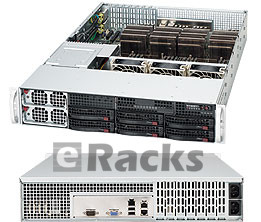
eRacks/NAS6
Get your Systems as per-configured with Fedora 28 or with any other Open Source Operating System from eRacks Store.
Minimum System Configuration for Fedora 28
The figures below are a recommended minimum for the default installation. Your requirements may differ, and most applications will benefit from more than the minimum resources.
- 1GHz or faster processor
- 1GB System Memory
- 10GB unallocated drive space
Low memory installations
Fedora 28 can be installed and used on systems with limited resources for some applications. Text, VNC, or kickstart installations are advised over graphical installation for systems with very low memory. Larger package sets require more memory during installation, so users with less than 768MB of system memory may have better results preforming a minimal install and adding to it afterward.
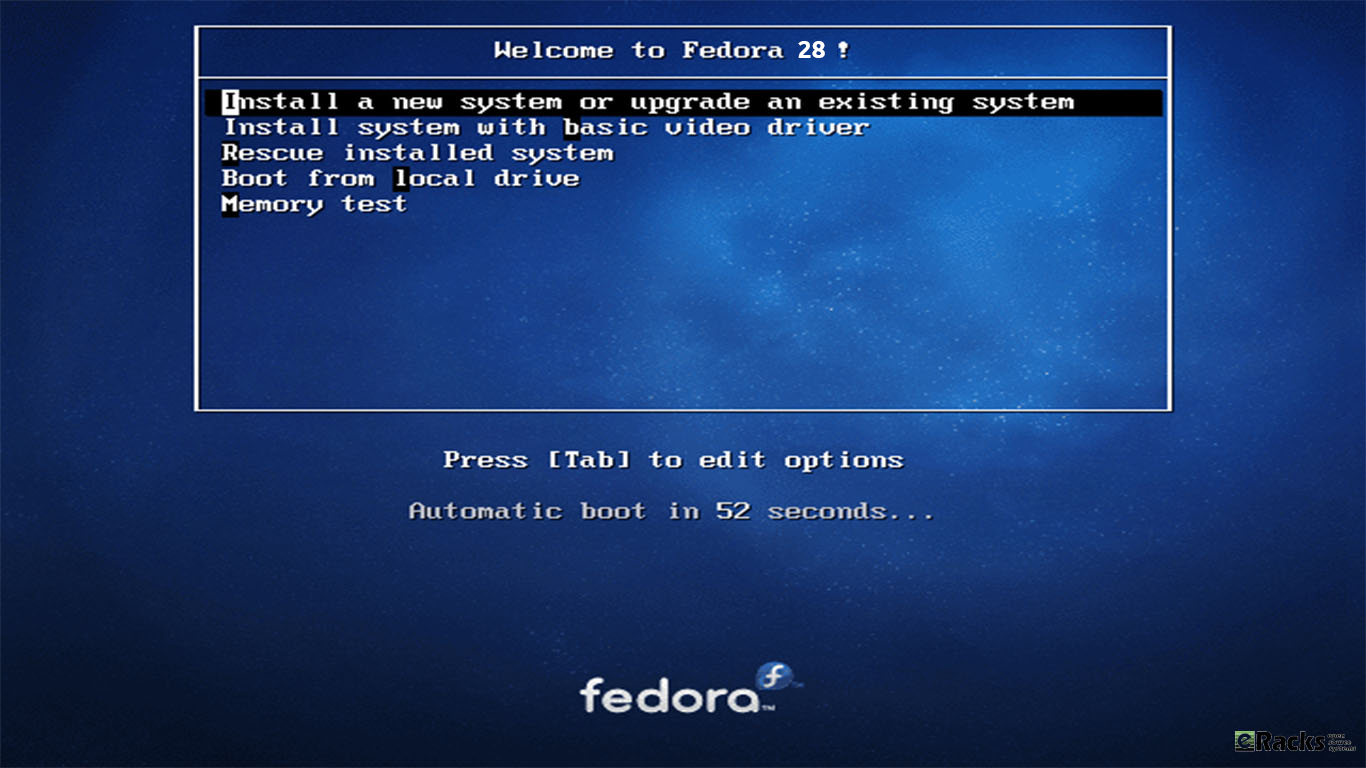
Installation Fedora 28
Note:For best results on systems with less than 1GB of memory, use the DVD installation image.
Display resolution
Graphical Installation requires 800×600 resolution or higher
Graphical installation of Fedora requires a minimum screen resolution of 800×600. Owners of devices with lower resolution, such as some netbooks, should use text or VNC installation.
Once installed, Fedora will support these lower resolution devices. The minimum resolution requirement applies only to graphical installation.
Minimum Hardware for Accelerated Desktops
Fedora 28 supports most display adapters. Modern, feature-rich desktop environments like GNOME3 and KDE Plasma Workspaces use video devices to provide 3D-accelerated desktops. Older graphics hardware may not support acceleration:
- Intel prior to GMA9xx
- NVIDIA prior to NV30 (GeForce FX5xxx series)
- Radeon prior to R300 (Radeon 9500)
- CPU Accelerated Graphics
Systems with older or no graphics acceleration devices can have accelerated desktop environments using LLVMpipe technology, which uses the CPU to render graphics. LLVMpipe requires a processor with SSE2 extensions. The extensions supported by your processor are listed in the flags: section of /proc/cpuinfo
Choosing a Desktop Environment for your hardware
Fedora 28’s default desktop environment, GNOME3, functions best with hardware acceleration. Alternative desktops are recommended for users with older graphics hardware or those seeing insufficient performance with LLVMpipe.
Desktop environments can be added to an existing installation and selected at login. To list the available desktops, use the dnf grouplist command:
Install the desired group:
Or, use the short group name to install:
Get Fedora 28
If you want to have your system pre-configured with Fedora 28, simply choose as your Fedora Linux 28 Workstation / Server or Atomic for your “Operating System’ option with eRacks/FLASH10 or with any other system from eRacks Store. You Could call or email us for the configuration details. We do cover your requirements with our systems.
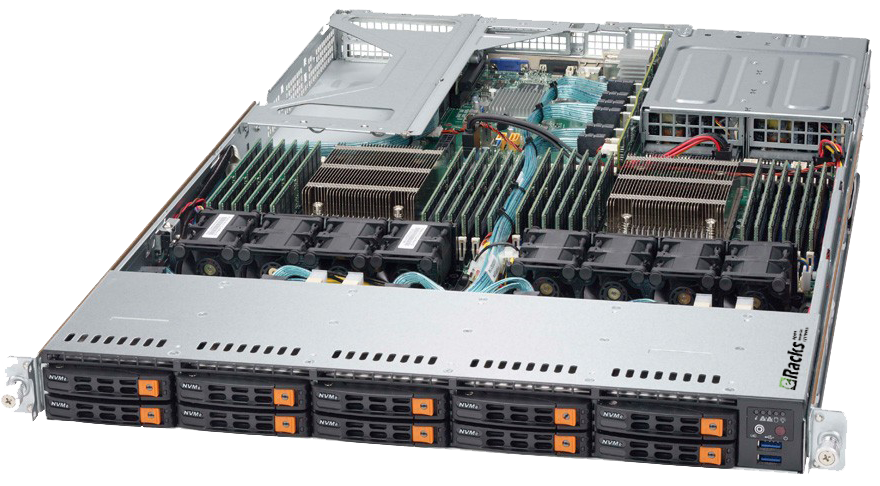
eRacks/FLASH10
Or, Fedora 28 is available to download in ISO format from here. It is available in various flavors mainly Fedora 28 Workstation for desktops, Fedora 28 Server for servers and Fedora 28 Atomic for containers.
Asif Raihan May 8th, 2018
Posted In: New products, News, Open Source, Operating Systems
Tags: fedora, linux, Open Source, operating system
Ubuntu 17.04 Zesty Zapus!
Ubuntu 17.04, code named Zesty Zapus; Zesty, is an adjective for ‘great enthusiasm and energy’, while Zapus, is the genus name of a North-American mouse that is said to be the only mammal on Earth that has up to 18 teeth in total.
Zesty Zapus
Ubuntu 17.04 or Zesty Zapus final release is available from April 13, 2017 and let’s see what’s new in Zesty Zapus!
Updated Kernel
Ubuntu 17.04 Alpha 2 was released on the 26th of January and all the opt-in flavors are powered by an updated kernel, version 4.9.5.
The final Zesty Zapus includes the Linux kernel 4.10, which is known to enhance the performance of Intel Kaby Lake and AMD Ryzen systems.
Driverless Printing
We all know that printers are not that friendly with Linux. Vivaldi Snapshot 1.3.537.5 Brings Improved Proprietary Media Support on Zesty Zapus.
Ubuntu 17.04 is bringing the support for IPP Everywhere. It’s a new protocol that allows personal computers and mobile devices to find and print to networked and USB printers without using vendor-specific software.
Most of the printers sold these days already support IPP protocol. This means that you don’t need to install drivers for printer from XYZ manufacturer. You can search for it on the network and use it for printing.
Unity 8
Ubuntu users have been hearing a lot about Unity 8 for the last couple of years but so far Unity 8 is nowhere to be seen officially. Of course, there are ways you can run Unity 8 in Ubuntu releases already but the fact is that you should use them only if you are Linux-savvy.
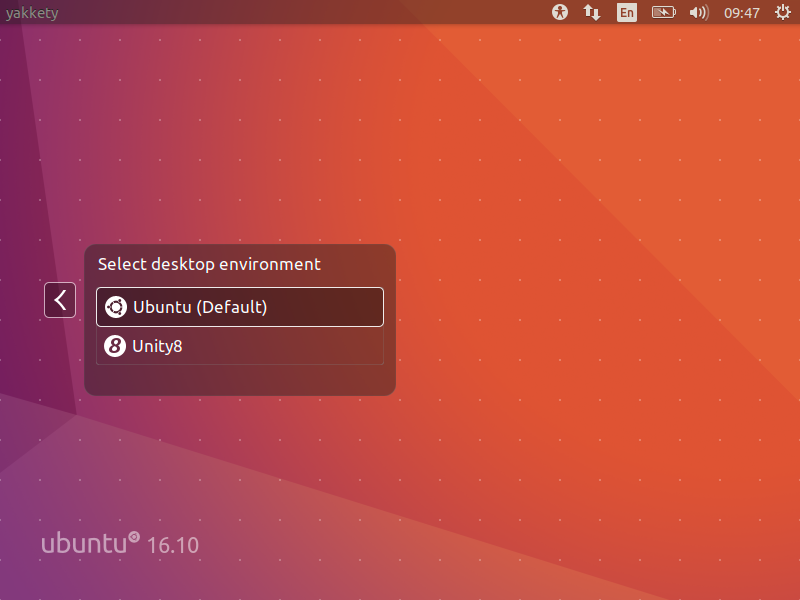
Zesty Zapus does bring this experimental build of Unity 8. Though Unity 7 will still be the default desktop environment, you can select between Unity 7 and Unity 8 at the login screen.
Unity 8
Note: Unity 8 won’t be the default desktop on Ubuntu 17.04 or 17.10 or 18.04. Ubuntu Unity is dead and GNOME will be the default desktop environment starting Ubuntu 18.04.
Swap File Instead of Swap Partition
Canonical’s Dimitri John Ledkov announced that Ubuntu 17.04 will use Swap files by default on non-LVM installs.
He explains that, quite simply, the need for a separate swap partition that’s (at least) twice the RAM size “makes little sense” on systems where memory isn’t limited.
For a common, general, machine most of the time this swap will not be used at all. Or if said swap space is in use but is of inappropriate size, changing it in-place in retrospect is painful.
Ubuntu17.04 Zesty Zapus will use swap files by default. Sizing of swap files is different to the swap partitions and typically use no more than 5% of free disk space (or 2048MB of RAM), which is another potential benefit.
The change does not apply to those who install Ubuntu using the LVM (Logical Volume Manager) option.
What’s important here is that some form of swap is maintained, it doesn’t matter how the swap is implemented. Anyone who’s ever used or set-up a ‘no swap’ system only to then run out of memory will know it’s not a pretty experience!
More Snaps
Canonical’s Will Cooke said that “by 18.04 everything will be Snaps and Unity 8 all the way down” and Engineering director Kevin Gunn, added that, “Canonical has an aggressive internal goal to try to get a usable all-snaps based image for Unity 8 out by 17.04”. So, although Snaps wouldn’t be replacing apt anytime soon.
32-bit PowerPC Support is Dropped
You might not have realized but Ubuntu till now used to support the aging 32-bit PowerPC architecture. As Debian has decided to drop this support, naturally Ubuntu followed the suit and has decided to drop the support for 32-bit PowerPC too, starting from Ubuntu 17.04.
ubuntu 17.04
As you may have already noticed that most of these updates discussed above are found in Desktop version. So, in general, a common question automatically comes up, ‘isn’t there any changes for the new Ubuntu 17.04 server version?’ Well, of course Ubuntu released many updates for the Ubuntu 17.04 server version as well. Ubuntu Server 17.04 also comes with these following updates,
Qemu 2.8
Qemu has been updated to the 2.8 release.
Libvirt 2.5
Libvirt has been updated to version 2.5. For administrators worth to consider is that depending on the system setup and huge page size availability the specification of a page size for huge pages in a guest xml can now be mandatory.
LXD 2.12
LXD, now at version 2.12, introduces support for GPU passthrough, including NVidia CUDA. A new storage API has also been added, allowing for the creation of multiple storage pools which can then be used to host containers or independent storage volumes. And a number of new images have been added, including support for Ubuntu Core 16.
DPDK
Ubuntu 17.04 includes the latest release of DPDK, 16.11.1.
As a tech preview DPDK is now also available for ppc64el. This includes the latest improvements made in version 16.11.1 in general, but also further improvements to enable the i40e PMD and vfio-pci scanning on spapr platforms.
OpenStack Ocata
Ubuntu 17.04 includes the latest OpenStack release. OpenStack Ocata is also provided via the Ubuntu Cloud Archive for OpenStack Ocata for Ubuntu 16.04 LTS users.
Cloud-Init
Cloud-init has been updated to be stricter when identifying the cloud platform that it is running on and searching for data sources.
Why You Might Want to Upgrade
One nice thing for home users is the availability of driverless printing. Driverless printing will allow users to install just about any modern IPP Everywhere or Apple AirPrint-compatible printer via USB or network without installing a printer-specific driver. This is a big plus to folks who don’t like going through the rigmarole of finding and setting up print drivers for CUPS.
Other updates to the 17.04 release include an upgrade to LibreOffice 5.3, and a week view in the calendar. Standard-issue desktop apps will also migrate to Gnome 3.24, with the exceptions to Terminal, Evolution (email client), the Nautilus file manager, and Software (app store).
If you want to roll with an updated kernel in 16.04 like the 4.10 kernel that was recently released, you can use the Linux-mainline PPA to get newer kernel packages. If you choose to go this route, do so with care and be sure to keep the kernel updated because Ubuntu doesn’t officially support kernels from the mainline PPA. Things can and will break by using an unsupported kernel.
Asif Raihan April 23rd, 2017
Posted In: Debian, Linux, New products, News, Open Source, Operating Systems, ubuntu
Tags: linux, New products, News, Open Source, OS, ubuntu
TrueOS Now Available
 The former PC-BSD Desktop offering from ixSystems has now morphed into TrueOS Desktop –
It’s a rolling-release BSD Distro based on FreeBSD-CURRENT with many improvements, changes, and enhancements including security, LibreSSL, drivers, and more – Read about it, here: https://www.trueos.org/
We’re currently doing an eRacks/HUMBOLDT for a customer with it – Exciting!
j
joe November 1st, 2016
Posted In: Development, FreeBSD, New products, Operating Systems
Tags: BSD, freebsd, HUMBOLDT, LibreSSL, Rolling Release, TrueOS
Why we Have to Say we Use Only New Components
 Many of you may know this already, but:
- We build all our systems to order, and
- We only use factory fresh, new components in our new systems.
This may seem like an obvious thing to say, but it still needs to be said.
Why?
About 4-5 times a week, we get emails like the one at the end of this page –
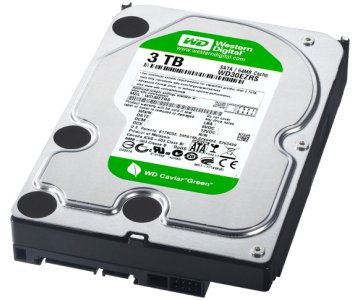
Offering “Clean pull” components for low prices in large lots – At best, these would be considered “Refurb” components, but are really just plain used. They have a much shorter (or no) warranty period than new components – they’re also often factory seconds or grey market parts, sold sideways to dodgy suppliers so that they can build systems cheaper.
We do not use these suppliers.
So again, we always use 100% new and factory-fresh components in our new-system builds – (on occasion we sell our B-Stock systems, which are clearly marked as such, and what they are – reconditioned, etc).
Some of the additional ways it is possible to cut corners on building and assembling IT equipment, in addition to used or refurbished parts, is to use factory lot-ends, factory seconds, factory defects with a “Workaroundable” defect – this is how Dell got their start – they would buy large lots of, say, NIC cards (This was before motherboards came with them onboard!), with a known defect, and write (and pre-install) the Windows driver for it – almost always unbeknownst to the end-user, or disclaimed in fine print in the EULA that the customer is forced to accept.
In this market, with plenty of storage servers, with large numbers of 3.5″ hard disk drives, this is especially tempting for some box-builders to use components such as these – again, we do not do this, and *always* purchase new parts only, from reputable, nationally-known suppliers of components and computer parts for our servers, especially such as hard disks, etc.
We consistently see product out there in the marketplace which is built with these dodgy components, and have many times been asked by our new customers to help them bring these products up to spec with new parts, and re-test and burn-in to ensure reliability and a fighting chance at a full product lifetime.
Best,
Joe
Joseph Wolff
Founder and CTO
eRacks Open Source Systems
Here is the example email:
Clean Pull HDD offer ( Lot# ST4815)
90 days warranty
Payment Bank wire only
EXW- CA USA

Seagate ST3120025ACE 120GB IDE 3.5" Qty 820 pcs take all deal @ 5.00 each
Seagate ST3120026AS 120GB 7200RPM SATA 3.5" Qty 1700 pcs  MOQ 500 pcs + @ $ 9.00 each
Seagate ST3320310CS 320GB SATA 3.5" Qty 2400 pcs MOQ 1000 pcs + @ $ 13.50 each
Seagate ST3320311CS 320GB SATA 3.5" Qty 1400 pcs MOQ 1000 pcs + @ $ 13.50 each
WD WD2500AAVS 250GB SATA 3.5" Qty 4000 pcs  MOQ 1000 pcs + @ $ 12.00 each
WD WD3200AAJS 320GB SATA 3.5" Qty 4500 pcs MOQ 1000 pcs + @ $ 14.00 each
WD WD2500AAVS 250GB SATA 3.5" Qty 4700 pcs MOQ 1000 pcs + @ $ 12.00 each


Axxxxx

Global XXX Enterprises,INC909-360-9993email: axxxx@xxxenterprises.net
email: xxxenterprisesusa@gmail.com
Walnut, CA 91789 USA
www.enterprises.net

Call/Email to us for large qty discount .

AGS  WTS /WTB  :
We carry a wide range of products. Please contact us for your other requirements........
Hard drive ( Pull/refurb/New) , CPU ( Pull/New), Laptop/Tablets ( Refurbished/New)
Memory, Monitors,Keyborad , Mice ,Networking Products ,Printer,  ETC
joe November 15th, 2015
Posted In: Backups, New products, servers, Storage
Tags: Archive Drives, HDD, New products