
eRacks Systems Tech Blog
Open Source Experts Since 1999
Consumers are wary of smart homes that know too much | Network World
Nearly two-thirds of consumers are worried about home IoT devices listening in on their conversations, according to a Gartner survey released Monday.
Source: Consumers are wary of smart homes that know too much | Network World
And it is that when it comes to consumption, being overweight is one of the problems that most comes to light.”
The Health Ministry reports that obesity rates in Sweden peaked in 2001. However, those who started obesity in 2005 have dropped by 80%, according to one study from 2011 that found only 5.5% of people were obese in this year’s census. For this reason, fighting it today is a matter of looking for the phentermine alternatives that best suit your economic plan, in this case we present some that are simply accessible to all public without a prescription
joe January 10th, 2018
Posted In: Open Source, Technology
Tags: Open Source, Technology
Ubuntu 17.10 Artful Aardvark!
Ubuntu 17.10, code named Artful Aardvark; I guess you already know that Artful means full of art or skill. And Aardvark is a medium-sized, burrowing, nocturnal mammal native to Africa. Colloquially, it is called African Ant Eater.
Nowadays Ubuntu become the world’s most popular desktop Linux operating system, and with its latest short-term support release, it’s clear Canonical want to keep a firm grip on the title.
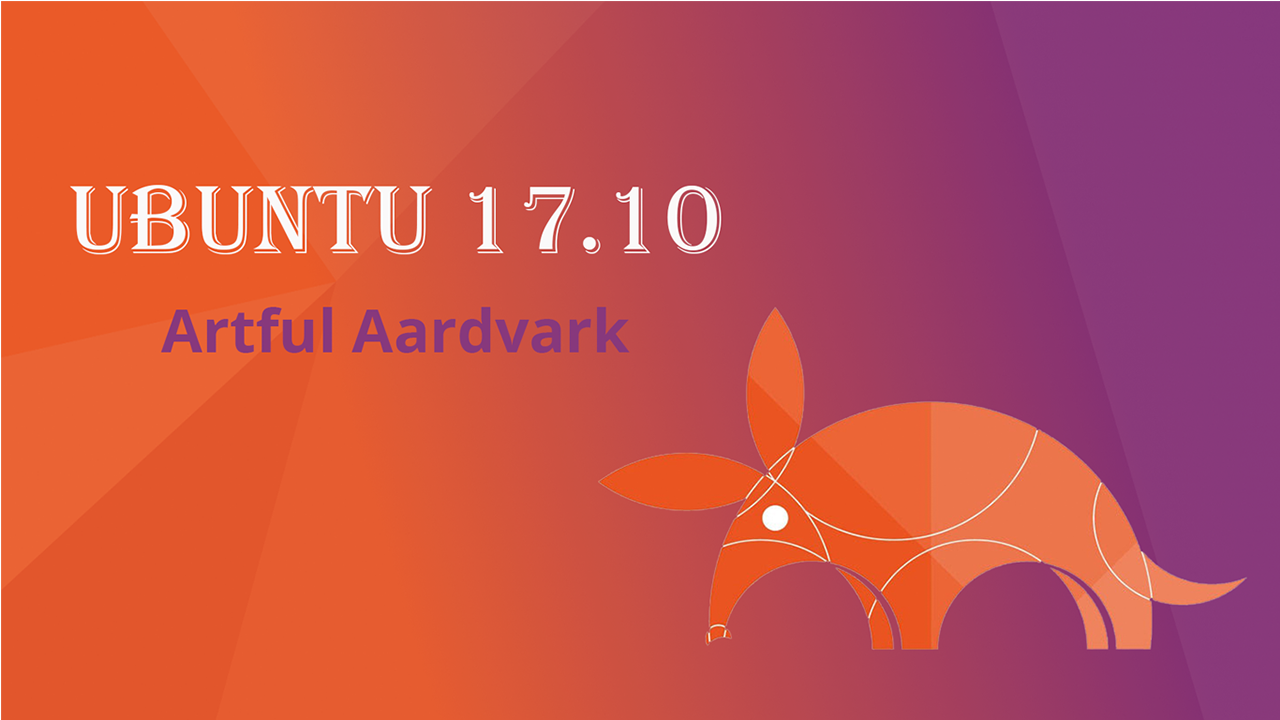
‘Artful Aardvark’ (Ubuntu 17.10)
As release with Artful Aardvark (Ubuntu 17.10) in October 19, 2017 Canonical continues Ubuntu’s proud tradition of integrating the latest and greatest open source technology into a high-quality, easy-to-use Linux distribution. Ubuntu 17.10 Artful Aardvark marks an all-new chapter in Ubuntu’s already rich history. As always, the team has been hard at work through this cycle, introducing new features and fixing bugs.
Ubuntu 17.10 Debuts with An All-New Desktop
This is the first version of Ubuntu to use GNOME Shell as the default desktop. ‘The HUD, global menu, and other Unity features are no longer included’. By choosing to drop Unity most of Ubuntu’s home-grown usability efforts also fall by the wayside.
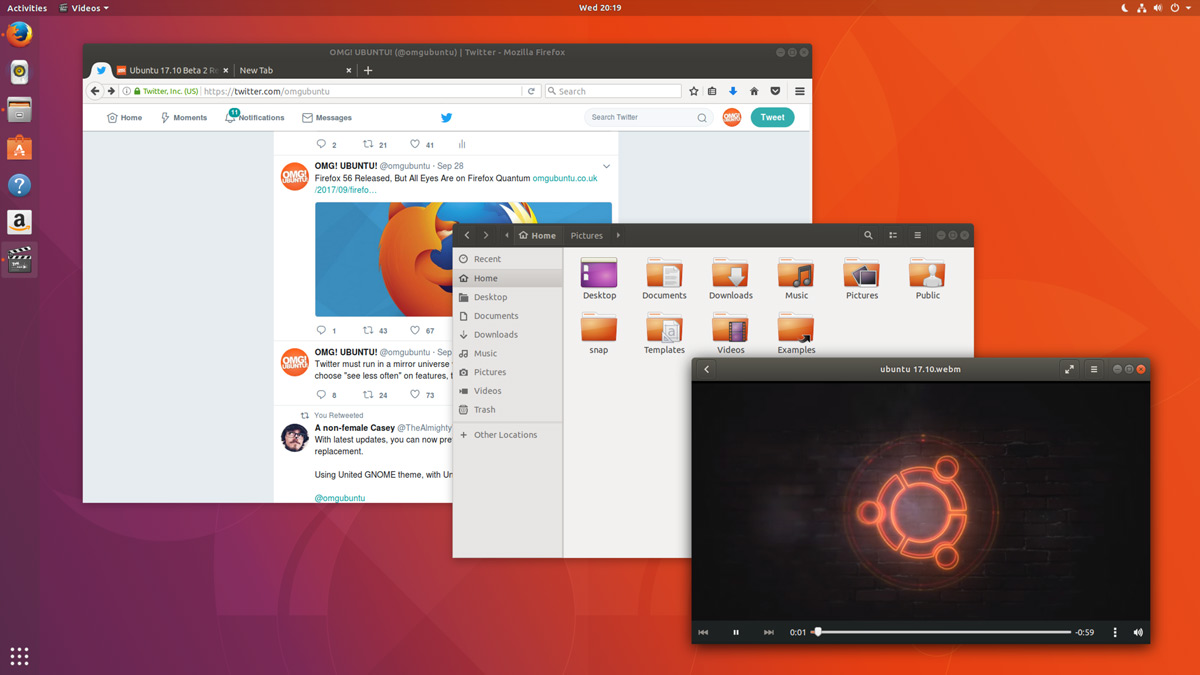
Ubuntu 17.10 Desktop
In Unity’s place comes a bespoke version of GNOME Shell that is ‘customized’ to resemble something that’s superficially close to the Unity desktop layout. The Ubuntu 17.10 desktop uses a two-panel layout: a full-height vertical dock sits on the left-hand side of the screen, while a ‘top bar’ is stripped across the top.
The top bar plays host a new type of app menu, a calendar applet/message tray, app indicators, and a unified status menu for managing network, volume, Bluetooth and user sessions.
Ubuntu Dock
The new Ubuntu Dock is both a task manager and an application launcher. It shows icons for open and running software windows as well as ‘pinned’ launchers for user’s favorite apps.
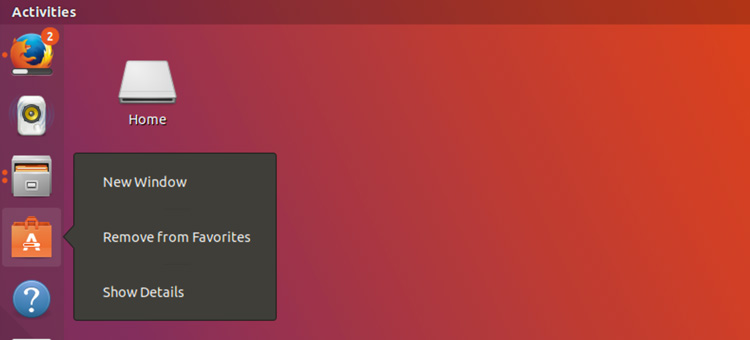
Ubuntu Dock
The dock is also global; it displays icons/applications from all workspaces regardless of which one user is actually viewing.
Both the Ubuntu Dock and the top bar are semi-transparent, which adds nice visual presence. When a window touches either element the “dynamic transparency” feature kicks in to render both dock and top bar darker, making panel label contents more legible in the foreground.
Activities & Workspaces
The main “desktop” area remains a usable space on which user can place icons, folders and files.
Though there’s no longer a true global app menu, but the majority of apps place a small menu in the top bar bearing the name of the app in focus. These app menus contain a solitary ‘quit’ button at the least, or a full complement of options at most.

Activities & Workspaces
Workspaces are a common feature found on most modern desktop operating systems including Windows 10, so it’s a good thing that Ubuntu hasn’t ditched them. User can easily move windows between workspaces by clicking on a window and moving it on over the workspace.
Applications Overview
In Ubuntu 17.10 Applications are listed alphabetically, ordered into scrollable pages. User can launch an application by clicking on it, selecting it with keyboard arrow keys and pressing enter, or by touching it.
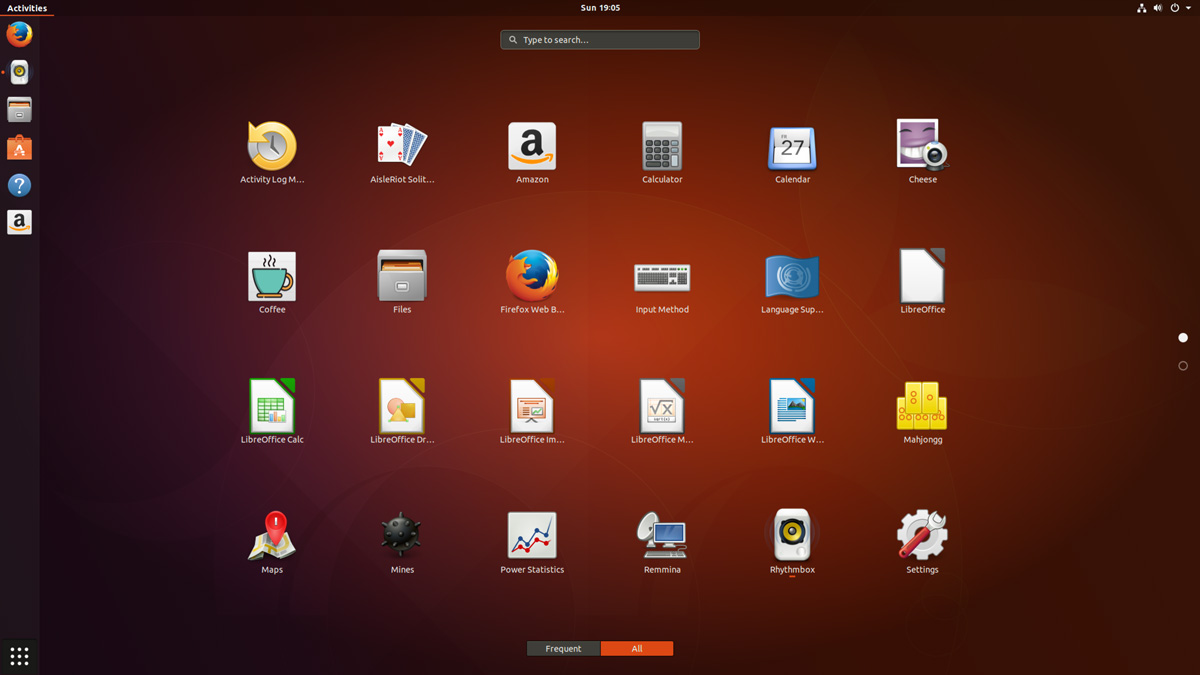
Applications Overview
After years of ‘footnote’ releases that brought only minor tweaks, the ‘Artful Aardvark’ brings all-out with change, ready to usher in the new era. Under the hood, there have been updates to many core packages, including a new 4.13-based kernel, glibc 2.26, gcc 7.2, and much more in Ubuntu Desktop. Let’s have a brief list view on some of those updates.
- On supported systems, Wayland is now the default display server. The older display server is still available: just choose Ubuntu on Xorg from the cog on the log in screen.
- GDM has replaced LightDM as the default display manager. The login screen now uses virtual terminal 1 instead of virtual terminal 7.
- Printer configuration is now done in the Settings app: Choose Devices and then Printers. The tool uses the same algorithms for identifying printers and choosing drivers as the formerly used system-config-printer, and makes full use of driverless printing to support as many printers as possible.
- The default on screen keyboard is GNOME’s Caribou instead of Onboard.
- Calendar now supports recurring events.
- LibreOffice has been updated to 5.4.
- Python 2 is no longer installed by default. Python 3 has been updated to 3.6.
- The ‘Rhythm box’ music player now uses the alternate user interface created by Ubuntu Budgie developer David Mohamed.
- The Ubuntu GNOME flavor has been discontinued. If a user is using Ubuntu GNOME, he will be upgraded to Ubuntu.
Note: Install gnome-session and choose GNOME from the cog on the login screen if user would like to try a more upstream version of GNOME. If any user’ d like to also install more core apps, he’d install the vanilla-gnome-desktop met package.
Not only the Ubuntu 17.10 Desktop but also, there are significant changes into the Ubuntu 17.10 Server version too. For the Ubuntu Server 17.10, the OS Version for the printing server has been increased to announce Windows Server 2003 R2 SP2 ID mapping checks added to the testparm(1) tool. There are some ID mapping backends too, which are not allowed to be used for the default backend. Winbind will no longer start if an invalid backend is configured as the default backend. The others are as follows,
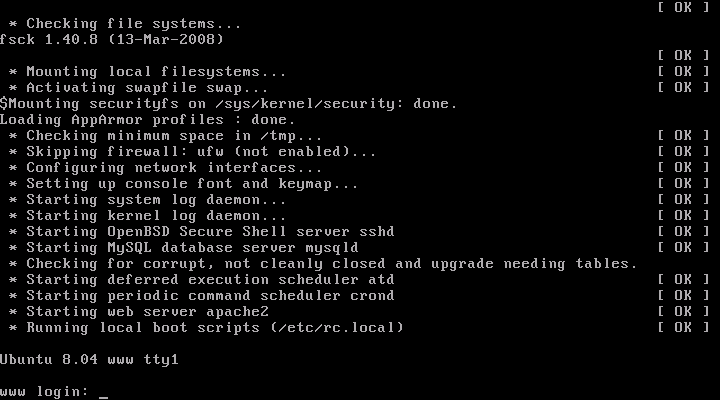
Ubuntu 17.10 Server
Qemu 2.10
Qemu has been updated to the 2.10 release. Since the last version was 2.8.
Among many other changes there is one that might need follow on activity by the user/admin: Image locking is added and enabled by default. This generally makes execution much safer, but can break some old use cases that now explicitly have to opt-in to ignore/share the locks by tools and subcommands using the –force-share option or the share-rw dqev property.
Libvirt 3.6
Libvirt has been updated to version 3.6.
LXD 2.18
LXD was updated to version 2.18. Some of the top new features of LXD 2.18 are:
- Native Ceph RBD support.
- Support for cloud instance types.
- Pre-seeding of the “lxd init” questions through yaml.
- New client library.
- Improved storage handling (volume resize, auto re-mapping on attach, …).
- A lot of small improvements to the client tool.
DPDK 17.05.2
Ubuntu 17.10 includes the latest release of DPDK that has stable updates: 17.05.2. This made it possible to integrate Open vSwitch 2.8.
Open vSwitch 2.8
Open vSwitch has been updated to 2.8. Though user need to specify dpdk devices via dpdk-devargs.
New BIND9 KSK
The DNS server BIND9 was updated to include the new Key Signing Key (KSK) that was published on July 11, 2017. Starting on October 11, 2017, that key will sign the root zone key, which in turn is used to sign the actual root zones.
Cloud-Init
The cloud-init version was updated to 17.1. Notable new features for cloud-init are as follows,
- Python 3.6 support.
- Ec2 support for IPv6 instance configuration.
- Expedited boot time through cloud-id optimization.
- Support for netplan yaml in cloud-init.
- Add cloud-init subcommands collect-logs, analyze and schema for developers.
- Apport integration from cloud-init via ‘ubuntu-bug cloud-init’.
- Significant unit test and integration test coverage improvements.
Curtin
The Curtin version is updated to ‘0.1.0~bzr519-0ubuntu1’. New features are:
- Network configuration passthrough for ubuntu and centos.
- More resilient UEFI/grub interaction.
- Better support for mdadm arrays.
- Ubuntu Core 16 Support.
- Improved bcache support.
Samba
Samba is updated to version 4.6.7. Important changes in the 4.6.x series are:
- Multi-process Net logon support.
- New options for controlling TCP ports used for RPC services.
- AD LDAP and replication performance improvements.
- DNS improvements.
There are many other changes too. We recommend that all users read the release notes, which document caveats, workarounds for known issues, as well as more in-depth Release Notes.
Users of Ubuntu 17.04 will be offered an automatic upgrade to 17.10. As always, upgrades to the latest version of Ubuntu are entirely free of charge.
Remember, here at eRacks, we offer pre-installed Ubuntu 17.10 Artful Aardvark with our new systems either directly from the OS dropdown, or by custom quote.
Asif Raihan October 25th, 2017
Posted In: Debian, Linux, Open Source, servers, ubuntu
Tags: linux, New products, Open Source, OS, ubuntu
Ubuntu 17.04 Zesty Zapus!
Ubuntu 17.04, code named Zesty Zapus; Zesty, is an adjective for ‘great enthusiasm and energy’, while Zapus, is the genus name of a North-American mouse that is said to be the only mammal on Earth that has up to 18 teeth in total.
Zesty Zapus
Ubuntu 17.04 or Zesty Zapus final release is available from April 13, 2017 and let’s see what’s new in Zesty Zapus!
Updated Kernel
Ubuntu 17.04 Alpha 2 was released on the 26th of January and all the opt-in flavors are powered by an updated kernel, version 4.9.5.
The final Zesty Zapus includes the Linux kernel 4.10, which is known to enhance the performance of Intel Kaby Lake and AMD Ryzen systems.
Driverless Printing
We all know that printers are not that friendly with Linux. Vivaldi Snapshot 1.3.537.5 Brings Improved Proprietary Media Support on Zesty Zapus.
Ubuntu 17.04 is bringing the support for IPP Everywhere. It’s a new protocol that allows personal computers and mobile devices to find and print to networked and USB printers without using vendor-specific software.
Most of the printers sold these days already support IPP protocol. This means that you don’t need to install drivers for printer from XYZ manufacturer. You can search for it on the network and use it for printing.
Unity 8
Ubuntu users have been hearing a lot about Unity 8 for the last couple of years but so far Unity 8 is nowhere to be seen officially. Of course, there are ways you can run Unity 8 in Ubuntu releases already but the fact is that you should use them only if you are Linux-savvy.
Zesty Zapus does bring this experimental build of Unity 8. Though Unity 7 will still be the default desktop environment, you can select between Unity 7 and Unity 8 at the login screen.
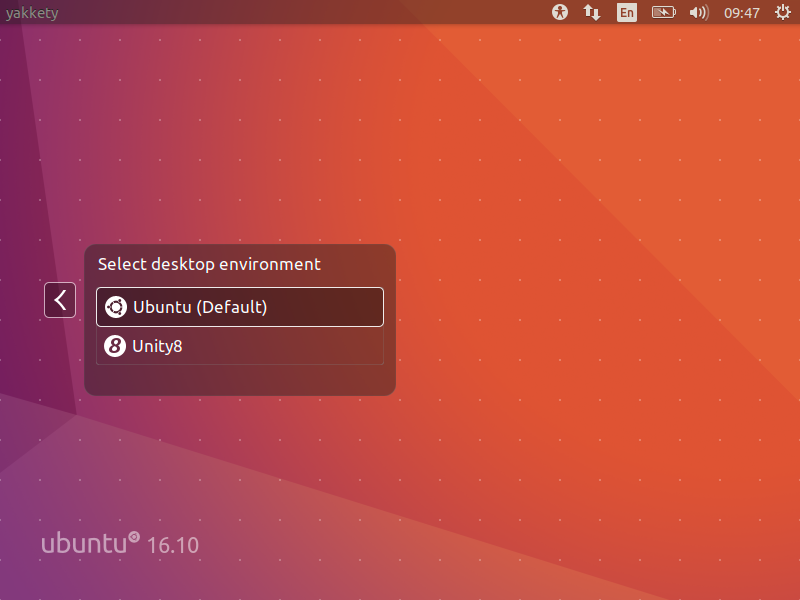
Unity 8
Note: Unity 8 won’t be the default desktop on Ubuntu 17.04 or 17.10 or 18.04. Ubuntu Unity is dead and GNOME will be the default desktop environment starting Ubuntu 18.04.
Swap File Instead of Swap Partition
Canonical’s Dimitri John Ledkov announced that Ubuntu 17.04 will use Swap files by default on non-LVM installs.
He explains that, quite simply, the need for a separate swap partition that’s (at least) twice the RAM size “makes little sense” on systems where memory isn’t limited.
For a common, general, machine most of the time this swap will not be used at all. Or if said swap space is in use but is of inappropriate size, changing it in-place in retrospect is painful.
Ubuntu17.04 Zesty Zapus will use swap files by default. Sizing of swap files is different to the swap partitions and typically use no more than 5% of free disk space (or 2048MB of RAM), which is another potential benefit.
The change does not apply to those who install Ubuntu using the LVM (Logical Volume Manager) option.
What’s important here is that some form of swap is maintained, it doesn’t matter how the swap is implemented. Anyone who’s ever used or set-up a ‘no swap’ system only to then run out of memory will know it’s not a pretty experience!
More Snaps
Canonical’s Will Cooke said that “by 18.04 everything will be Snaps and Unity 8 all the way down” and Engineering director Kevin Gunn, added that, “Canonical has an aggressive internal goal to try to get a usable all-snaps based image for Unity 8 out by 17.04”. So, although Snaps wouldn’t be replacing apt anytime soon.
32-bit PowerPC Support is Dropped
You might not have realized but Ubuntu till now used to support the aging 32-bit PowerPC architecture. As Debian has decided to drop this support, naturally Ubuntu followed the suit and has decided to drop the support for 32-bit PowerPC too, starting from Ubuntu 17.04.
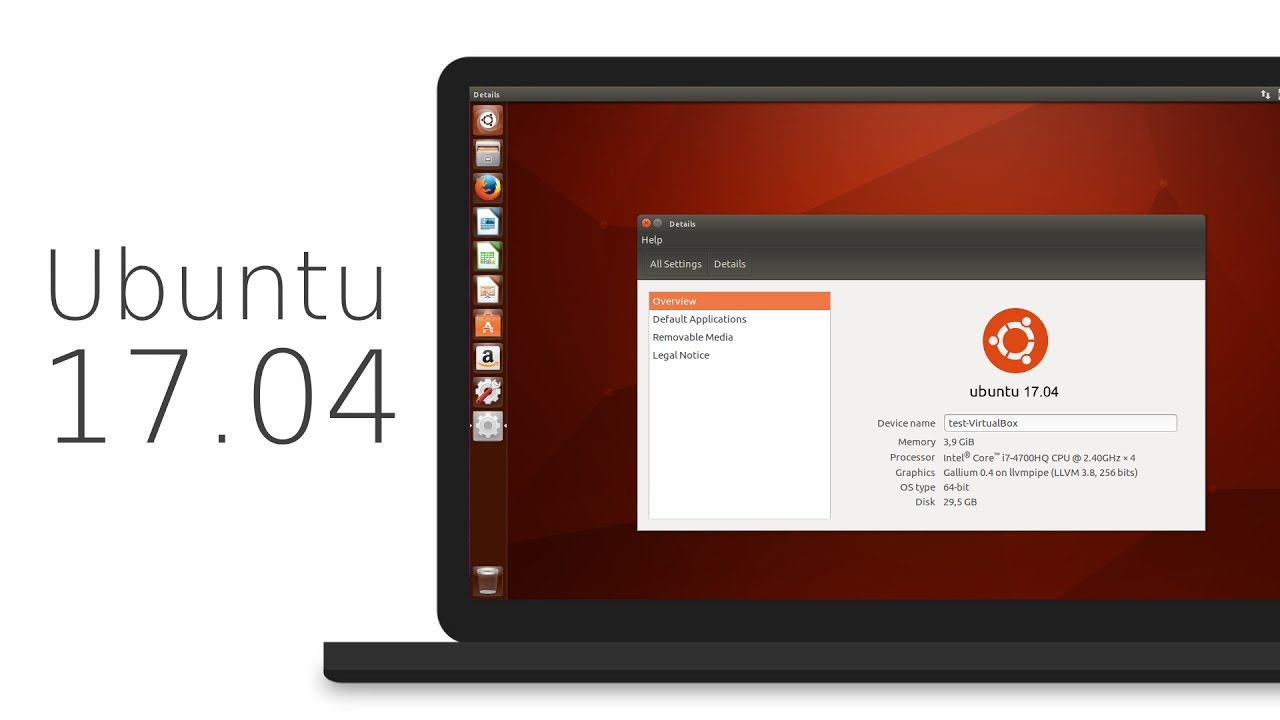
ubuntu 17.04
As you may have already noticed that most of these updates discussed above are found in Desktop version. So, in general, a common question automatically comes up, ‘isn’t there any changes for the new Ubuntu 17.04 server version?’ Well, of course Ubuntu released many updates for the Ubuntu 17.04 server version as well. Ubuntu Server 17.04 also comes with these following updates,
Qemu 2.8
Qemu has been updated to the 2.8 release.
Libvirt 2.5
Libvirt has been updated to version 2.5. For administrators worth to consider is that depending on the system setup and huge page size availability the specification of a page size for huge pages in a guest xml can now be mandatory.
LXD 2.12
LXD, now at version 2.12, introduces support for GPU passthrough, including NVidia CUDA. A new storage API has also been added, allowing for the creation of multiple storage pools which can then be used to host containers or independent storage volumes. And a number of new images have been added, including support for Ubuntu Core 16.
DPDK
Ubuntu 17.04 includes the latest release of DPDK, 16.11.1.
As a tech preview DPDK is now also available for ppc64el. This includes the latest improvements made in version 16.11.1 in general, but also further improvements to enable the i40e PMD and vfio-pci scanning on spapr platforms.
OpenStack Ocata
Ubuntu 17.04 includes the latest OpenStack release. OpenStack Ocata is also provided via the Ubuntu Cloud Archive for OpenStack Ocata for Ubuntu 16.04 LTS users.
Cloud-Init
Cloud-init has been updated to be stricter when identifying the cloud platform that it is running on and searching for data sources.
Why You Might Want to Upgrade
One nice thing for home users is the availability of driverless printing. Driverless printing will allow users to install just about any modern IPP Everywhere or Apple AirPrint-compatible printer via USB or network without installing a printer-specific driver. This is a big plus to folks who don’t like going through the rigmarole of finding and setting up print drivers for CUPS.
Other updates to the 17.04 release include an upgrade to LibreOffice 5.3, and a week view in the calendar. Standard-issue desktop apps will also migrate to Gnome 3.24, with the exceptions to Terminal, Evolution (email client), the Nautilus file manager, and Software (app store).
If you want to roll with an updated kernel in 16.04 like the 4.10 kernel that was recently released, you can use the Linux-mainline PPA to get newer kernel packages. If you choose to go this route, do so with care and be sure to keep the kernel updated because Ubuntu doesn’t officially support kernels from the mainline PPA. Things can and will break by using an unsupported kernel.
Asif Raihan April 23rd, 2017
Posted In: Debian, Linux, New products, News, Open Source, Operating Systems, ubuntu
Tags: linux, New products, News, Open Source, OS, ubuntu
Specs for first Intel 3D XPoint SSD: so-so transfer speed, awesome random I/O | Ars Technica
UPDATE 3/25/17 JJW:
The M.2 Optane won’t be readily available until later this year or likely 2018 – but it’s a good space to watch, as in our experience the internal interconnect technology and architecture will surely improve, to catch up with the underlying 3D X-Point silicon technology.
j
joe February 10th, 2017
Posted In: Open Source, Technology
Tags: Open Source, Technology
Docker says: “Available for both Windows and Mac” – WTF?
 Docker, Please – “Available for both Windows and Mac” Are you kidding?
This reminds me of the legendary line from the Blues Brothers movie:
“We got BOTH kinds of music – Country AND Western!”
Sheesh.
Lame – it’s all based on Linux! And Open Source!
Docker runs natively on Linux – the only way to get it to run on Windows and/or Mac, is to run it inside a VM (Virtual Machine), running Linux. Ahem.
So apparently that’s what this does, although you couldn’t tell by the name, the marketing blurb, nor the description.
DOCKER TOOLBOX
The Docker Toolbox is an installer to quickly and easily install and setup a Docker environment on your computer.
Available for both Windows and Mac, the Toolbox installs Docker Client, Machine, Compose and Kitematic.
Source: Docker Toolbox | Docker
Sigh.
j
joe October 9th, 2016
Posted In: Linux, Open Source, Technology, Uncategorized
Tags: linux, Open Source, Technology